Participant
January 7, 2022
Answered

Red, Green, Blue, and White dots in long exposure shots.

  • January 7, 2022
  • 2 replies
  • 8006 views

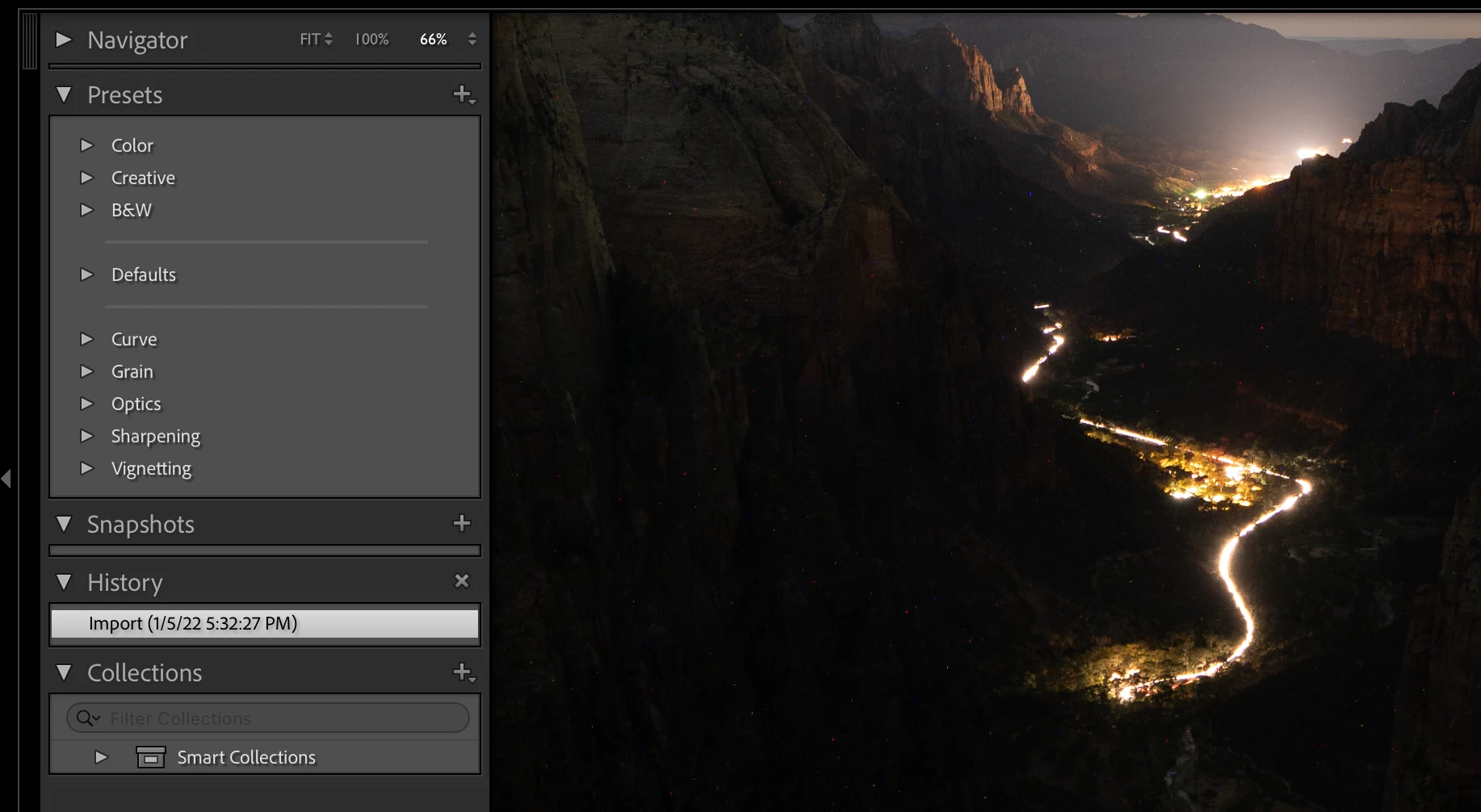
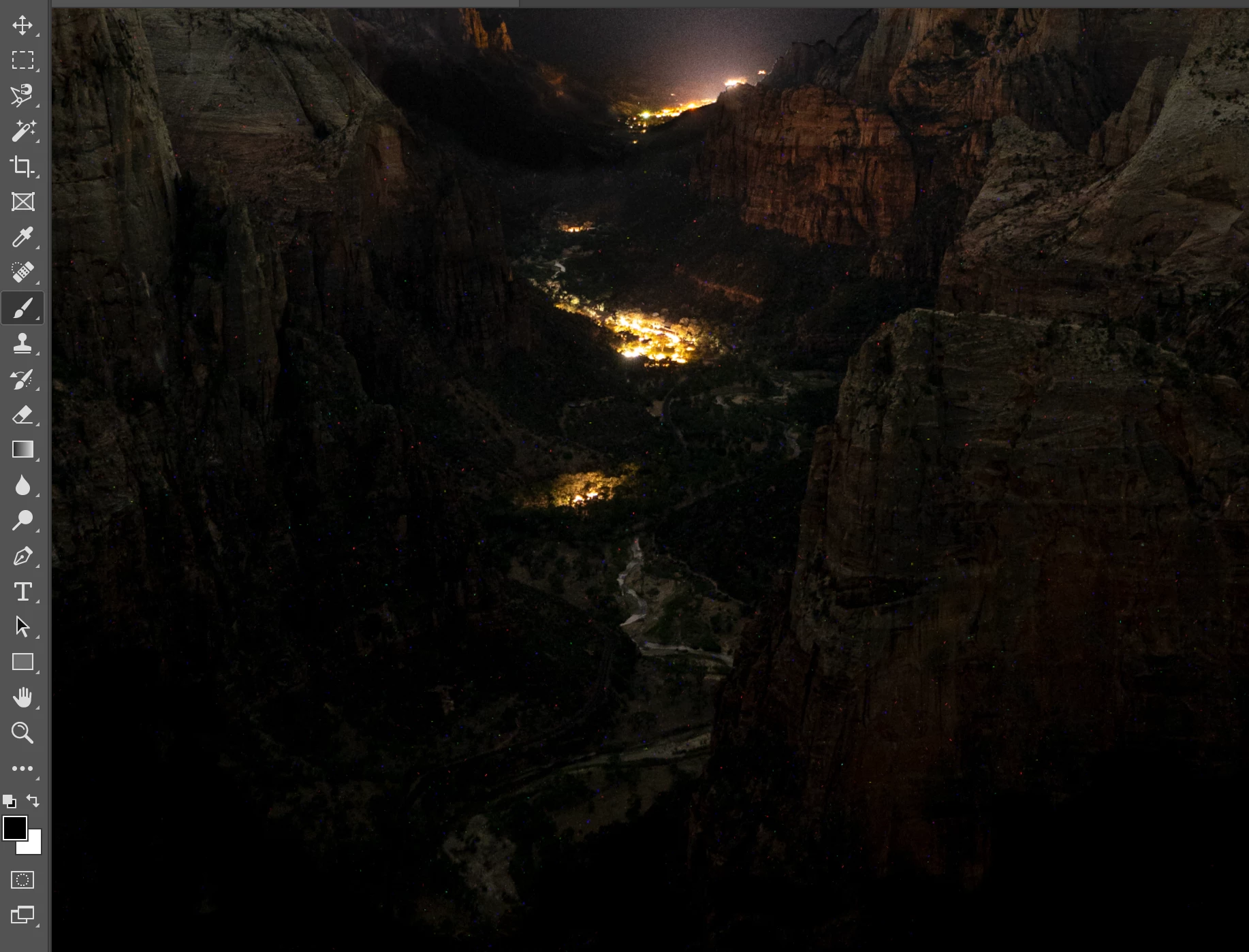
I took some night sky photos at zion national park and when I came back to review the images i took, the photos that i took with a really long exposure to caputre the foreground all have green, red, blue, and white dots all over the image. I have attached two photos for reference. 

For reference i shot this image with my Sony A7RIII w/ a Sigma 24-70 F2.8. The image was shot at 24mm, ISO 800, F2.8, and at 300 seconds. I even have another image i shot at ISO 400 that yielded the same results. I know the common problem with noise is that the ISO is cranked up, but i find it hard to believe that ISO 800 and 400 would do this. The colored dots also appear at the same exact location in both photos. I was hoping someone could shed some insight on why this is occuring and what i need to do in order to prevent this. Thanks! 
This topic has been closed for replies.
Correct answer gabrielv34663100

Thank you for the direction! I will look into those. 


Appreciate the response.

2 replies

Conrad_C
Community Expert
Community Expert
January 7, 2022

@gabrielv34663100 wrote:

I know the common problem with noise is that the ISO is cranked up, but i find it hard to believe that ISO 800 and 400 would do this. The colored dots also appear at the same exact location in both photos.


Those are all symptoms of hot pixels/thermal noise that only turn up with long exposure photography, not the more common ISO-based noise you are thinking of. That’s why you see it happen at any ISO speed, because this noise type is related to exposure time, not ISO speed.  The links Stephen Marsh posted are relevant explanations of this specific problem.


The short answer to getting rid of this specific type of noise is to either:

  • Enable Long Exposure Noise Reduction in your camera menu, if your camera offers this option (most recent/pro cameras do). This will double the overall time for each exposure (a 20 second exposure will take 40 seconds total to process), so it is not always the most practical answer. 
  • Use a manual “dark frame subtraction” technique like those explained in Stephen Marsh’s links. 


Without a dark frame, it can be tough to get rid of this type of noise. If you crank up Noise Reduction enough to get rid of the colored spots, those settings usually kill color in other parts of the image. This tutorial by Greg Benz might have some techniques you can try to remove the hot pixels you’ve already captured.


Participant
January 7, 2022

Thank you so much! i will try some of the techniques out when i go shoot again but for now i appreciate the Greg Benz video. 


Really appreciate the help.

Stephen Marsh
Community Expert
Community Expert
January 7, 2022

Shooting with the lens cap on is not always a mistake!


some random Google links:


https://photographylife.com/long-exposure-noise-reduction/amp

https://www.grantkaye.com/blog/2016/2/1/dark-frame-subtraction

https://digital-photography-school.com/10-common-mistakes-in-long-exposure-photography/

I'm not a photographer, but have been around long enough to pickup some things here and there.

gabrielv34663100AuthorCorrect answer
Participant
January 7, 2022

Thank you for the direction! I will look into those. 


Appreciate the response.