johnn44196442
Participant
January 26, 2019
Answered

Red image stuck after vectorizing

  • January 26, 2019
  • 2 replies
  • 267 views

Hi everyone!

I need some help, got a problem that I couldn't manage to Google my way out of.

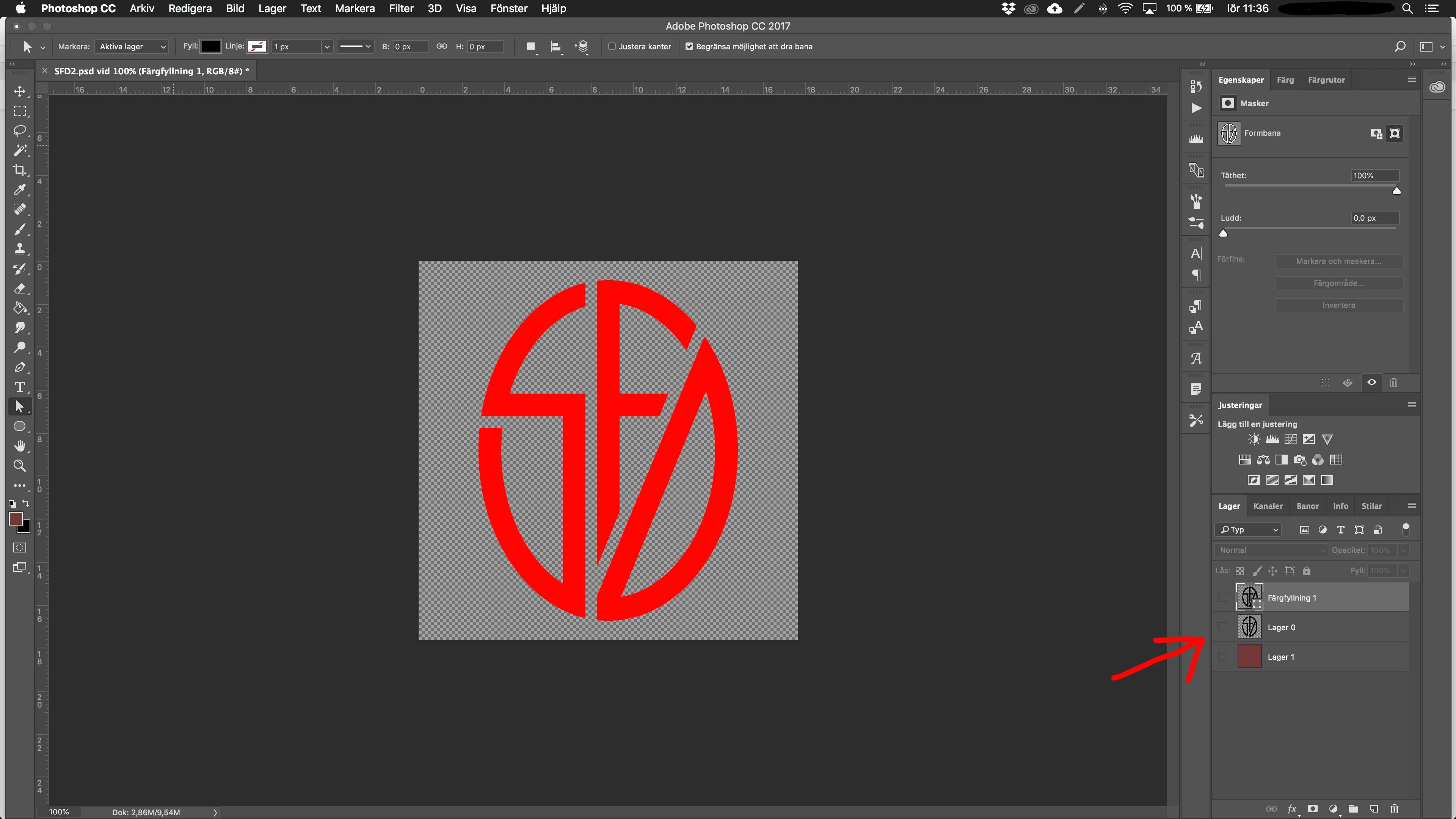
I made a logo in Photoshop CC, made it into a path then exported that as a vector .eps file. So far so good! Closed down Photoshop.

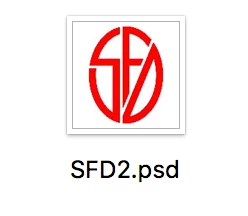
Now in Finder, the thumbnail of the .psd file shows the logo as solid red, not black as it's supposed to be. When I open the .psd file, sure enough the path is filled with solid red and stuck on top, even when I have no layers visible. What am I doing wrong here? (Sorry that my PS is in Swedish )

This is what the thumbnail looks like in Finder:
Thanks in advance for any help! //John

This topic has been closed for replies.
Correct answer c.pfaffenbichler

Are all Layers hidden?

Is there a Spot Channel?

2 replies

Bojan Živković11378569
Community Expert
Community Expert
January 26, 2019

Check also that you do not have any Channel turned on while previewing.

c.pfaffenbichler
Community Expert
c.pfaffenbichlerCommunity ExpertCorrect answer
Community Expert
January 26, 2019

Are all Layers hidden?

Is there a Spot Channel?

johnn44196442
Participant
January 26, 2019

Never heard of Spot Channels, but when you asked I looked in my Channels and found copies of all the RGB layers. When I hid the copies, the problem was solved. Thank you!

//John