GoskaPhotography
Participating Frequently
April 10, 2021
Question

Red tint after converting photos to sRGB

  • April 10, 2021
  • 2 replies
  • 1540 views

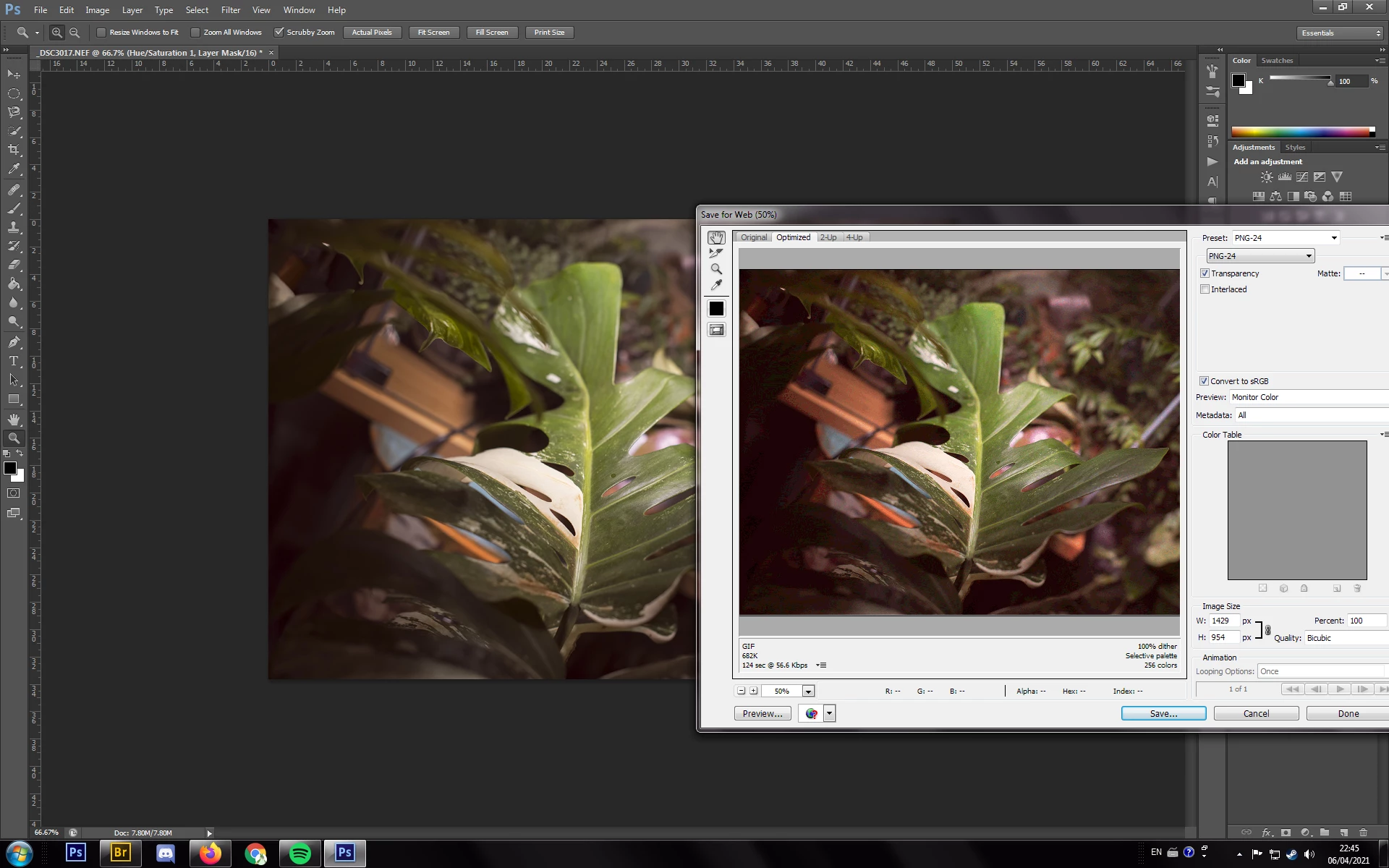
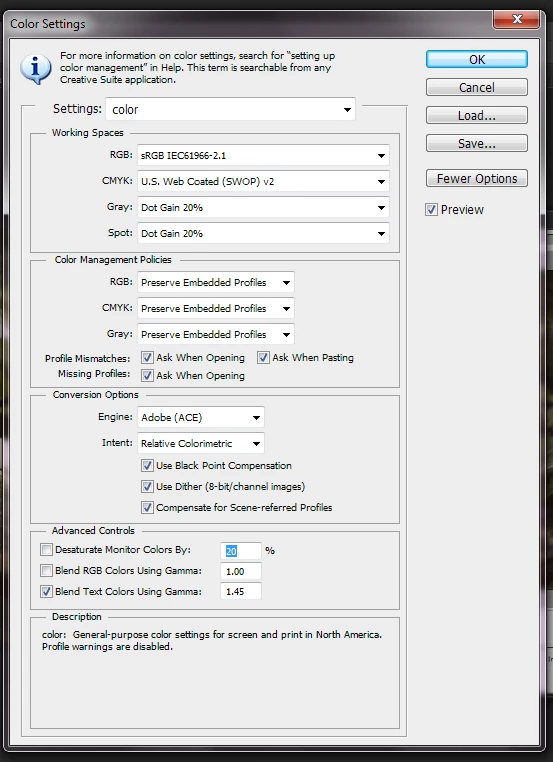
Hello, I'm having an issue with the colours in my photos after converting them to sRGB. I start with ProPhoto and after editing I use a 'save for web' option to convert them to sRGB. Unfortunately after saving the minatures have a red tint to them. It also happens when I'm trying to upload them on Facebook. Also when I'm in the 'safe for web' window and I swich to Monitor Colour preview pictures have a red tint. I've been googling for hours but couldn't find any solution for this problem and I'm getting frustrated. Please help
This topic has been closed for replies.

2 replies

davescm
Community Expert
Community Expert
April 10, 2021

A couple of things:

First set "Preview" in Save for Web to "Use document profile"


Second is a bit strange. You have the preset set to PNG24 but under the preview it is indicating a GIF and you are missing the "Embed Color Profile" checkbox associated with a PNG

What version are you using?

Dave


D Fosse
Community Expert
Community Expert
April 10, 2021

Exactly. This is "Preview : Monitor Color", which turns off color management in the Save For Web dialog, in combination with no embedded profile, which turns it off everywhere else. Case closed.


Judging from the screenshot this is an ancient Photoshop version, perhaps even as old as CS6...I seem to have a vague memory that SFW didn't embed the profile with PNGs at all back then. Today that's fixed (and then we got the same problem with Save As instead).

GoskaPhotography
Participating Frequently
April 10, 2021

Yes it is cs6


Legend
April 10, 2021

If the preview matches what you see on screen, but only when you choose Monitor Color, then you should look at your monitor setup.  

(1) What is the monitor exactly?

(2) Is the monitor calibrated?

(3) What apps are you using to "judge" colour accuracy (other than the preview shown)?

GoskaPhotography
Participating Frequently
April 10, 2021

I'm using an Eizo screen and yes, it's calibrated. It's not only the preview that shows the colours wrong. The red tint shows on the miniatures in the windows explorer and when I upload the pictures on Facebook. The colours are ok while editing in Photoshop cs6 and viewing the pictures in the windows explorer.