Participant
September 23, 2024
Question

Refine Edge Brush not working (select and mask)

  • September 23, 2024
  • 2 replies
  • 1183 views

I have looked across the community and have found 2 or 3 people with the same issue but there was never a reply in those posts that helped me.


My issue is that I want to refine hair but the refine edge brush tool doesn't work. When I go over the edges of the hair, it almost acts like an eraser and gives out this ghostly, half transparent look to it. It doesn't allow me to make a refined selection of a person and I have had to stick with the select subject selection as my selection for all projects.


Please see attached below for the before and after. All my settings, for the brush and for select and mask are in the photos too. Any response would be much appreciated.


Before:
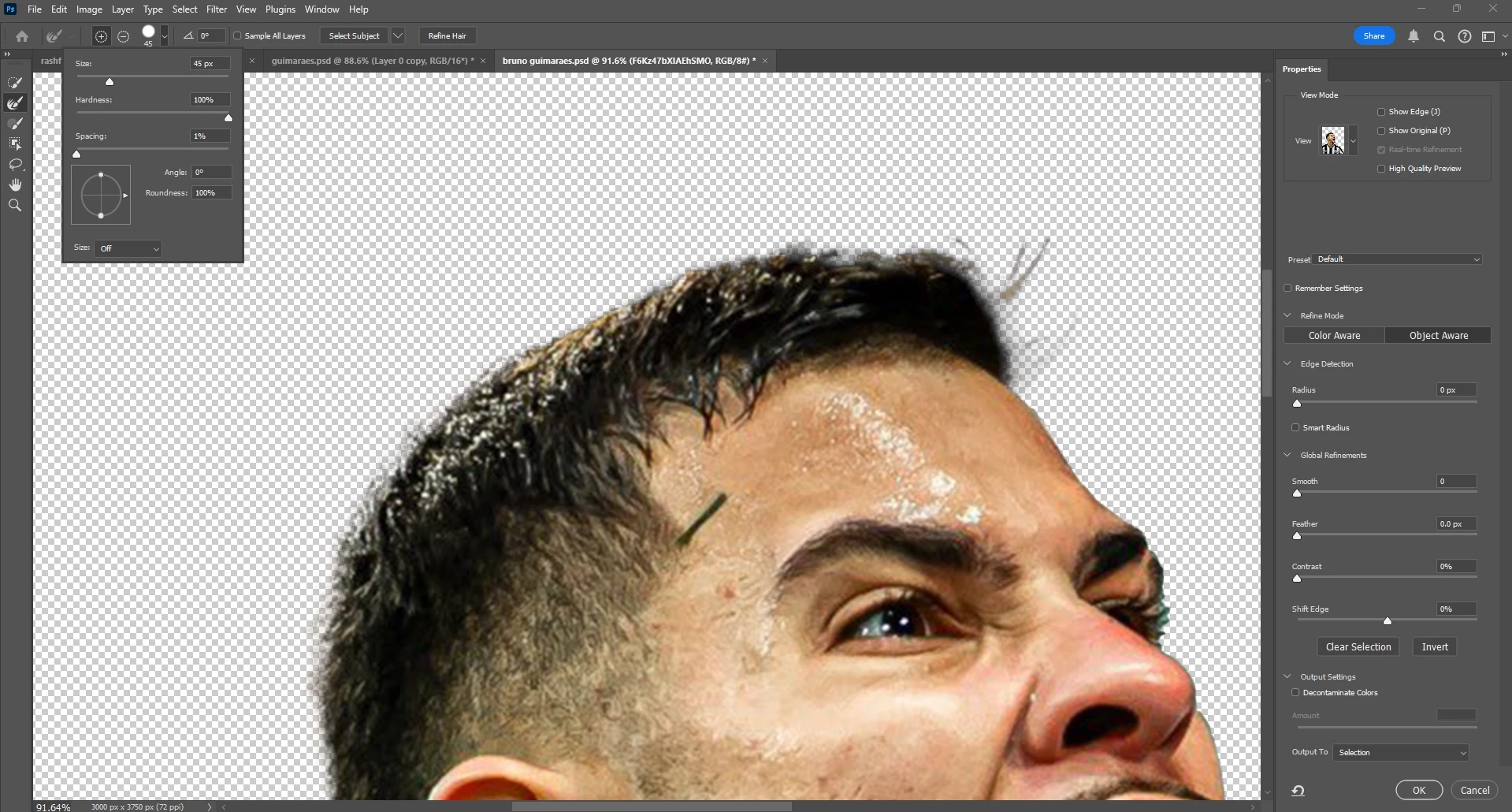
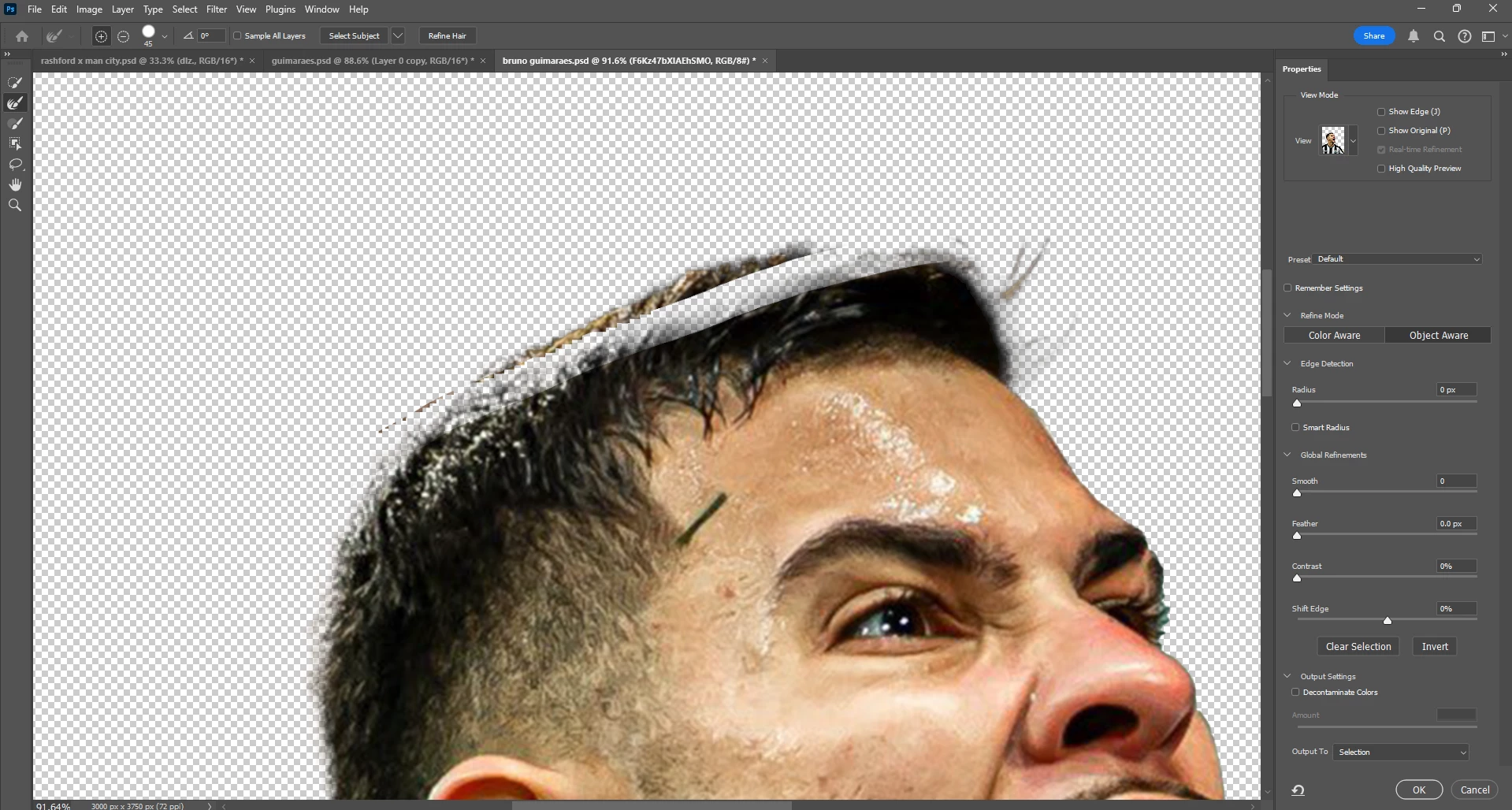
After: ^^^

2 replies

Participant
October 6, 2024

I have a very similar (if not the same) issue. When I try to use the refine brush tool, the selection becomes even worse. A lot of times, the +brush will remove more of the selection and other times it will add to the selection, but with a very inaccrate selection. As you said, the areas that were added have a red mask that looks like it's 50% opacity. I can't find any anwers to how to resolve this issue.

Participating Frequently
October 9, 2024

Thanks for trying the steps and sharing the outcome. 

Please share the system info of Photoshop from Help > System info > Copy & paste here in the thread. 


Thanks, 

Shivani 

Participating Frequently
September 25, 2024

Hey noah_0133, We're sorry for the trouble. 


I'll need more details to help. What version of Photoshop and Windows are you using? Does this happen after a software and application update? 


Please check our Community post, where our Experts have shared a few steps to solve this issue: 

https://adobe.ly/3BjM2V9


Thanks, 

Shivani 

noah_0133Author
Participant
October 5, 2024

Hi Shivani, sorry for the late response.


I had already looked at that post, and it still didn't help. I have been using photoshop for about two months and it has never worked, before and after updates. I have tried reinstalling it and it also doesn't work. I tried to use my macbook and it sort of worked.


Adobe Photoshop Version: 25.12.0 20240903.r.806 055f5e9 x64
Operating System: Windows 11 64-bit


If you need more information than this let me know. Hopefully it isn't too late for you to get back to me.


Thanks,

Noah