
Participant
June 27, 2020
Question

Refine Edge tool removing image content with Photoshop 21.2

  • June 27, 2020
  • 1 reply
  • 637 views

I have photoshop 21.2 and I was trying to practice the new remove background and select subject tools.

When I go to use the refine brush it starts taking things away.  I dont know if a setting is wrong or if its my computer.  Please help. I have a Mac desk top I've posted a screen shot .
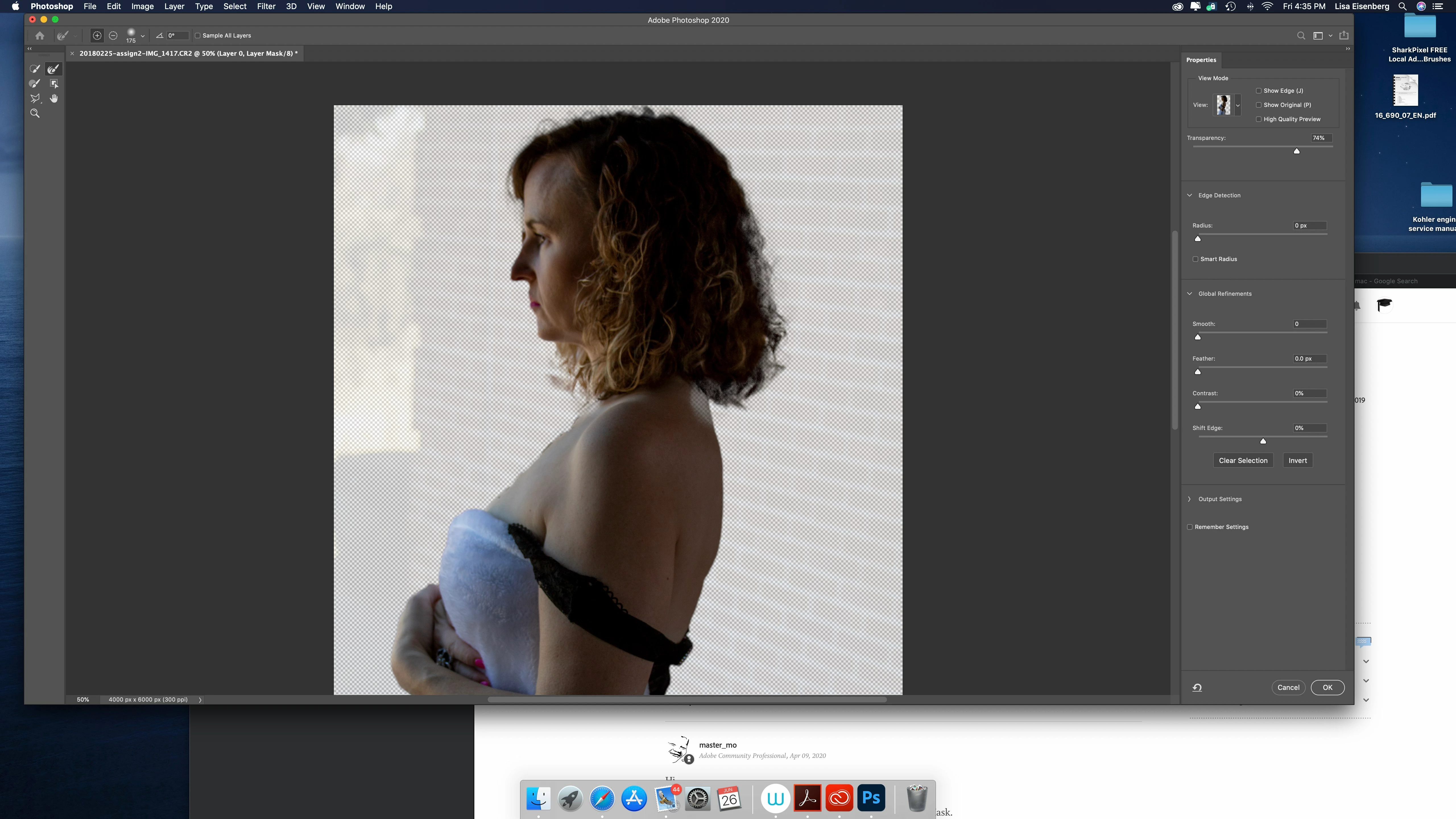
This topic has been closed for replies.

1 reply

Akash Sharma
Legend
June 30, 2020

Hi there, 


Sorry that the Refine Edge and Select & mask tool is not working correctly in Photoshop 21.2 as refining the edges is removing the image content. 


It seems that a setting in the Refine Edge tool is not set correctly. To ensure that the Refine edge is causing the issue, just before clicking on Refine edge, it can be useful to enter Quick mask for a quick visual indication of how well you have done with Quick Select.


Checkout this article to know more about Select and Mask workflow: https://helpx.adobe.com/photoshop/using/select-mask.html


Let us know if that helps.


Thanks,

Akash