

"Remove Background" not working after latest update – detects image layer incorrectly
Hi everyone,
I recently updated to the latest version of Photoshop (2026), and I’m encountering an issue with the Remove Background feature that was previously working perfectly.
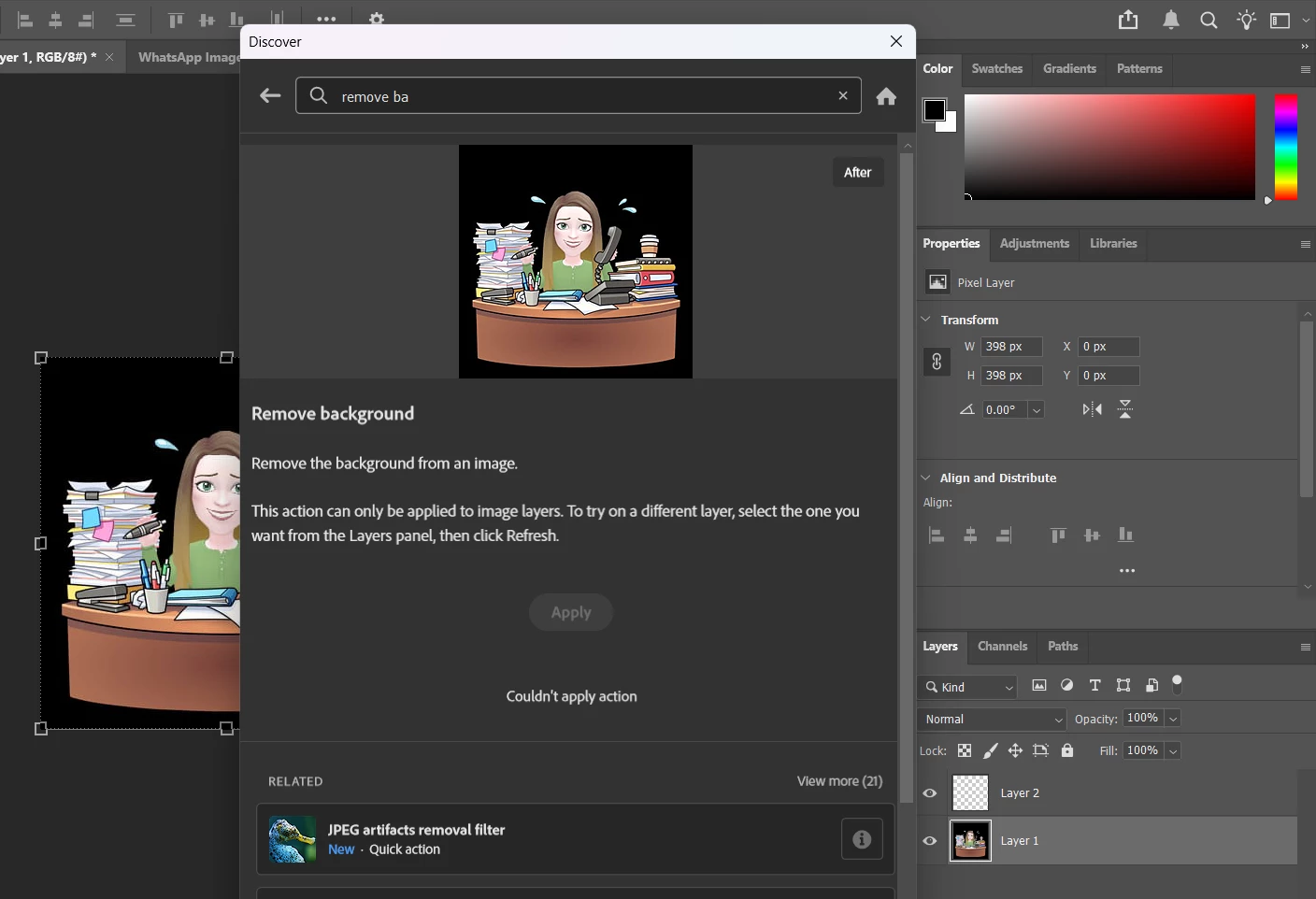
Now, when I try to use the “Remove Background” quick action, Photoshop shows the following message:
“This action can only be applied to image layers. To try on a different layer, select the one you want from the Layers panel, then click Refresh.”
However, I am selecting a valid image (pixel) layer. As shown in the attached screenshot:
-
The correct layer is selected in the Layers panel.
-
It is clearly a pixel layer (not a smart object, adjustment layer, or locked background).
-
The image is visible and editable.
Despite this, the Apply button remains disabled and the action fails with “Couldn't apply action.”
Steps to reproduce:
-
Open any image
-
Ensure a pixel layer is selected
-
Go to Discover panel → Remove Background
-
Try to apply the action
Expected result:
The background should be removed as before.
Actual result:
Photoshop incorrectly reports that no valid image layer is selected and does not allow the action to proceed.
Additional notes:
-
This started immediately after updating Photoshop (today).
-
I have already tried repeating the process multiple times with the same result.
-
This feature worked perfectly before the update.
Could this be a bug introduced in the latest version?
Thanks in advance for any help or confirmation.
 AdChoices