danb82803553
Participant
November 10, 2017
Answered

Remove faint a line through full picture

  • November 10, 2017
  • 2 replies
  • 978 views

Hi Guys,

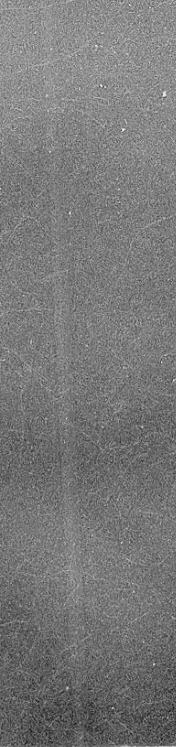
I'm wondering if someone can help. I have a faint blurry line running though the whole image. I've tried using the Patch Tool and Clone Stamp but when I do its noticeable.
Anyone have any tips? See attached image.

Thanks
This topic has been closed for replies.
Correct answer WILDCAT54

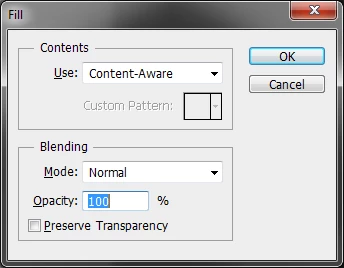
danb82803553​ The default setting will do in this instance

2 replies

davescm
Community Expert
Community Expert
November 10, 2017

A couple of curve adjustment layers with masks should do enough to take your eye of it (one to darken the middle of the strip and one to lighten the edges and I added a third just to break up the pattern)

Dave

WILDCAT54
Inspiring
November 10, 2017

try content aware.

Make your selection using the rectangular marquee tool and press Shift+F5 at the same time. Repeat as needed

danb82803553
Participant
November 10, 2017

@WILDCAT54 Thanks. Do you do anything with the settings when you press F5?

WILDCAT54
WILDCAT54Correct answer
Inspiring
November 10, 2017

danb82803553​ The default setting will do in this instance