Participant
July 13, 2023
Question

Removing a colour

  • July 13, 2023
  • 1 reply
  • 330 views

I need your help 🙏
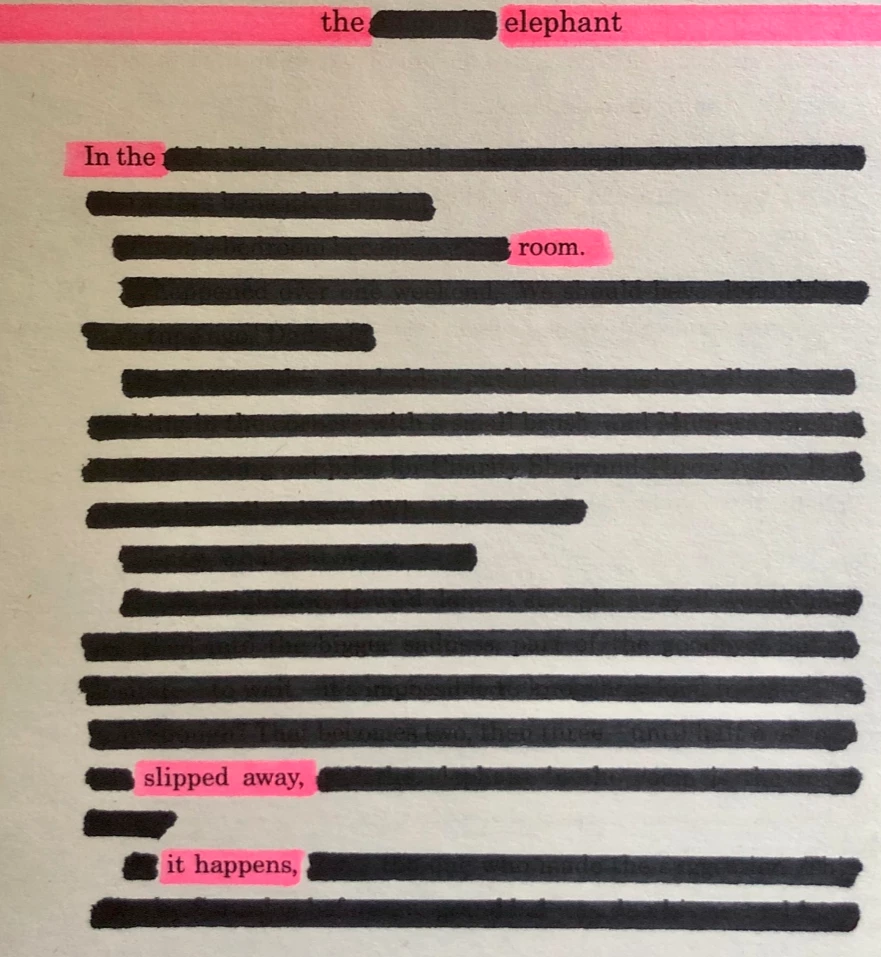
 I make these poems and now I'm going to turn them into postcards. I have them scanned as jpg. I need to clean the spots and remove the pink colour (change pink to background colour), as I will add this colour by hand after printing. I have Photoshop


2018. Any suggestions please? I'm getting desperate (Link removed by moderator)


attachment replaced (<by kglad>) with:


This topic has been closed for replies.

1 reply

Kevin Stohlmeyer
Community Expert
Community Expert
July 13, 2023

Hi @barbarad77262398 Here is how I'd tackle it:

1. Duplicate the layer (Print Layer) and use Select>Color Range to select the shadows (Black) and adjust as needed.

2. Create a layer mask based on this selection:

3. On the Background layer use the new Remove Tool to remove the print:

4. Apply a Filter>Gaussian Blur to soften the paper texture.

5. Add a Hue/Saturation adjustment layer clipped to the Print layer and drop the Saturation to remove any pink fringing.

Here is the final results:


Kevin Stohlmeyer
Community Expert
Community Expert
July 13, 2023

@barbarad77262398 if you can't upgrade to Photoshop 2023 to use the Remove tool, you can spend time using the healing tools and stamp tool to remove the print from the background layer but that will take time. If you can, I would upgrade to 2023.