
gtsolid
Known Participant
March 8, 2019
Answered

Removing a path contour

  • March 8, 2019
  • 3 replies
  • 3563 views

Good morning,

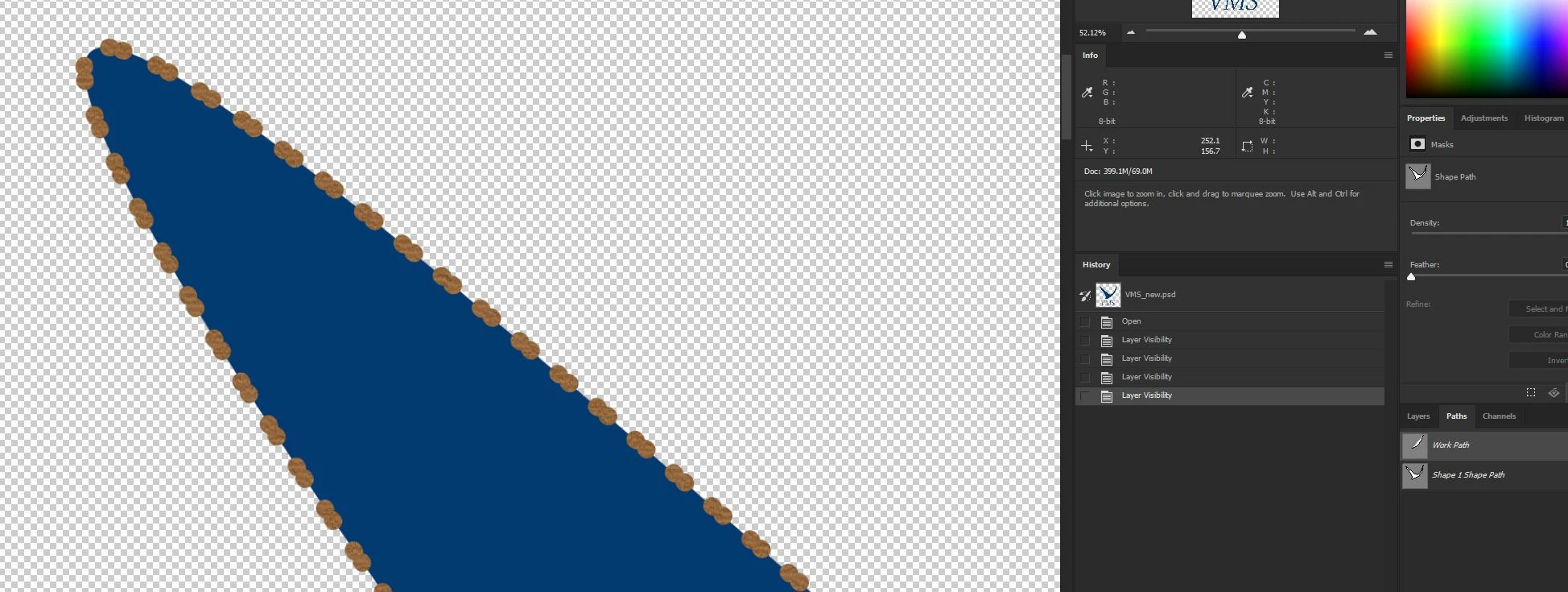
i wish to understand how to remove the contour from this path. I used it to paint the shape but now it appears also in the final image:

    This topic has been closed for replies.
    Correct answer davescm

    Hi

    It is fairly easy to make a stroke like that using a dotted line and adjusting the gaps
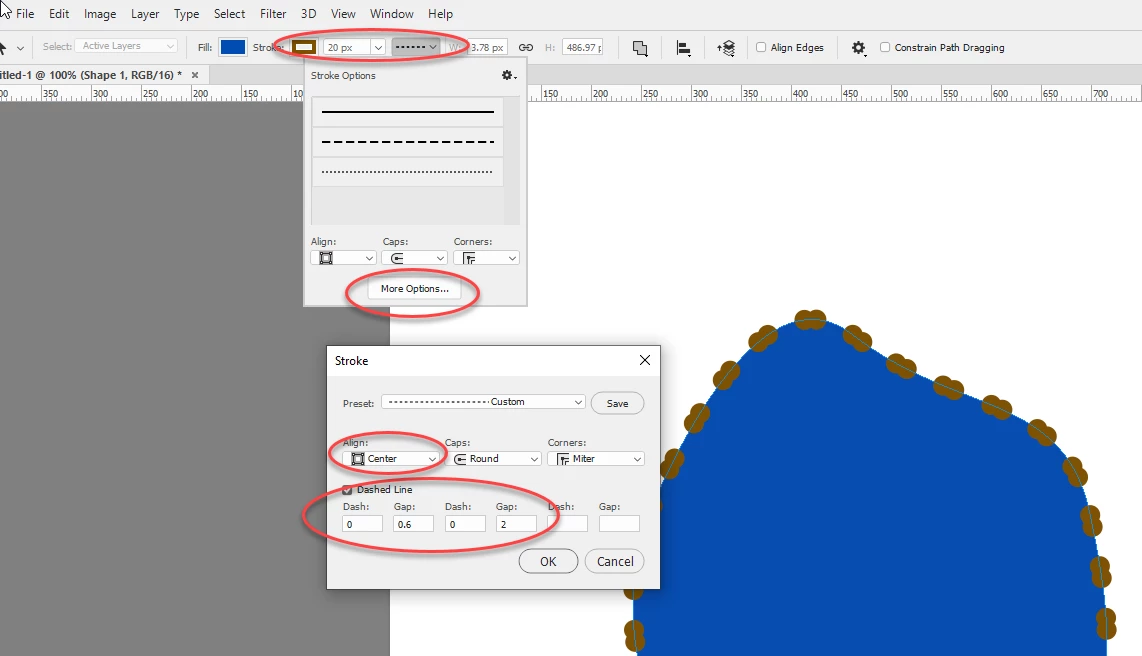
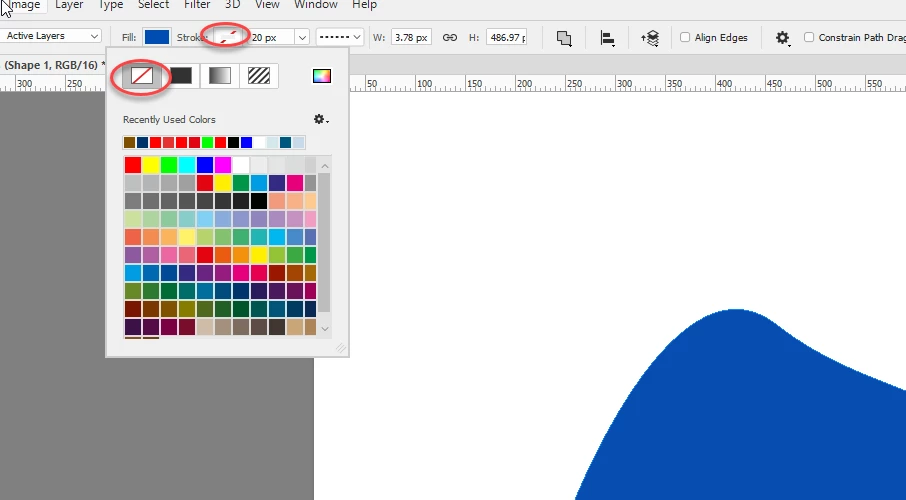
    So, if that is what was done,  try removing the stroke from the shape
    Dave

    3 replies

    melissapiccone
    Community Expert
    Community Expert
    March 12, 2019

    Is it these peanut shapes you want to remove? They should be in a layer that you can turn off or delete, but we can't see your layers panel...

    Melissa Piccone | Adobe Trainer | Online Courses Author | Fine Artist
    gtsolid
    gtsolidAuthor
    Known Participant
    March 13, 2019

    Hi!

    Yup, it's the peanut shape i want to remove.

    Here the screenshots.

    JJMack
    Community Expert
    Community Expert
    March 13, 2019

    The shape and path you show does not match the peanuts on the image you show.  Upload your PSD and post a link to it. Your image looks like peanuts on a chainsaw bar. Your path and shape looks like a bird.

    JJMack
    melissapiccone
    Community Expert
    Community Expert
    March 8, 2019

    I'm not clear on what you are trying to do. It looks like you ran a brush on a path - can't see your layer panels. Is that what you want to remove?

    Melissa Piccone | Adobe Trainer | Online Courses Author | Fine Artist
    gtsolid
    gtsolidAuthor
    Known Participant
    March 12, 2019

    Yes, it is.

    I created a shape starting from the path and it has this kind of contour i wish to remove.

    JJMack
    Community Expert
    Community Expert
    March 12, 2019

    What do you mean it has this kind of contour.  A path is a mathematical formula that can be added as a vector layer mask to make a shape layer and the path can be stroked and filled different  ways and the shape layer can have layer style effect added some of the effects user contours. Where did you add this contour. Recreate the shape and do not add the unwanted contour.

    JJMack
    JJMack
    Community Expert
    Community Expert
    March 8, 2019

    What is a Path contour.  I know the are contour Path on maps.   In Photoshop Path are not in the image. There may be path overlays in Photshop so  you can see the Path used  and even edit the paths you use to help make an image. Paths do not have image pixels themselves but they can be stroked, files with pixels. Actual Photoshop paths are not visible in an image what you see is the results of their use.

    JJMack