Question
Removing a person from a photo
I recently took a photo with a friend but the person who took the photo carelessly captured an additional person standing directly behind me. I want to remove this person but have no idea how to do this. I am a novice at Photoshop and spent the better part of 3 hours trying to do this myself to no avail. I need help. So far I have tried to use content aware fill but when I do that it just changes the person to a different looking person. I have no idea how to use layers so I am asking the community to help me. I'm sure the answer is so simple but I can't figure it out and am losing my mind. Photoshop 2024 on MacBook air from 2019. 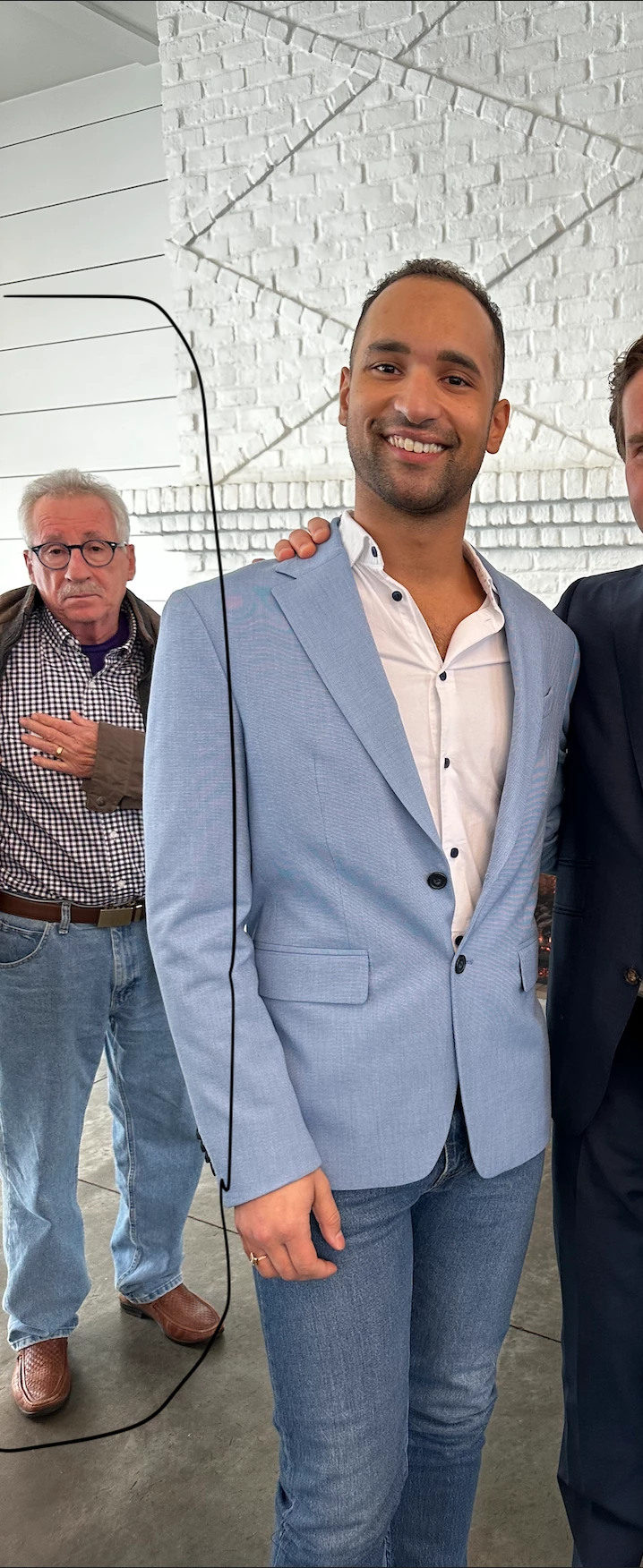
 AdChoices