


Removing annoying border/artboard/canvas Photoshop CC 20.0.8 - macOS
I recently "upgraded" to Photoshop CC 20.0.8 on a MacBook Pro.
Whenever I open a JPEG image file in Photoshop, the Script Event Manager runs a simple action to View > Fit on Screen.
In prior versions of Photoshop, this would cause the image window to fill the screen, and the image itself would fill the window.
See how there is no gap between the edge of the image and the rulers? That's what I want.
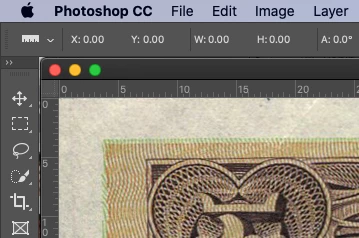
However, now that I've "upgraded," opening the same file results in a border around all edges:
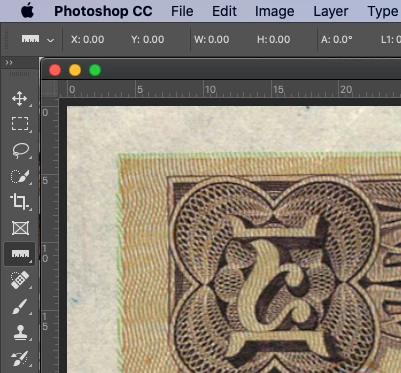
This is incredibly annoying because main reason I'm opening the images is to determine if I need to crop out unwanted background from scanning.
I don't know what new "feature" is causing this, so I'm at a loss as how to turn it off. As best I can figure, it's something to do with artboards, which I will NEVER use, so can I please turn them off an revert to the old functionality?
Help please! Thanks in advance!
{Thread renamed by moderator}
 AdChoices