hooiyei
Participant
July 13, 2017
Answered

removing background(white)
  • July 13, 2017
  • 5 replies
  • 1717 views

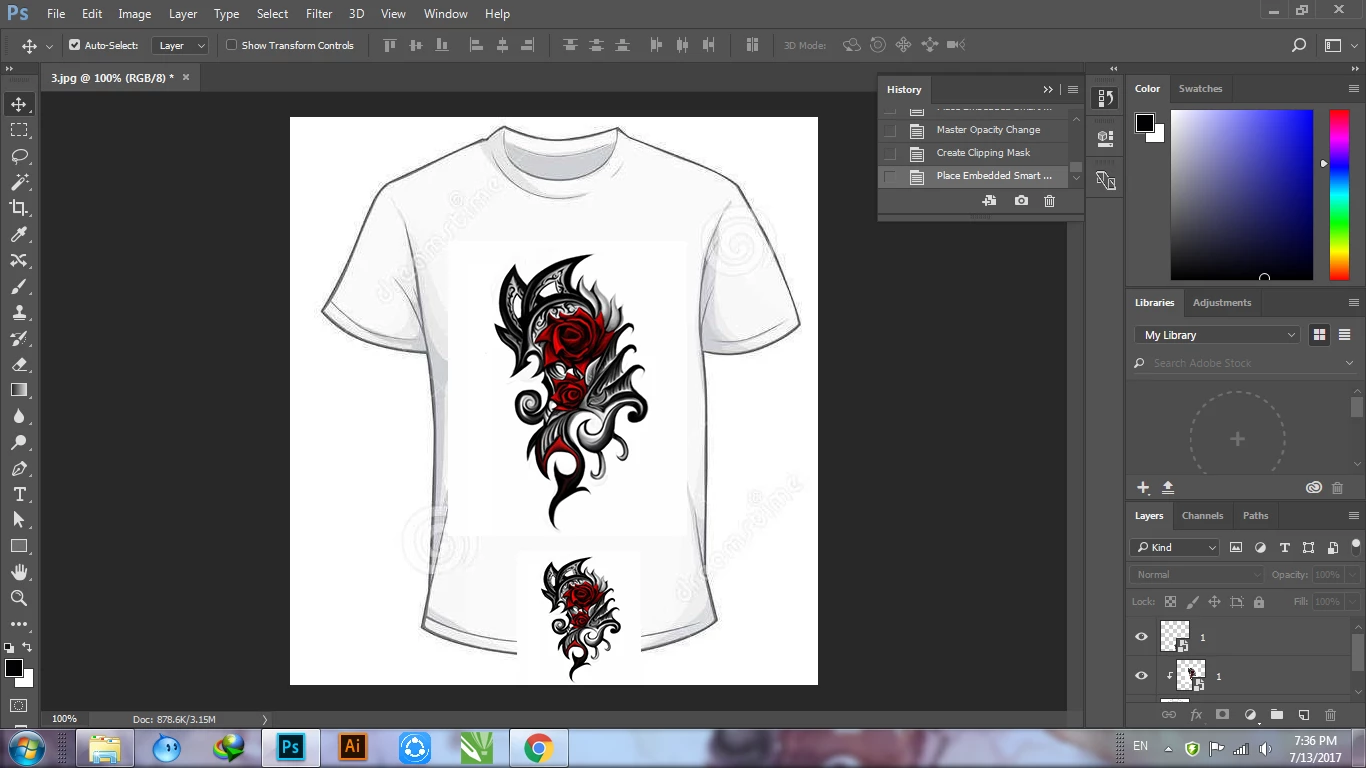
I am facing a problem that i dont know how to remove the logo white background(not the t-shirt) which overlay the t-shirt. Can anyone help on this?

    This topic has been closed for replies.
    Correct answer JRfromPTC

    You can try this.

    Photoshop compositing challenge - YouTube

    5 replies

    hooiyei
    hooiyeiAuthor
    Participant
    July 19, 2017

    Thanks  JR. This video helpful.

    S_Gans
    Community Expert
    Community Expert
    July 14, 2017

    While I don't have an image like yours, I think my video below, using grays and blacks and whites will suffice. I used Select Menu>Color Range, Chose Highlights, then after altering my settings to where I wanted them, I just deleted the selected white background. Hope that helps (BTW, in REAL life, I'd never have deleted it - I'd have used a layer mask so I could reveal and hide what I wanted afterwards - just thought the delete was easier for the demo).

    Adobe Community Expert / Adobe Certified Instructor
    hooiyei
    hooiyeiAuthor
    Participant
    July 19, 2017

    thanks ya, but JR video works for me

    Inspiring
    July 13, 2017

    Assuming you want to remove the white from around the lower logo and it is on a layer by itself.  Using the magic wand set on 1 tolerance, click on the white to select it and press Del.  If it's not a uniform white keep upping the tolerance until all of the white is selected.

    . Windows 10 -- Premiere Elements 2018 -- Photoshop CC
    hooiyei
    hooiyeiAuthor
    Participant
    July 19, 2017

    Yeap, i tried your technique and it work.

    JRfromPTC
    JRfromPTCCorrect answer
    Inspiring
    July 13, 2017
    c.pfaffenbichler
    Community Expert
    Community Expert
    July 13, 2017

    Does setting the Layer to Blend Mode Multiply suffice for this?

    Inspiring
    July 13, 2017

    I'm not sure what you're asking.  There seem to be two copies of what I guess you're calling the logo on that image.  Which are you asking about?

    Are all three (shirt, logo1 & logo2) on different layers?

    . Windows 10 -- Premiere Elements 2018 -- Photoshop CC