
Answered
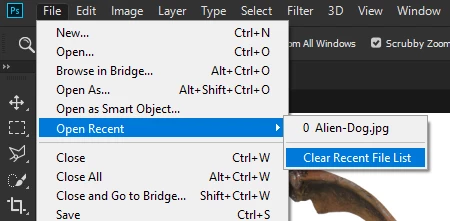
Removing Missing Files from recent files Start Up Screen.
usually files that are missing or moved faded in grey, dissapear when clicked on, but there is a couple which wont go away?, , “this file has been moved etc etc” , how can i remove these from showing in “recents”, the files are on an external drive, so i dont need them appearing in the recents menu screen, just clutters the previews, cheers.
 AdChoices