
Inspiring
January 11, 2023
Answered

Removing strange banding
  • January 11, 2023
  • 2 replies
  • 1068 views


Hello everyone.
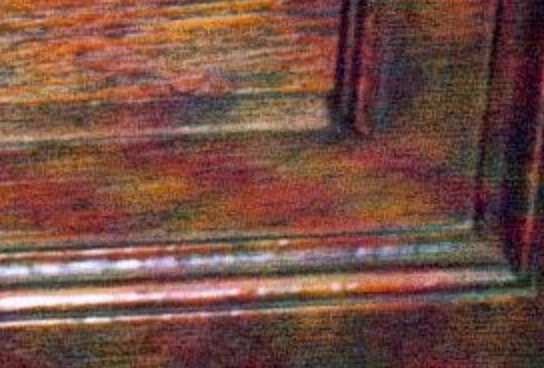
A document I'm working on includes a number of photos taken on a digital camera in the early 2000s. All of them have an issue with a strange kind of banding — waves of purple throughout each image (it's not just purple fringing), as in the attachment.
Does anyone know any techniques for removing something like this?
Thanks a lot.

This topic has been closed for replies.
Correct answer M P

Thanks, Leslie!

Mylenium's earlier suggestion also lead me to this thread, which I found useful: https://community.adobe.com/t5/photoshop-ecosystem-discussions/remove-banding-caused-by-scanner/td-p/9219232

2 replies

Leslie Moak Murray
Community Expert
Community Expert
January 11, 2023

You might also try Image>Adjustments>Hue/Saturation and move the Saturaion slider ove to the left until the purple is more muted.

M PAuthorCorrect answer
Inspiring
January 11, 2023

Thanks, Leslie!

Mylenium's earlier suggestion also lead me to this thread, which I found useful: https://community.adobe.com/t5/photoshop-ecosystem-discussions/remove-banding-caused-by-scanner/td-p/9219232

Mylenium
Legend
January 11, 2023

I would look at frequency separation tutorials and pretty much employ the same techniques - extract the luminance, fix the color channels by blurring and painting them, recombine the fixed product with the luminance info. If you're lucky, the individual chzannels may also contain some differential to use as a basis for selective color corrections. Based on your snippet there should be a distinct difference between the red and green channels and using Image --> Calculations: Difference mode it may be possible to isolate the purple waves.


Mylenium