


Inspiring
January 14, 2020
Question

removing the background and saving this as a PNG

  • January 14, 2020
  • 2 replies
  • 997 views

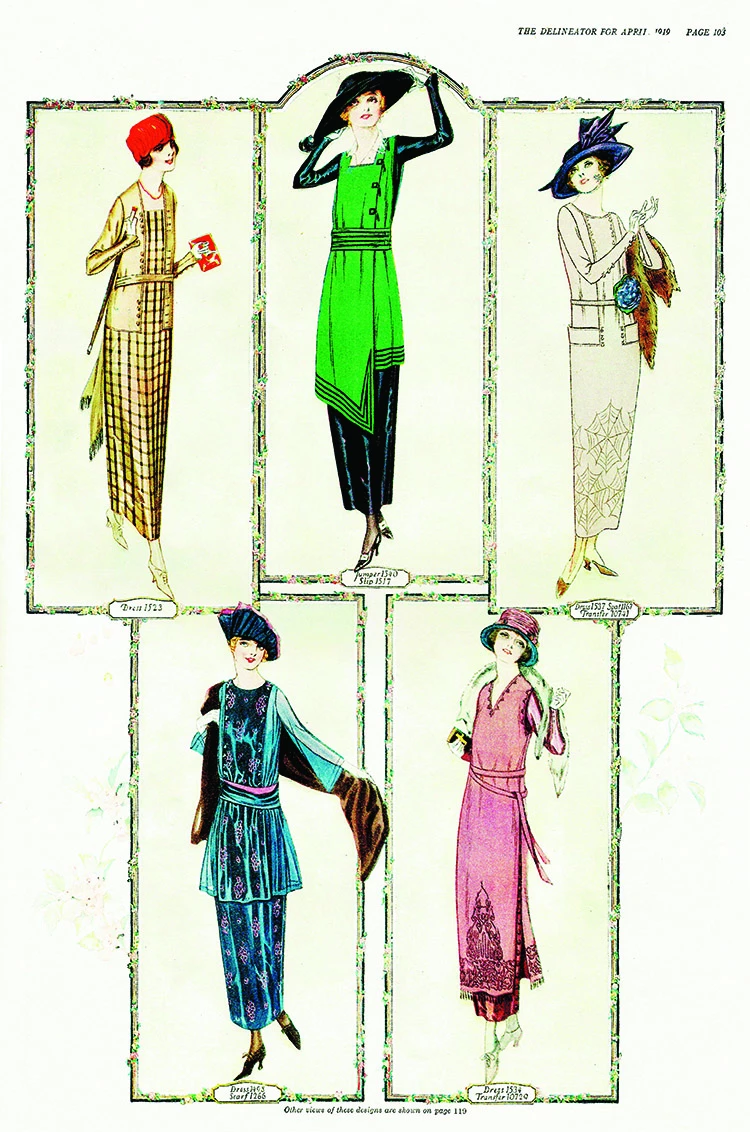
I'm trying to isolate each of the figures of the ladies here, and to save each one as a PNG so I can use them in a digital collage. I've tried different methods (magic wand, quick selection, select subject) and I still haven't got it down pat. I've even had difficult saving it as a PNG (the option isn't showing up in the "save as" menu).


Please, can somebody help me with what would the quickest and easiest way to do this? Each method has its own drawbacks. For instance, "select subject" tends to just get the outlines of the ladies, and leaves the flesh tones because they are very much like the background cream color.


Thanks very much!
This topic has been closed for replies.

2 replies

michelew83603738
Community Expert
Community Expert
January 14, 2020

I was going to suggest the pen tool as well. If that isn't an option for you and if you are getting a pretty good selection with the select subject, other than just skin tones, then I would select subject, jump into quick mask and then paint the rest with a brush while in quick mask. If you want a .png, you can always go to Export and go to Export as to get your export options as a png.

Inspiring
January 14, 2020

OK, I will give the quick mask thing a try! Thanks very much. 🙂

January 14, 2020

Hi

The Pen Tool would be a good option

Inspiring
January 14, 2020

Unfortunately I don't know how to use the pen tool. I've tried to use it in the past and it drives me nuts.

January 14, 2020

It's worth while spending sometime with it, it's a great tool once you get the hang of it