Participant
July 14, 2009
Answered

rename file script.

  • July 14, 2009
  • 1 reply
  • 1345 views

I assume this is possible via scripting, but as I'm new to scripting I'm just dipping my toes in for this.

I have a number of actions, all produce a variety of colour effects/tone. For a specific job I need to run each action one-by-one and output the result as a new PSD file using the Action's name as the filename for the PSD document.

IE :

FILE.PSD

run action 'Blues to shadows'

FILE.PSD saved to folder as 'Blues to shadows.PSD'

does anyone have any pointers how to get to this stage?

Thanks.
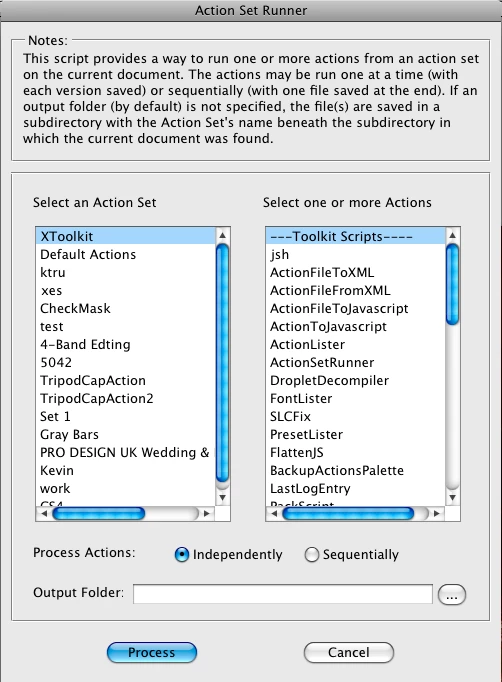
This topic has been closed for replies.
Correct answer xbytor2

I already wrote this a few years ago.

http://ps-scripts.cvs.sourceforge.net/viewvc/*checkout*/ps-scripts/xtools/apps/ActionSetRunner.js

It should do what you want.

-X

1 reply

xbytor2Correct answer
Inspiring
July 14, 2009

I already wrote this a few years ago.

http://ps-scripts.cvs.sourceforge.net/viewvc/*checkout*/ps-scripts/xtools/apps/ActionSetRunner.js

It should do what you want.

-X

Participant
July 14, 2009

Thank you, just tried it and it hits the spot keeping my orginal filename and adding the action name to it is an extra bonus.