johny roger
Inspiring
April 3, 2017
Answered

Repeated Canvas Size change BUG | Content/Position shift

  • April 3, 2017
  • 1 reply
  • 611 views

Dear all

did anyone have issue with repeated canvas size changing?

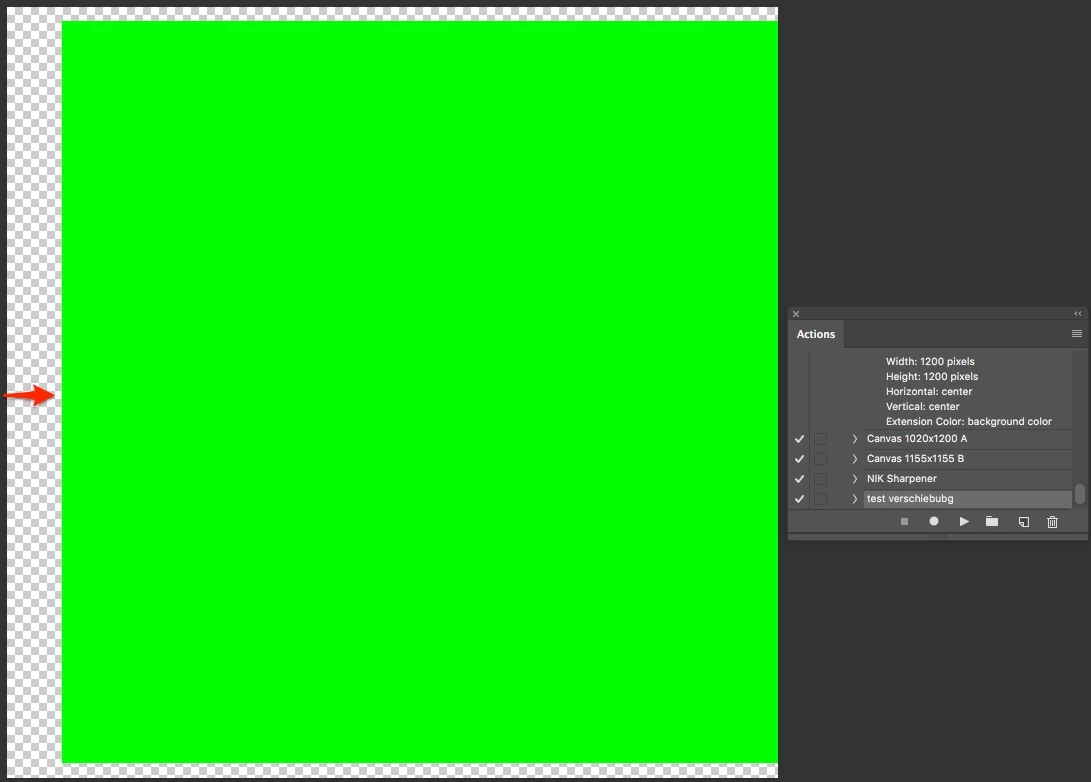
  • Repeat change canvas size with action OR script shifts it's content to the right side.
  • Horizontal and Vertical is set to center/center or center/top.

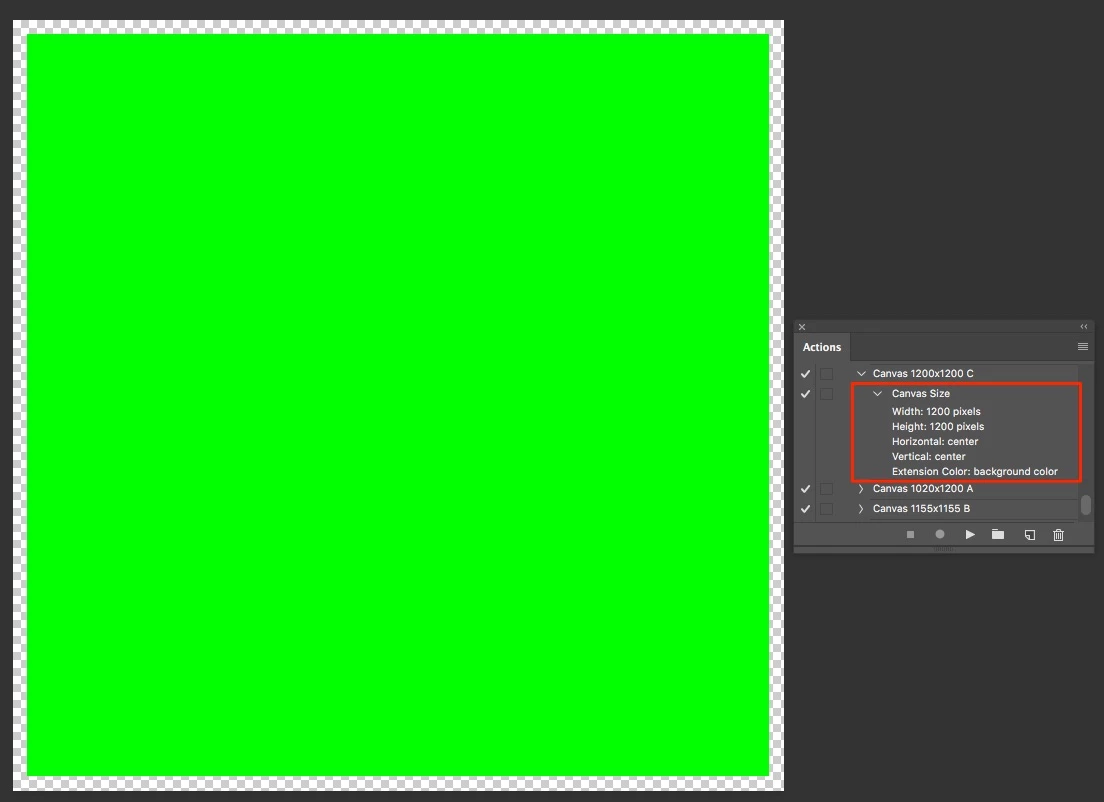
Screenshot one shows the document before the canvas size operations and Screenshot two after 50 changes.

I need to change the size in a batch/script command where it will be changed for about 50-100 times in a row and it should NOT shift the content/center.

Screenshot Original Document
Screenshot after 50 canvas size changes
Mac OS 10.12.3 (16D32)

PS CC 2017.0.1

This topic has been closed for replies.
Correct answer c.pfaffenbichler

Do you use odd numbers?

Edit: Odd numbers can cause the necessity for rounding if the reference point is the center, so what you describe would not seem that surprising.

1 reply

c.pfaffenbichler
Community Expert
c.pfaffenbichlerCommunity ExpertCorrect answer
Community Expert
April 3, 2017

Do you use odd numbers?

Edit: Odd numbers can cause the necessity for rounding if the reference point is the center, so what you describe would not seem that surprising.

johny roger
Inspiring
April 3, 2017

c.pfaffenbichler

Thank you so much for the prompt answer. This was the case as i had 1155px and that caused the problem.

Did not know tho, that we can't use odd numbers when setting the canvas size.

Have a good day.

c.pfaffenbichler
Community Expert
Community Expert
April 3, 2017

You can, but when the reference point is the center and the original dimension is an even number Photoshop has to round at some point.