
Question
Replace Color Tool & Color Replacement Tool showing wrong color outcome
Hi,
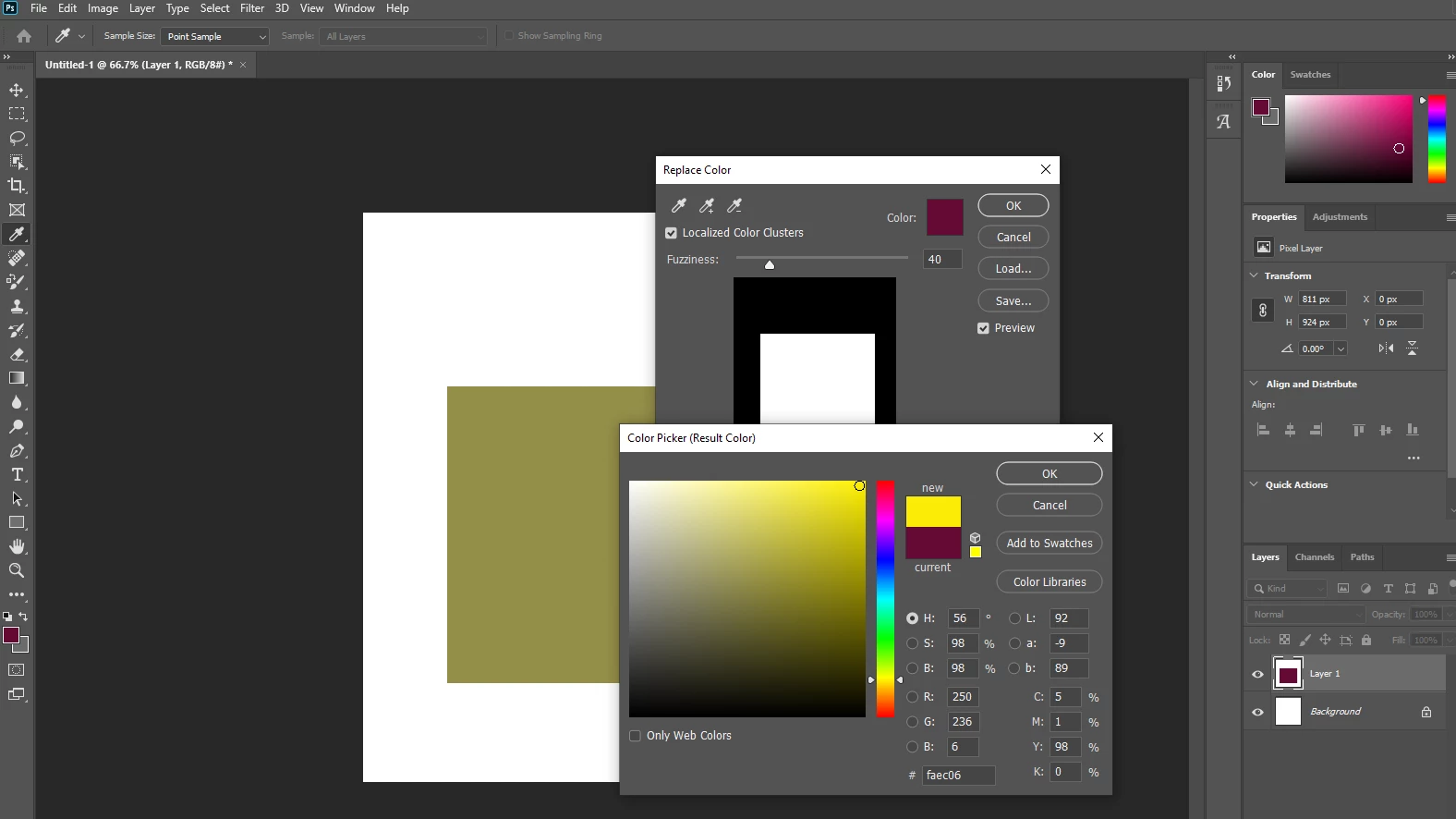
I have tried the Replace Color Tool (via Image - Adjustments - Replace Color) and the Color Replacement Tool but am experiencing a similar issue.
Replace Color Tool
The color replaced is not the color selected, as shown below for the Replace Color Tool. The color should be a very bright vibrant yellow.
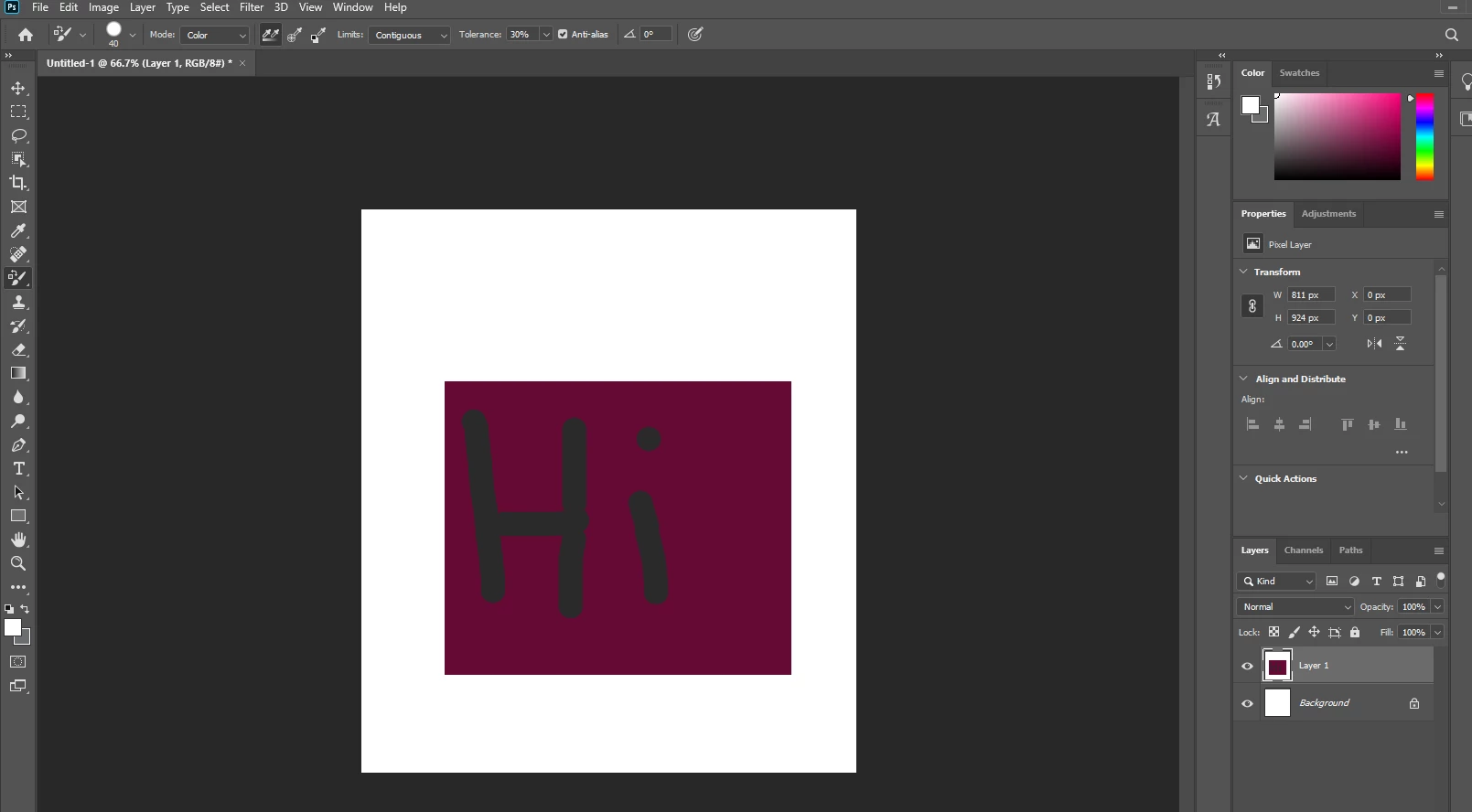
Color Replacement Tool
I then used the Color Replacement Tool brush, expecting the "Hi" writing to be white, not dark grey, below.
Photoshop version: 21
I've reset all the Photoshop Tools but this has not helped either.
Any ideas please?
 AdChoices