johns66786249
Participant
June 20, 2017
Answered

Replicating Ubuntu 16.04's default desktop help

  • June 20, 2017
  • 2 replies
  • 617 views

Hello, as the title mentions, I'm having trouble with figuring out what effects were used to generate the lines found in the Ubuntu 16.04 desktop background, a link to which is here: http://www.omgubuntu.co.uk/wp-content/uploads/2016/02/Xerus_Default_Wallpaper-750x422.jpg 

I'm a bit new to photoshop still, so I don't quite understand how the contrast was achieved by those lines. I've tried a glow line effect that there's many tutorials for, but the effect doesn't seem quite right. If anyone knows exactly how this was done, I would be very thankful!!
    This topic has been closed for replies.
    Correct answer davescm

    Hi you could try this

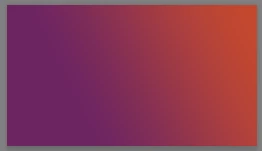
    Make a layer with a gradient from orange to purple.

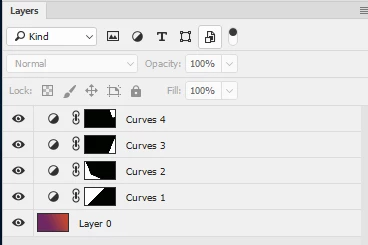
    Make a selection (using the polygonal lasso) in the shape of the area  to be changed and then add a curves adjustment layer. The adjustment layer will automatically have a mask in the shape you selected.

    Adjust the curve to slightly darken or slightly lighten the image below.

    Repeat for the other shapes

    Dave

    2 replies

    davescm
    Community Expert
    davescmCommunity ExpertCorrect answer
    Community Expert
    June 20, 2017

    Hi you could try this

    Make a layer with a gradient from orange to purple.

    Make a selection (using the polygonal lasso) in the shape of the area  to be changed and then add a curves adjustment layer. The adjustment layer will automatically have a mask in the shape you selected.

    Adjust the curve to slightly darken or slightly lighten the image below.

    Repeat for the other shapes

    Dave

    johns66786249
    Participant
    June 20, 2017

    Awesome, thank you!!

    davescm
    Community Expert
    Community Expert
    June 20, 2017

    You're welcome

    Dave

    JJMack
    Community Expert
    Community Expert
    June 20, 2017

    Xerus_Default_Wallpaper-750x422.jpg

    Look like 7 area were filled with closely matched color shades and then a gradient overlay was blended in with a mode like screen or multiply.

    JJMack