
svensonx
Participating Frequently
January 29, 2020
Answered

Resample image is not changing size of image.

  • January 29, 2020
  • 1 reply
  • 593 views

Hi Guys,

Im using the 2020 version of photoshop. I had a client send me a file that was created in a 3d program. I needed to reduce the size and resave it as a jpeg. Usually a simple task.The image is 7mg. 1st I reduced the file from 300ppi to 100ppi and saved it out to the desktop and it stayed 7mg. I then tried to reduce the compression from 10 to medium (7) and save it out.  Size stayed the same. I copied and pasted the file to a new file just in case there were remnants of styles or metadata or timeline issues getting added to the file. Still the same. Changed it to a greyscale and still the same.. This is very odd. There are no extra channels or and is a standard 8bit file. 

It is only this file. Other files like the screenshot I am posting works fine as usual.

Anyway let me know if anyone has had this problem.

Steve
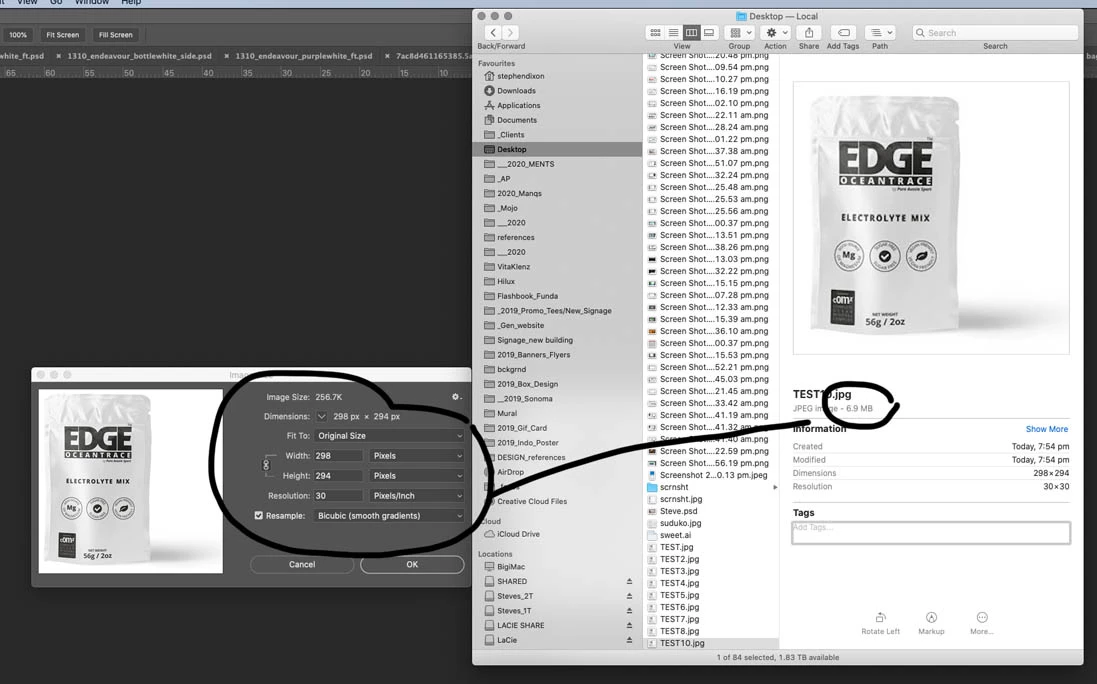
 

This topic has been closed for replies.
Correct answer c.pfaffenbichler

»I copied and pasted the file to a new file just in case there were remnants of styles or metadata«

That would not remove the ancestors metadata. 


Try Save for Web or try removing the Ancestors Metadata. 

https://community.adobe.com/t5/photoshop/inflated-jpg-file-size-photoshop-document-ancestors-metadata/td-p/8055434?page=1

1 reply

c.pfaffenbichler
Community Expert
c.pfaffenbichlerCommunity ExpertCorrect answer
Community Expert
January 29, 2020

»I copied and pasted the file to a new file just in case there were remnants of styles or metadata«

That would not remove the ancestors metadata. 


Try Save for Web or try removing the Ancestors Metadata. 

https://community.adobe.com/t5/photoshop/inflated-jpg-file-size-photoshop-document-ancestors-metadata/td-p/8055434?page=1

svensonx
svensonxAuthor
Participating Frequently
January 29, 2020

Yep that did the trick... I saved the script from the link above and used the script function in photoshop.

Thanks!

Steve