Participant
April 6, 2020
Answered

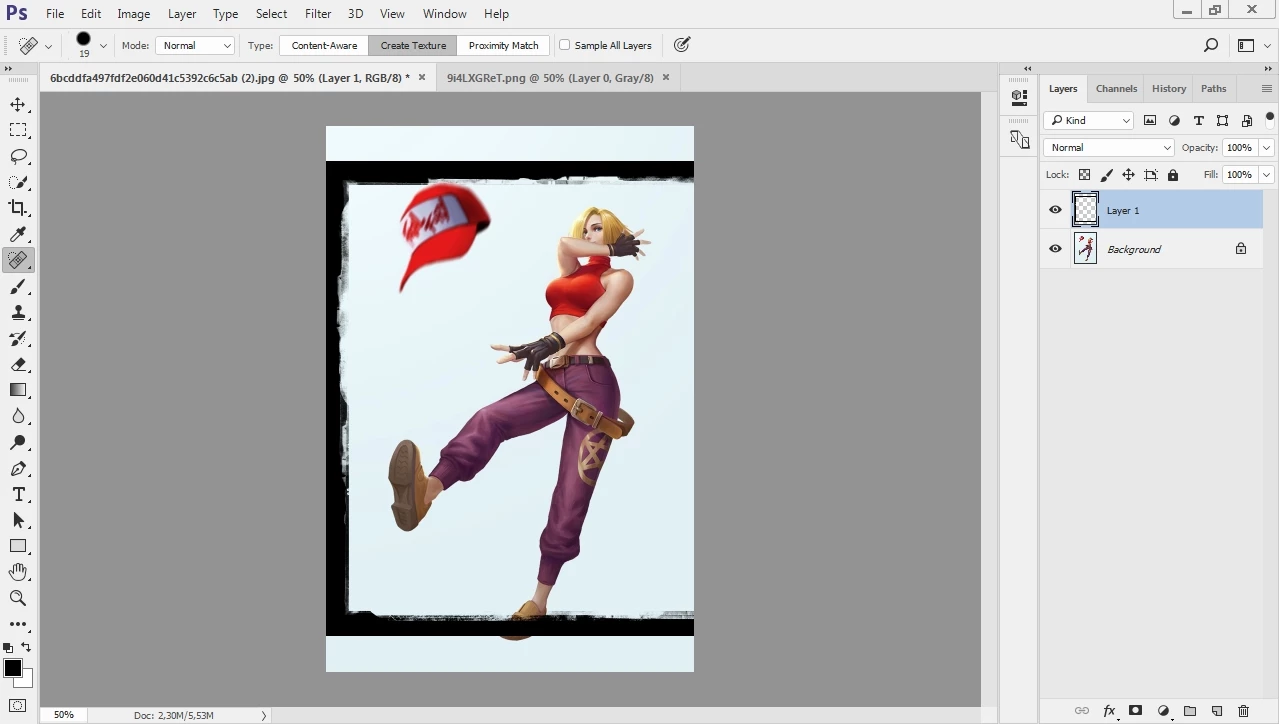
resize layer 1 with the dimension of the background image

  • April 6, 2020
  • 3 replies
  • 1242 views

i need to resize layer 1 to the same size as the background, automatically.

I tried with actions, but it doesn't work, how to make a script? 
This topic has been closed for replies.
Correct answer Stephen Marsh

Here is a simple script to distort the active layer to match the canvas. The layer to resize needs to be pre-selected/targeted in the layers panel before running the script. When recording the action you can use an absolute/explicit selection of "Layer 1" or you can use a relative keyboard shortcut to select the uppermost layer opt/alt . (dot/period character):


//community.adobe.com/t5/photoshop/scale-layer-to-current-canvas-size-photoshop/td-p/5217315
// Michael L Hale
function main() {
    var doc = app.activeDocument;
    var layer = doc.activeLayer;
    layer.translate(new UnitValue(0 - layer.bounds[0].as('px'), 'px'), new UnitValue(0 - layer.bounds[1].as('px'), 'px'));
    layer.resize((doc.width.value / (layer.bounds[2] - layer.bounds[0])) * 100, (doc.height.value / (layer.bounds[3] - layer.bounds[1])) * 100, AnchorPosition.TOPLEFT);
}
app.activeDocument.suspendHistory('Resize Layer to Canvas', 'main()');


EDIT: This variation will select the layer named "Layer 1":


function main() {
    var doc = app.activeDocument;
    doc.activeLayer = doc.layers.getByName("Layer 1");
    var layer = doc.activeLayer;
    layer.translate(new UnitValue(0 - layer.bounds[0].as('px'), 'px'), new UnitValue(0 - layer.bounds[1].as('px'), 'px'));
    layer.resize((doc.width.value / (layer.bounds[2] - layer.bounds[0])) * 100, (doc.height.value / (layer.bounds[3] - layer.bounds[1])) * 100, AnchorPosition.TOPLEFT);
}
app.activeDocument.suspendHistory('Resize Layer to Canvas', 'main()');


You can record the script into an action as a step.


https://prepression.blogspot.com/2017/11/downloading-and-installing-adobe-scripts.html


EDIT: And here is another script that achieves the same result:

https://gist.githubusercontent.com/jawinn/ab4df1c33d0743e41fd3/raw/72ff297ae42ed029c86be7644bd021ef46971070/Fit%2520Layer%2520To%2520Canvas.jsx

3 replies

Stephen Marsh
Community Expert
Stephen MarshCommunity ExpertCorrect answer
Community Expert
April 7, 2020

Here is a simple script to distort the active layer to match the canvas. The layer to resize needs to be pre-selected/targeted in the layers panel before running the script. When recording the action you can use an absolute/explicit selection of "Layer 1" or you can use a relative keyboard shortcut to select the uppermost layer opt/alt . (dot/period character):


//community.adobe.com/t5/photoshop/scale-layer-to-current-canvas-size-photoshop/td-p/5217315
// Michael L Hale
function main() {
    var doc = app.activeDocument;
    var layer = doc.activeLayer;
    layer.translate(new UnitValue(0 - layer.bounds[0].as('px'), 'px'), new UnitValue(0 - layer.bounds[1].as('px'), 'px'));
    layer.resize((doc.width.value / (layer.bounds[2] - layer.bounds[0])) * 100, (doc.height.value / (layer.bounds[3] - layer.bounds[1])) * 100, AnchorPosition.TOPLEFT);
}
app.activeDocument.suspendHistory('Resize Layer to Canvas', 'main()');


EDIT: This variation will select the layer named "Layer 1":


function main() {
    var doc = app.activeDocument;
    doc.activeLayer = doc.layers.getByName("Layer 1");
    var layer = doc.activeLayer;
    layer.translate(new UnitValue(0 - layer.bounds[0].as('px'), 'px'), new UnitValue(0 - layer.bounds[1].as('px'), 'px'));
    layer.resize((doc.width.value / (layer.bounds[2] - layer.bounds[0])) * 100, (doc.height.value / (layer.bounds[3] - layer.bounds[1])) * 100, AnchorPosition.TOPLEFT);
}
app.activeDocument.suspendHistory('Resize Layer to Canvas', 'main()');


You can record the script into an action as a step.


https://prepression.blogspot.com/2017/11/downloading-and-installing-adobe-scripts.html


EDIT: And here is another script that achieves the same result:

https://gist.githubusercontent.com/jawinn/ab4df1c33d0743e41fd3/raw/72ff297ae42ed029c86be7644bd021ef46971070/Fit%2520Layer%2520To%2520Canvas.jsx

Participant
April 7, 2020

Thank you very much!!!


This script worked perfectly.

Stephen Marsh
Community Expert
Community Expert
April 7, 2020

Glad to be of help and thank you for updating the topic with a correct answer to help others in the future (not everybody has the courtesy to come back, say thank you and or give feedback, press like or mark correct).

Stephen Marsh
Community Expert
Community Expert
April 7, 2020

You will need a script. Try searching for one on the forums.


What should the script do to match the layer size to the background/canvas size?


Should the script distort/stretch both the width and height to match?


Or should the script only size the width of the layer to match the canvas, potentially making the height proportionally larger or smaller than the width?


Or should the script only size the height of the layer to match the canvas, potentially making the width proportionally larger or smaller than the height?


Are all the images canvas that will be processed portrait orientation, or will some be landscape? Should the script intelligently scale to "best fit" for the orientation of portrait or landscape canvas? 

lambiloon
Community Expert
Community Expert
April 7, 2020

Hi, you need to record an action then it works for you first need to learn record to it... regards

Ali Sajjad / Graphic Design Trainer / Freelancer / Adobe Certified Professional
Participant
April 7, 2020

thanks for responding, but as i said in the post. action does not work for this job