Participant
December 28, 2016
Answered

Resizing Art Boards

  • December 28, 2016
  • 2 replies
  • 1313 views

I just did the Photoshop 2017 update and I am having a terrible time grabbing the edge of art boards to resize the page. I did this all the time in the previous versions of Photoshop with no problems. Is there a way to change the sensitivity to this?

While I'm here I also have a terrible time selecting items that are close to each other unless I zoom way in. This is making duplicating and moving around items very tricky. Anyway to change that preference?

    This topic has been closed for replies.
    Correct answer jane-e

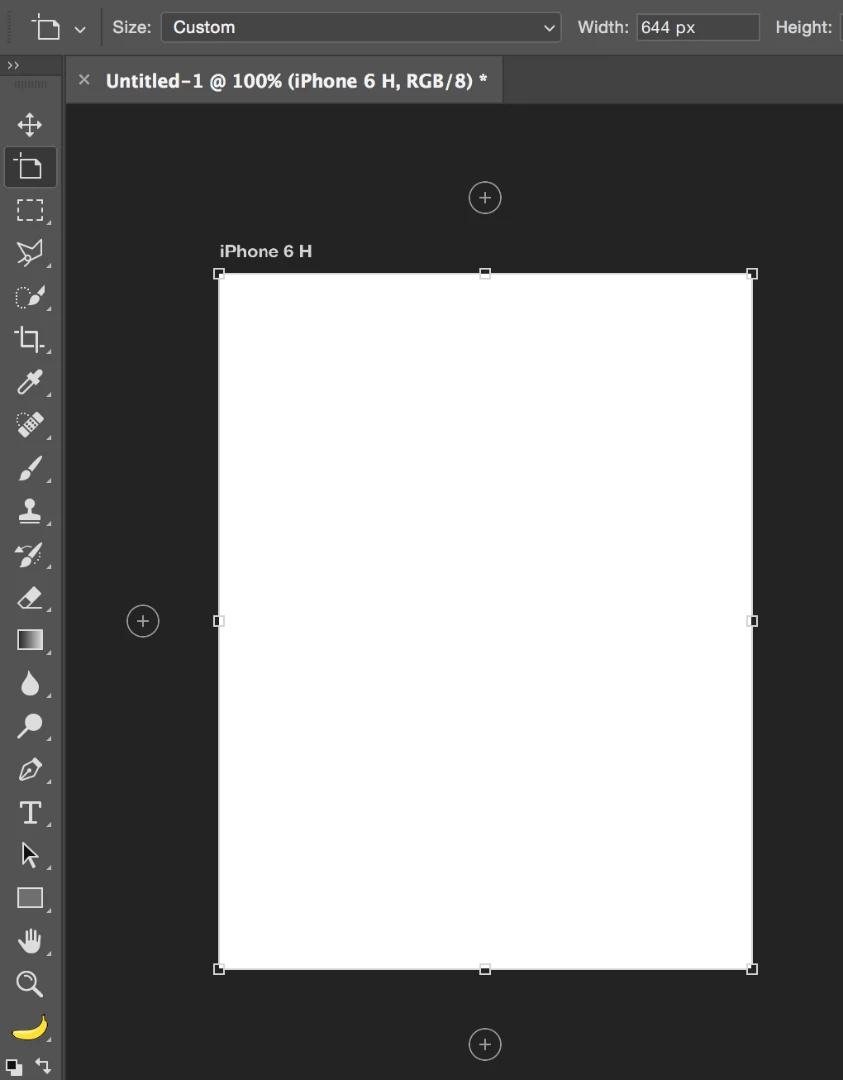
    Make sure you have the Artboard tool. By default, it's behind the Move tool. Click the Artboard and you will get resize handles.

    Use the same tool to drag the edges to move the Artboards.

    If you are doing this and it is stil not working, you may need to reset Preferences. In the General tab of Preferences, click Reset Preferences on Quit.

    2 replies

    Participant
    March 5, 2017

    With the latest update I had the same issue, unable to grab the edge of the artboard.

    You need to grab the artboard edge in the middle, and the resize tool will appear. (Inline with the duplicate artboard plus icon.

    jane-e
    Community Expert
    jane-eCommunity ExpertCorrect answer
    Community Expert
    December 29, 2016

    Make sure you have the Artboard tool. By default, it's behind the Move tool. Click the Artboard and you will get resize handles.

    Use the same tool to drag the edges to move the Artboards.

    If you are doing this and it is stil not working, you may need to reset Preferences. In the General tab of Preferences, click Reset Preferences on Quit.

    mikesmullAuthor
    Participant
    December 29, 2016

    Yes, I have the art board tool. I've been using it since Photoshop added art boards. The problem is I can't grab the edges to resize which I was able to do before this update. Your screen shot isn't showing so I'm not sure where in the preferences I can find and change this to be the same as it used to be. Can you repost or explain where you are going to make this happen?

    jane-e
    Community Expert
    Community Expert
    December 29, 2016

    I'm glad it's working!