Participant
April 17, 2020
Answered

Resizing Images

  • April 17, 2020
  • 3 replies
  • 1205 views

I've got some large images that I'm having difficulty resizing. Whenever I try, it seems to freeze. I've tried leaving it for a couple hours, but it didn't seem to have done anything. Specifically, I'm trying to change it using the image size view.
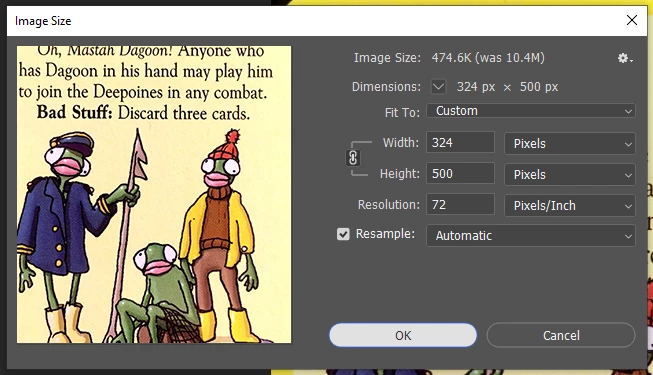


This image is a result of me trying at a smaller size than I want it to end up. I can't even interact with photoshop after I've clicked the ok button.


Side note, is there any way to batch resize images? I've got a ton that I need to reduce the size of all of them to 2000px tall or shorter

This topic has been closed for replies.
Correct answer c.pfaffenbichler

What have you done for trouble-shooting so far? 

Restoring Preferences after making sure all customized presets like Actions, Patterns, Brushes etc. have been saved might be a good starting point:

https://helpx.adobe.com/photoshop/kb/basic-trouble-shooting-steps.html


Have you tried File > Scripts > Image Processor yet? It can be used to scale images to fit certain measurments. 

3 replies

Derek Cross
Community Expert
Community Expert
April 17, 2020

When you've sorted the issue out that causing the computer to freeze, have a look at File > Scripts > Image Processor to bulk process the image resizing.

Mohammad.Harb
Community Expert
Community Expert
April 17, 2020

Check that you have enough disk space as photoshop use the empty disk space for virtual memory. 

c.pfaffenbichler
Community Expert
c.pfaffenbichlerCommunity ExpertCorrect answer
Community Expert
April 17, 2020

What have you done for trouble-shooting so far? 

Restoring Preferences after making sure all customized presets like Actions, Patterns, Brushes etc. have been saved might be a good starting point:

https://helpx.adobe.com/photoshop/kb/basic-trouble-shooting-steps.html


Have you tried File > Scripts > Image Processor yet? It can be used to scale images to fit certain measurments. 

PennyJimAuthor
Participant
April 17, 2020

I just updated photoshop and my graphics driver and disabled the other graphics card I use to donate power to Folding At Home. It seems to work fine now, and the script seems to be working fine on the almost 200 pictures I have to downsize.