Participant
January 8, 2021
Question

Resizing in Photoshop 22.1 causes freeze the app on Windows 10

  • January 8, 2021
  • 3 replies
  • 487 views

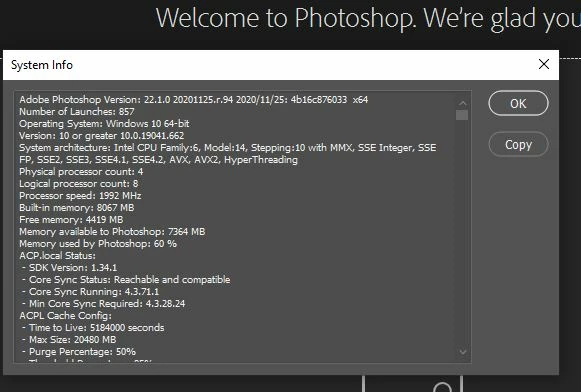
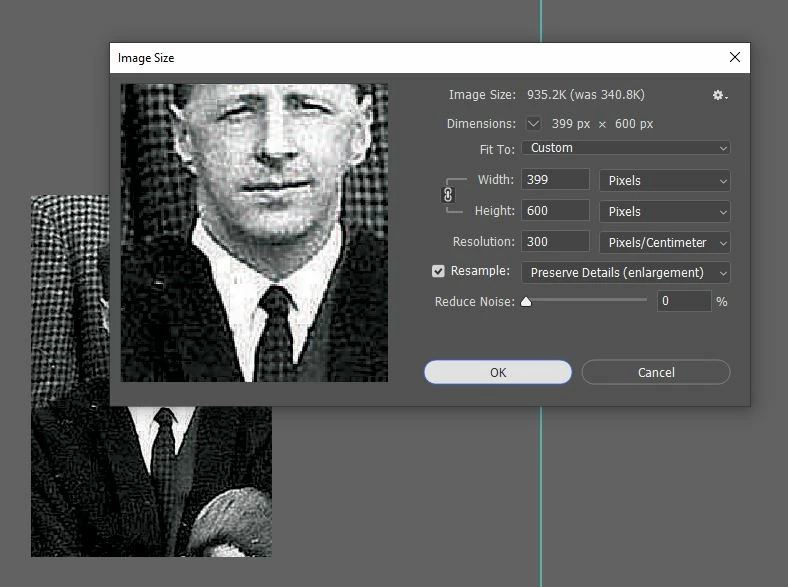
Using latest updated version (as ar 8th Jan 2021) of PS (Windows). When resizing an image the program often freezes before the resizing takes place. Can't close down the PS window and the only way out is to restart which means programs I am using in tandem (and are still working) have to be restarted too.  Attached two screen shots if it helps . . .


{Thread title edited by moderator}

This topic has been closed for replies.

3 replies

SimonB836Author
Participant
November 22, 2021

Using Version 23.0.1 on a Windows 10 PC. Often when I am trying to resize an image it closes the programme down completely. Very annoying, especially if I have forgotten to save the worked on image before I go and resize it! I have to begin all over again. Anyone offer any suggestions? What am I doing wrong!

Legend
November 22, 2021

Sounds like you're hitting the same issue you were hitting before. Please try the steps suggested here: https://helpx.adobe.com/photoshop/kb/troubleshoot-gpu-graphics-card.html


If that doesn't work, please share your Photoshop System Info. Launch Photoshop, and select Help >System Info...and copy/paste the text in a reply.

SimonB836Author
Participant
November 23, 2021
Hi Jeffrey.

Many thanks for this information. Checked the drivers and they were up to date. Unticked 'use graphics processor and this appears to have solved the problem.

Much appreciated.

Simon
JJMack
Community Expert
Community Expert
January 8, 2021

You only posted part of your Photoshop System Info.  Is your GPU supported does your Photoshop preferences performance section show the it is  supported and enabled.  Is the latest Windows Device driver for your GPU from its manufacturer installed on your windows 10 PC?.

JJMack
nikunj.m
Legend
January 8, 2021

Hi,


We're sorry about the trouble with Photoshop 22.1. Please try disabling the option to Use Graphics Processor from Photoshop by going to Preferences, then Performance. Once done, quit & relaunch Photoshop to check if that helps.

If it does, please try the steps suggested here: https://helpx.adobe.com/photoshop/kb/troubleshoot-gpu-graphics-card.html


You can also try optimizing the preferences of Photoshop using the steps suggested here: https://helpx.adobe.com/photoshop/kb/optimize-photoshop-cc-performance.html


Let us know how it goes!

Regards,

Nikunj

SimonB836Author
Participant
January 16, 2021

Many thanks for your help. This seems to have sorted out the problem.