One possibility, starting from the original document:
1. Duplicate the document on the desktop, and rename it as the mobile version.
2. Open it in Photoshop.
3. Choose the command Image > Image Size.
4. Make sure the Resample option is enabled, and then for Height, enter 1920. Click OK. The document is now 1920 pixels tall, but it’s still too wide. You’ll take care of that next.
5. Add two vertical guides at 740px and 1820px. You can either use the command View > Guides > New Guide, or you can drag them out of the vertical ruler and position them manually. Adding these guides will mark off a 1080px width in the middle of the current 4800px canvas, which is already 1920px tall, so the guides will now let you preview a 1080 x 1920px area.
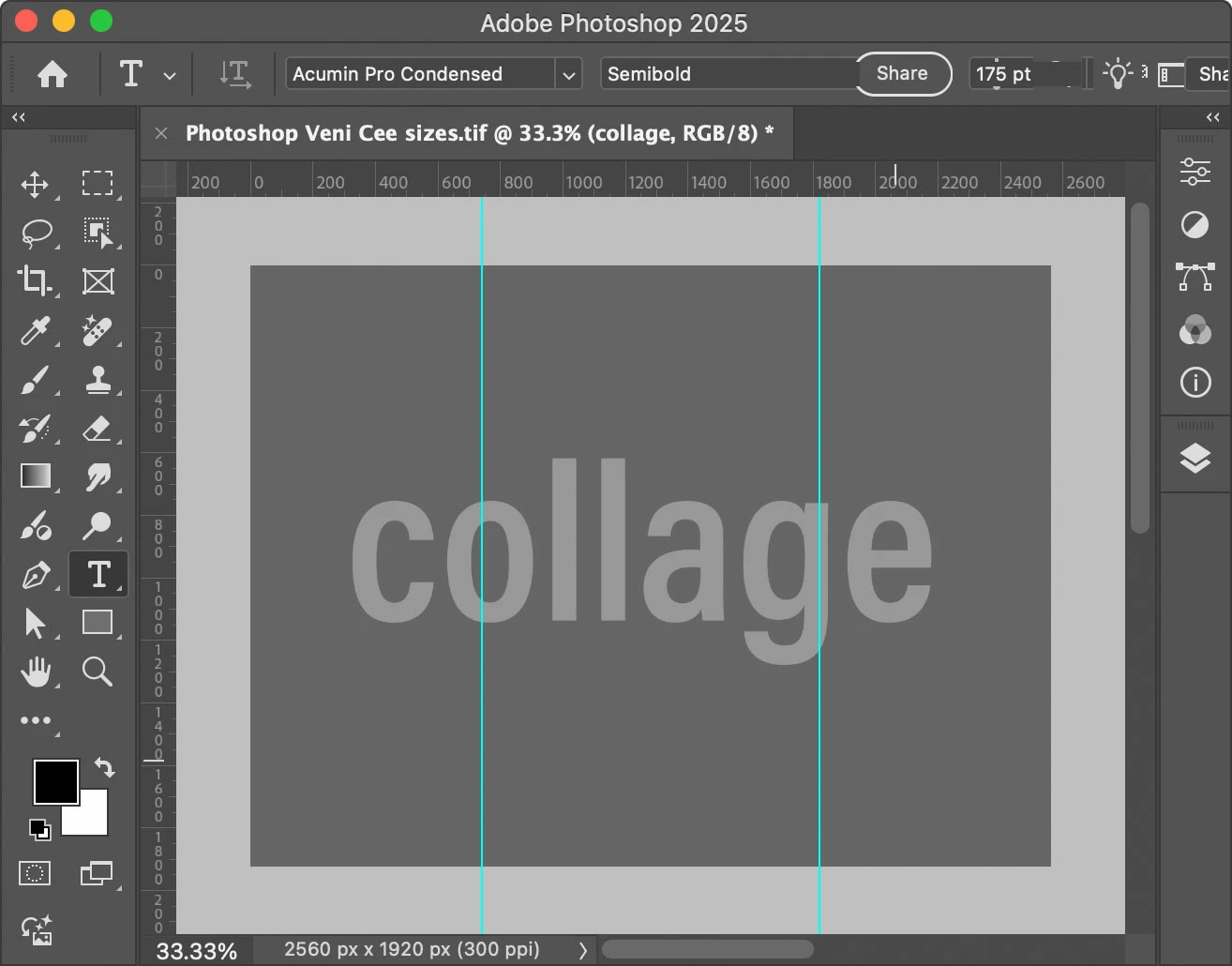
6. Recompose your collage layers (drag them around) within the two guides until you like the vertical composition. As long as you don’t scale anything up, they shouldn’t pixelate because the document has already been resampled to the final image height (1920 px).
7. When you’re finished, use the Crop tool to crop the canvas width to the guides. (Do not enter a Resolution value because that will resample the image, which you don’t need to do at this point). Cropping to the guides should result in a 1080 x 1920px canvas.
8. Use the command File > Export > Export As (or File > Save for Web (Legacy)) to export that for the web at its current 1080 x 1920px.
The document might still say it’s 300 ppi. You can ignore that. For mobile, what matters are the width and height in pixels. As long as it’s 1080 x 1920px, on a website it will always be that size regardless of what ppi the image is.




 AdChoices