smooth_leader3261
Participant
January 5, 2023
Answered

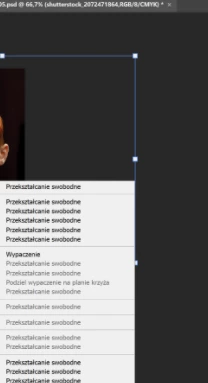
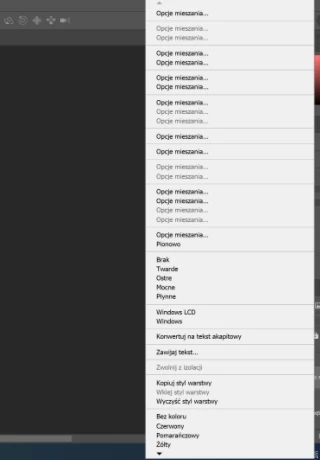
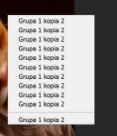
Right Click menu options are duplicated

  • January 5, 2023
  • 3 replies
  • 267 views

Photoshop ver 24.1.0
Windows 10 21H2

When i try to press right button anywhere on sceen, its options are multiplied, its really annoying on long term. Any ideas how can i fix this? I've tried reinstalling, geting back to default app settings. Other apps like indesign Illustrator and After Effect work just fine.
 

This topic has been closed for replies.
Correct answer CShubert

Hi @smooth_leader3261, as @Ged_Traynor mentioned, resetting or manually replacing might solve this issue.


Let's make sure we're in a default state and there are no stale settings somewhere: 

Restore your preferences using this manual method:  

https://helpx.adobe.com/photoshop/using/preferences.html#Manually 

Does it work correctly? 

If that doesn't solve it, you can quit Photoshop and put the Settings folder back. 


It may help if we could see your Photoshop System Info. Launch Photoshop, and select Help >System Info...and copy/paste the text in a reply.  


Thank you,

Cory

3 replies

smooth_leader3261
Participant
January 9, 2023

@CShubert 

Thank You! Restoring with manual method worked perfectly.

CShubert
Community Manager
CShubertCommunity ManagerCorrect answer
Community Manager
January 5, 2023

Hi @smooth_leader3261, as @Ged_Traynor mentioned, resetting or manually replacing might solve this issue.


Let's make sure we're in a default state and there are no stale settings somewhere: 

Restore your preferences using this manual method:  

https://helpx.adobe.com/photoshop/using/preferences.html#Manually 

Does it work correctly? 

If that doesn't solve it, you can quit Photoshop and put the Settings folder back. 


It may help if we could see your Photoshop System Info. Launch Photoshop, and select Help >System Info...and copy/paste the text in a reply.  


Thank you,

Cory

Ged_Traynor
Community Expert
Community Expert
January 5, 2023

Hi

Try resetting your Photoshop preferences