
tvdm29
Participant
February 24, 2021
Question

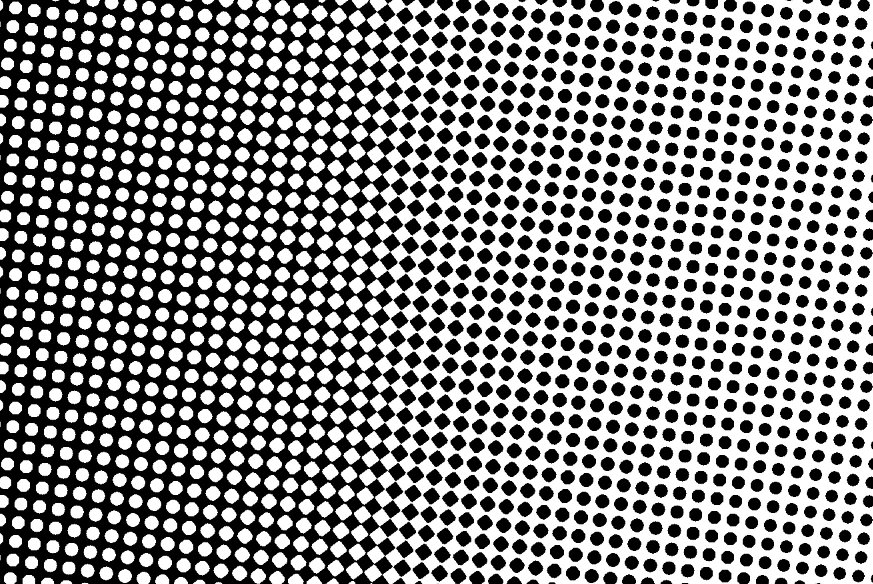
Round dots get square at 50% grayscale while converting to bitmap screening

  • February 24, 2021
  • 2 replies
  • 860 views

I have a grayscale image of 5x5 cm at 2540 dpi. I convert it to bitmap through Image > Mode > Bitmap. First I choose the settings Output 2540 lpi and Halftone Screen... In the second window I use the settings 90 lpi, 7.5 degrees and Round shape. In the resulting file I notice that around the 50% dots are getting square instead of round. How to change this to fully round dots?
This topic has been closed for replies.

2 replies

Stephen Marsh
Community Expert
Community Expert
February 24, 2021

You can't expect too much as Photoshop is not a RIP or Workflow software.


Perhaps more than you want to know:


http://the-print-guide.blogspot.com/2009/02/am-screening-halftone-dot-shapes.html


Look for Euclidean dot (a.k.a. Transforming Round Dot): Round/Square/Round.

c.pfaffenbichler
Community Expert
Community Expert
February 24, 2021

If you don’t like that halftone you could »pre-separate« via

Filter > Pixelate > Color Halftone 

or a Hard Mix-Pattern Layer.