
"Save AS" Naming Problem with Action
I have an action that I would apply to different images and at the end after applying the action I want to save each image using an unique name. I can't find a way to do that b/c the action will save every file with the name I used to save the image when I setup the action. Let me explain it more clearly below.
- To setup the action, I open up Image-01.
- Start recording the action.
- I do a few adjustments, etc.
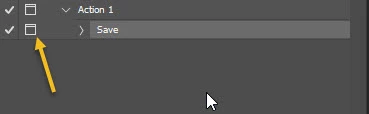
- Save the file using "Save A" with the file name Image-01-A.
- Stop recording the action.
- When I now apply the action to Image-02, I want to save the file as Image-02-A in the same folder as Image-01-A is located.
- Image-01-A and Image-02-A are different images and so should have different file name.
- However, the problem is that the action will only save Image-02 as Image-01-A (because Image-01-A is the name I used in setting up the action) and so it overwrites the original Image-01-A.
At first I think PS would see that another file with the same file name is already there and so would ask me whether or not I want to "Replace" it and thus a chance to name it with the proper name. But it doesn't show any warning and doesn't ask at all.
*** Please understand that I am not talking about batch processing. I don't need to batch process the images. The different images will come to me to work on separately at different time. I need to work on each image right the way as soon as it arrives. The time in between image arrival is irregular. ***
I hope I have explained it clearly. Any suggestion?
 AdChoices