Inspiring
July 13, 2023
Answered

Save as png high cpu usage

  • July 13, 2023
  • 3 replies
  • 1242 views

when i want to batch editing using photoshop action i use "Save As..." feature to export png transparent file but if i excute action or script on 500 or 1000 number of image files then photoshop occupies a large percentage of the processor every 5 or 10 seconds and returns it to normal, and this cycle repeats for 500 or 1000 photos. 
 

if have any idea except "Save As..." feature to save png transparent file without high cpu usage please provide here. 

note that please provide ideas that i can record in photoshop action, for example i can't record "Quick Export as PNG" or "Export As..." in photoshop action. 

I can't reocrd "Save for Web (Legacy)..." feature in photoshop action because after record when i excute action it save all input files with same name in output folder and this will cause all output files to be deleted! 


If you want to provide any idea then please only provide ideas that work with photoshop CS6 version because i use that version for batch editing and that version is lite.  

This topic has been closed for replies.
Correct answer r-bin

Use

app.displayDialogs = DialogModes.NO;


or (and)

doc.saveAs(destinationFile, options, true);


3 replies

Stephen Marsh
Community Expert
Community Expert
July 14, 2023
quote

I can't reocrd "Save for Web (Legacy)..." feature in photoshop action because after record when i excute action it save all input files with same name in output folder and this will cause all output files to be deleted!


By @abolfazl29032603daba


Save for Web can be scripted, either with AM code recorded via the ScriptListener plugin, or with standard JS DOM code:


#target photoshop

try {
    var outputPath = app.activeDocument.path.fsName;
} catch (e) {
    var outputPath = Folder.selectDialog("Unsaved base file, select the output folder:");
}
var filename = app.activeDocument.name.replace(/\.[^\.]+$/, '');
var pngOptions = new ExportOptionsSaveForWeb();
pngOptions.PNG8 = false;
pngOptions.transparency = true;
pngOptions.interlaced = false;
pngOptions.quality = 100;
pngOptions.includeProfile = true;
pngOptions.format = SaveDocumentType.PNG;
app.activeDocument.exportDocument(File(outputPath + "/" + filename + ".png"), ExportType.SAVEFORWEB, pngOptions);


NOTE: I don't know if this code works with CS6, I can't test that.

Inspiring
July 14, 2023
quote
quote

I can't reocrd "Save for Web (Legacy)..." feature in photoshop action because after record when i excute action it save all input files with same name in output folder and this will cause all output files to be deleted!


By @abolfazl29032603daba


Save for Web can be scripted, either with AM code recorded via the ScriptListener plugin, or with standard JS DOM code:


#target photoshop

try {
    var outputPath = app.activeDocument.path.fsName;
} catch (e) {
    var outputPath = Folder.selectDialog("Unsaved base file, select the output folder:");
}
var filename = app.activeDocument.name.replace(/\.[^\.]+$/, '');
var pngOptions = new ExportOptionsSaveForWeb();
pngOptions.PNG8 = false;
pngOptions.transparency = true;
pngOptions.interlaced = false;
pngOptions.quality = 100;
pngOptions.includeProfile = true;
pngOptions.format = SaveDocumentType.PNG;
app.activeDocument.exportDocument(File(outputPath + "/" + filename + ".png"), ExportType.SAVEFORWEB, pngOptions);


NOTE: I don't know if this code works with CS6, I can't test that.


By @Stephen Marsh

TNQ but your code make CS6 crash 
 
I recorded CS6 GIF save and converted to JSX: 


#target photoshop
//
// yyyyyyyyyyyyyyyy.jsx
//

//
// Generated Fri Jul 14 2023 07:22:54 GMT+0330
//

cTID = function(s) { return app.charIDToTypeID(s); };
sTID = function(s) { return app.stringIDToTypeID(s); };

//
//==================== yyyyyyyyyyyyyyyy ==============
//
function yyyyyyyyyyyyyyyy() {
  // Save
  function step1(enabled, withDialog) {
    if (enabled != undefined && !enabled)
      return;
    var dialogMode = (withDialog ? DialogModes.ALL : DialogModes.NO);
    var desc1 = new ActionDescriptor();
    var desc2 = new ActionDescriptor();
    desc2.putEnumerated(cTID('Plt '), cTID('ClrP'), cTID('Sele'));
    desc2.putInteger(cTID('Clrs'), 256);
    desc2.putEnumerated(cTID('FrcC'), cTID('FrcC'), cTID('BanW'));
    desc2.putBoolean(cTID('Trns'), true);
    desc2.putEnumerated(cTID('MttC'), cTID('MttC'), cTID('None'));
    desc1.putObject(cTID('T   '), cTID('IndC'), desc2);
    var desc3 = new ActionDescriptor();
    desc3.putBoolean(cTID('Intr'), false);
    desc1.putObject(cTID('As  '), sTID("GIFFormat"), desc3);
    desc1.putPath(cTID('In  '), new File("~"));
    desc1.putInteger(cTID('DocI'), 35);
    desc1.putBoolean(cTID('Cpy '), true);
    executeAction(cTID('save'), desc1, dialogMode);
  };

  step1();      // Save
};


//=========================================
//                    yyyyyyyyyyyyyyyy.main
//=========================================
//

yyyyyyyyyyyyyyyy.main = function () {
  yyyyyyyyyyyyyyyy();
};

yyyyyyyyyyyyyyyy.main();

// EOF

"yyyyyyyyyyyyyyyy.jsx"
// EOF


If it need any change please tell me to edit it 

i don't know how to change it output folder?

Stephen Marsh
Community Expert
Community Expert
July 15, 2023
quote

If it need any change please tell me to edit it 

i don't know how to change it output folder?


By @abolfazl29032603daba


Change:


new File("~")


To the user Desktop:


new File("~/Desktop/My File.gif")


Or use an absolute path, with cross-platform / forward slashes for directory separators, or Windows escaped \\ double back slashes.


new File("C:/My Folder/My File.gif")

// or

new File("C:\\My Folder\\My File.gif")


Inspiring
July 13, 2023

nobody answered to me soon. 

i place answer that got from chatGPT here: 

// Save as PNG script with compression for Photoshop CS6

// Set the target folder path for saving the PNG file
var destinationFolder = new Folder("~/Desktop/"); // Replace with your desired folder path

// Check if the destination folder exists, create it if necessary
if (!destinationFolder.exists) {
  destinationFolder.create();
}

// Set the active document
var doc = app.activeDocument;

// Set the options for saving as PNG
var options = new PNGSaveOptions();
options.interlaced = false;
options.compression = 2; // Adjust compression value (0-9) to control file size and quality

// Get the base name of the active document
var docName = doc.name;
var baseName = docName.substring(0, docName.indexOf('.'));

// Build the destination file path
var destinationFile = new File(destinationFolder + "/" + baseName + ".png");

// Save the active document as PNG
doc.saveAs(destinationFile, options);

// Close the active document without saving changes
doc.close(SaveOptions.DONOTSAVECHANGES);


this script work fine with CS6 

Inspiring
July 13, 2023


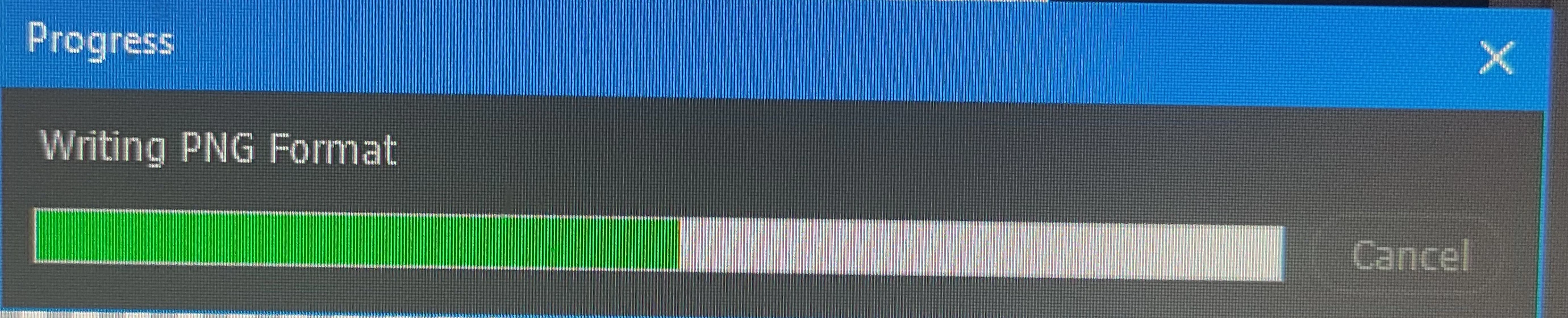
sometimes this script show this window and stop action process. 

how to remove this window? 

@c.pfaffenbichler @Stephen Marsh @r-bin 

r-binCorrect answer
Legend
July 13, 2023

Use

app.displayDialogs = DialogModes.NO;


or (and)

doc.saveAs(destinationFile, options, true);


Inspiring
July 13, 2023

maybe i can quick export as png transparent using following code: 

// export activeDocument

quick_export_png(activeDocument.path.fsName)

// export activeLayer

quick_export_png(activeDocument.path.fsName, true);

function quick_export_png(path, layer)

    {

    try

        {

        if (layer == undefined) layer = false;    

        var d = new ActionDescriptor();

        var r = new ActionReference();

        r.putEnumerated(stringIDToTypeID("layer"), stringIDToTypeID("ordinal"), stringIDToTypeID("targetEnum"));

        d.putReference(stringIDToTypeID("null"), r);

        d.putString(stringIDToTypeID("fileType"), "png");

        d.putInteger(stringIDToTypeID("quality"), 32);

        d.putInteger(stringIDToTypeID("metadata"), 0);

        d.putString(stringIDToTypeID("destFolder"), path);

        d.putBoolean(stringIDToTypeID("sRGB"), true);

        d.putBoolean(stringIDToTypeID("openWindow"), false);

        executeAction(stringIDToTypeID(layer?"exportSelectionAsFileTypePressed":"exportDocumentAsFileTypePressed"), d, DialogModes.NO);

        }

    catch (e) { throw(e); }

    }


this script provided by @r-bin  in following post: 

https://community.adobe.com/t5/photoshop-ecosystem-discussions/how-do-i-quickly-export-a-layer-as-a-png-file-in-photoshop-with-extendscript/m-p/9917598#M176628

but it not working in photoshop CS6 and show following error: 


it have 2 another problem: 

1) it save all layers one by one, i must quick export as png all of layers in a single png transparent file. 

2) it save png in original foler of input image file. i want to set output folder in script