Participant
December 4, 2020
Question

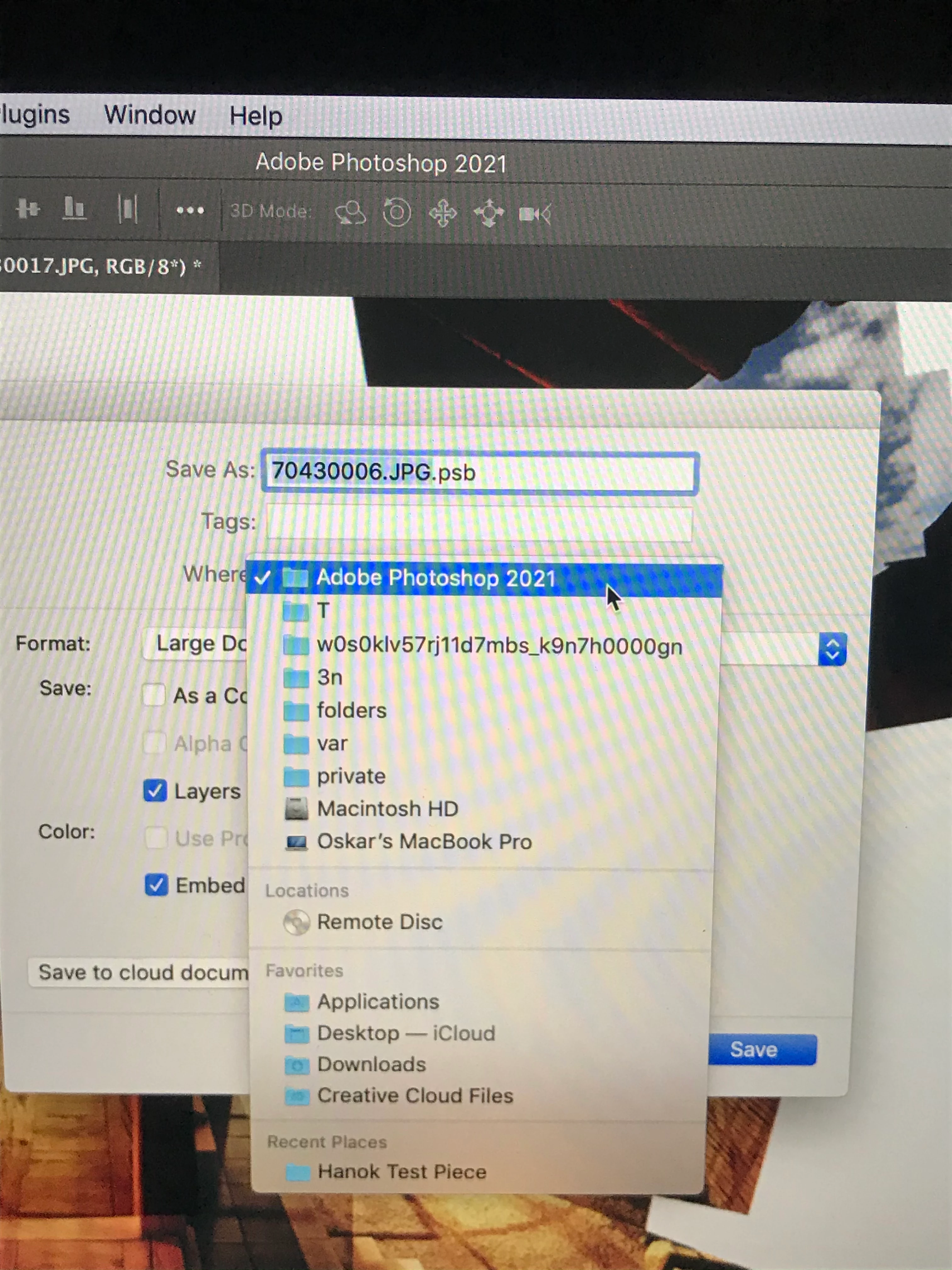
“Save As” shows Folders I did not create

  • December 4, 2020
  • 1 reply
  • 138 views


I installed photoshop today. Upon saving my first work, I was surprised to see folders I did not create (all the folders found above Macintosh HD) with strange names like "Var" "folders" "3n" and "Private". I tried searching for those folders on my computer and was not able to locate them anywhere. Has this happened to anyone before? Thanks, Oskar 


This topic has been closed for replies.

1 reply

S_Gans
Community Expert
Community Expert
December 4, 2020

The directory you're seeing is a private directory, used by the operating system to access background files and store temporary (auto save-type) files. Since you're saving a PSB (Large Document Format), and not a PSD (Photoshop Document), it looks like it's trying to save where the temporary Large Document Format files are saved by default. I don't recommend saving ANYTHING to that location, youself - you'd have a very difficult time ever getting to it (these files are invisible in the operating system). Please navigate to where you wish to be able to access this again.

Adobe Community Expert / Adobe Certified Instructor