
Participant
September 1, 2021
Question

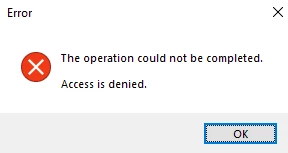
save for web "Access is denied" error | Windows 10
  • September 1, 2021
  • 2 replies
  • 604 views

this error occurs when I click File -> Export -> Save for web (legacy) on Adobe Photoshop Version: 22.5.0 20210809.r.384 ce617de x64. It does not even take me into the save for web (legacy) menu, I have been able to save gifs in the past but can no longer do it recently.

This topic has been closed for replies.

2 replies

Participant
September 1, 2021

@Ged_Traynor Thank you for your reply but the "save for web prefs" file is not present already


Ged_Traynor
Community Expert
Community Expert
September 1, 2021

Hi

Close Photoshop and delete the "Save for Web Prefs" file from this location, it will be recreated when you open Photoshop

C:\Users\User Name\AppData\Roaming\Adobe\Adobe Photoshop 2021\Adobe Photoshop 2021 Settings