
Participant
November 7, 2019
Question

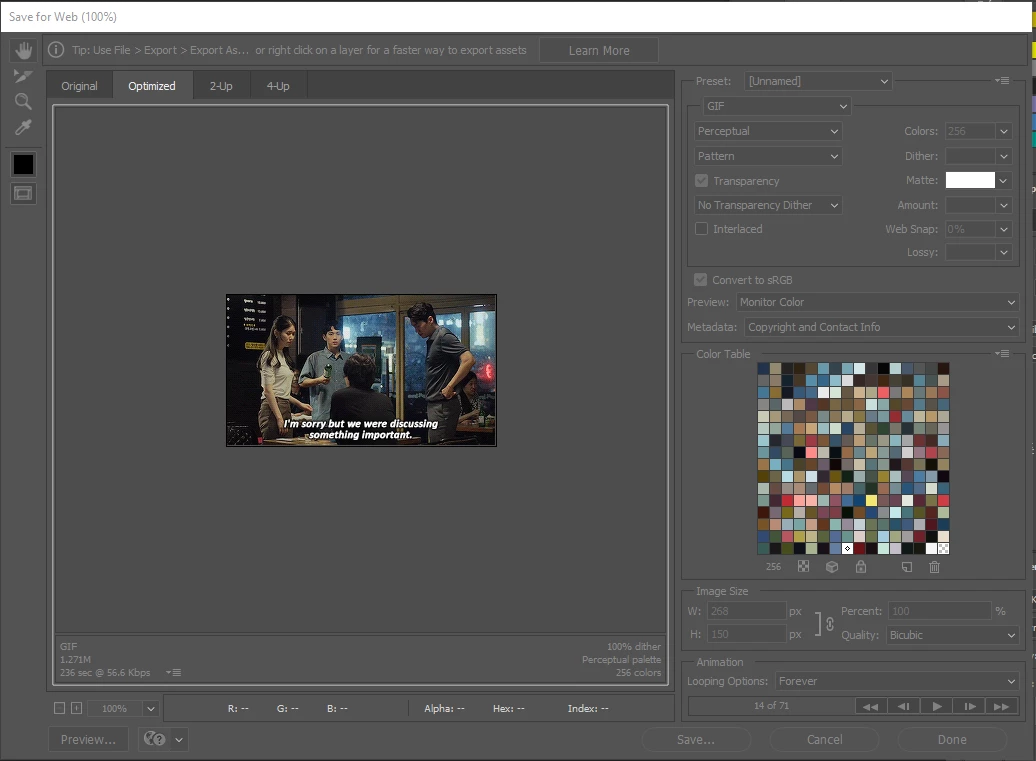
save for web gif preview won't play since update

  • November 7, 2019
  • 3 replies
  • 3334 views

I'm trying to make a gif but the gif preview on the 'save for web' window will not play. I can manually flip through each frame and it seems to save normally but the preview itself will not play. Seems like this was not a problem with version 20.0.6, just the recent updates 20.0.7 and 21. Can someone either tell me how to get the preview to play or show me how to get version 20.0.6 back? The only versions Creative Cloud wants to show me are 20.0.7 and 21, the two versions I'm having trouble with.
 

This topic has been closed for replies.

3 replies

Participant
November 20, 2020

Following this post. All of a sudden - with no recent update (!huh!), my Save for web legacy animation preview doesnt work either. Am on PC. I've been holding off updating my cc because a colleague experienced issues with his Photoshop. It worked yesterday, today zip! 😞

Participant
November 20, 2020

I'm on version 21.2.1 too


thxapproved2
Inspiring
August 16, 2022

Save for web GIF animation preview not working in 23.4.3 on PC. Was working in previous versions.

Participating Frequently
November 7, 2019

Go to Preferences>General>Reset Pref. on Quit

Tested in the latest version of PS 21at it works. 

With the new version of creative-cloud – snapshots will explain.

Participant
November 7, 2019

I managed to install 20.0.6 (from a third party site, Creative Cloud still only shows me versions 20.0.7 and 21) but that didn't fix the problem either.

JJMack
Community Expert
Community Expert
November 7, 2019

On my Windows 10 Workstation it works but it opens Microsoft Edge Browser which is not my default browser?

You can see the  the default app for file type .htm and .html is set to Chrome one my machine. So I do not know what is going on. Why does Edge handle the  Preview .html on my machine? CC 2019 also opens Edge I do not know Why????

JJMack
Participant
November 7, 2019

JJMack, try adding chrome browser to directly to your lists of browsers on Photoshop. Use the little button with the globe and a question mark on it just to the right of the 'preview' button on the bottom left of the 'save for web' screen. You can add chrome there and set it as the default.

JJMack
Community Expert
Community Expert
November 7, 2019

Thanks.


There was no browser is the list pull-down it was empty. You would think in that case the default browser Chrome would be used not Edge by Adobe.  So I click find all browser button.  Adobe found IE and Chrome it doe not find Edge. So I then had a list IE followed by Chrome. So I removed IE now Previews open in chrome.


JJMack