Participating Frequently
April 30, 2021
Question

Save for Web - permission error message

  • April 30, 2021
  • 2 replies
  • 914 views

I'm not able to save any artowrk for web as a jpeg or gif as I get the following error message. Please help as this error keeps on reoccuring. 
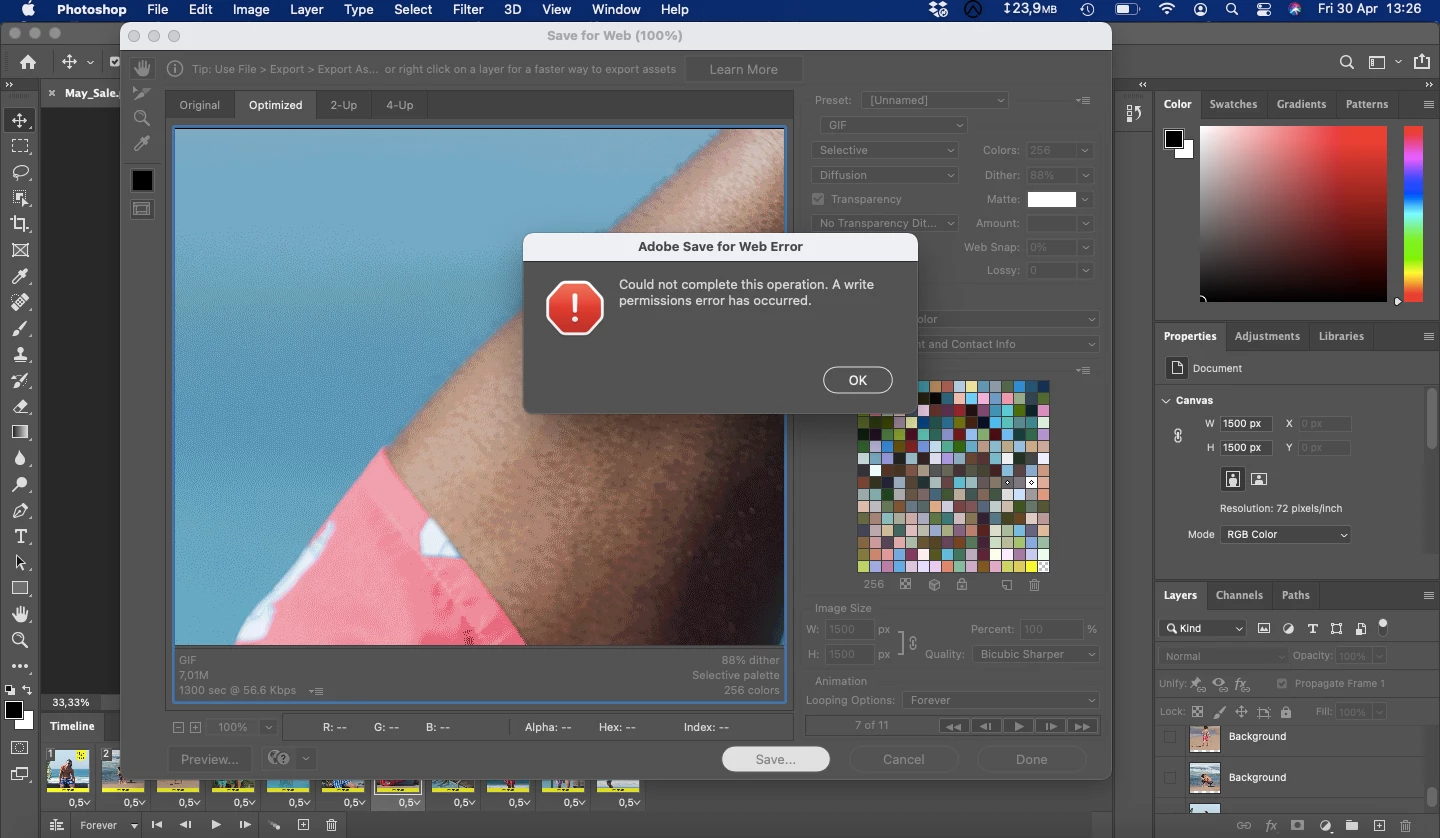
This topic has been closed for replies.

2 replies

Legend
May 4, 2021

What version of Photoshop and MacOS? In recent versions of MacOS it's entirely possible that MacOS is blocking saves to the desktop. Try making a new folder under your home directory and saving there.

Participating Frequently
May 4, 2021

My Photoshop is the latest version, 2012 version 22.1.1 and my MacOS is Big Sur version 11.3 - I have just saved the gif to my documents folders and it worked which is great! How does one change these permissions?


Legend
May 4, 2021

You were lucky that My Documents worked - that's why I suggested specifically making a new folder, it isn't hit by the same problem. This is a normal part of Big Sur, and it's a nuisance; I have given up using Desktop and Documents for normal work.


The first time ANY app tries to access Desktop or Document (or some other places), MacOS asks for your permission. If, trying to get things done in a hurry, you accidentally say No, you now have to go into System Preferences and sort it out. https://support.apple.com/en-gb/guide/mac-help/mchld5a35146/mac

JJMack
Community Expert
Community Expert
April 30, 2021

Are you permission set correctly? Are you saving to a location you can write to?

JJMack
Participating Frequently
April 30, 2021

How do I set my permissions corectly? I'm saving to my Desktop so there really shouldn't be an issue there.
