

Save for Web quality low, worse than screenshot
I've often run into frustrations using the Save for Web feature regarding color shifts, but I am currently experiencing a loss of quality/high pixelation that I can't quite comprehend. I recently switched to a new Macbook Pro with retina display, so I understand to a degree why the images appear smaller in Photoshop than they do when transferred to the web (although I find this to be a struggle / misleading), but I don't see why the quality would diminish as much as it appears to on my screen.
This first image is using Save for Web:

This is a screenshot of the image within Photoshop CS6:

And here is a screenshot of them both open in Preview (top is after using Save for Web, bottom is screenshot of open Photoshop file):
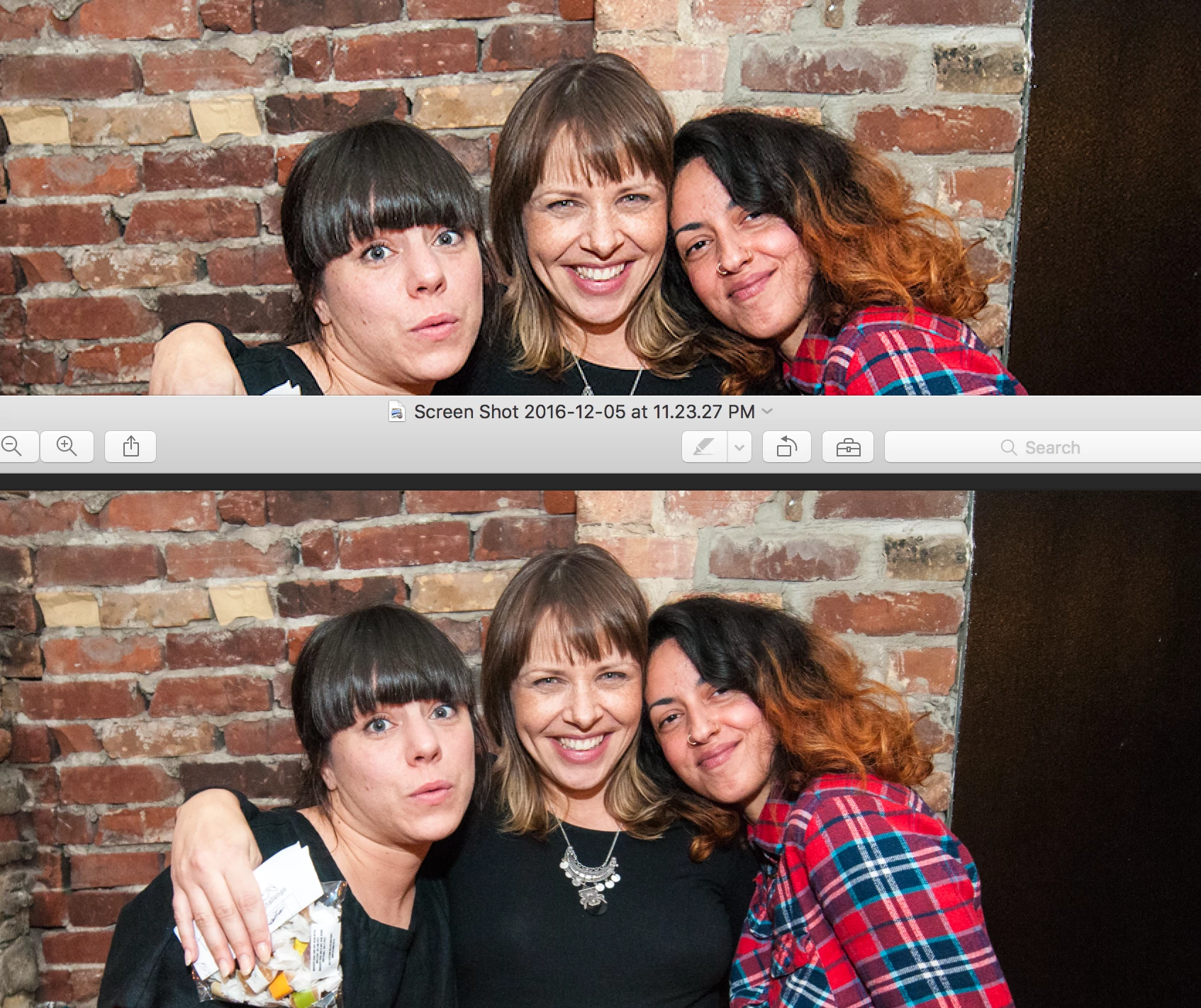
It almost looks as if I sharpened it (too much) and then enlarged it. I am using Bicubic Sharpener as I'm reducing the image size. Within the Save for Web feature my settings are at Max, 100, Progressive, Embed Color Profile, and Convert to sRGB. I've tried lowering the number, but it just makes it look terrible.
Is there something I'm missing here? Any tips?
 AdChoices