hollyc22835532
Participant
October 23, 2018
Answered

Save Jpeg Photoshop CC 2019

  • October 23, 2018
  • 1 reply
  • 1050 views

Since I updated all of my photos are saving with a default of 5 image quality and baseline. I can not find where to change this in the preferences. I am a photographer editing a lot of pictures at once, so having to change the setting at every save is tedious. Does anyone know how to fix this?
    This topic has been closed for replies.
    Correct answer Muqqarib Hassan

    Hi, You can try this method.

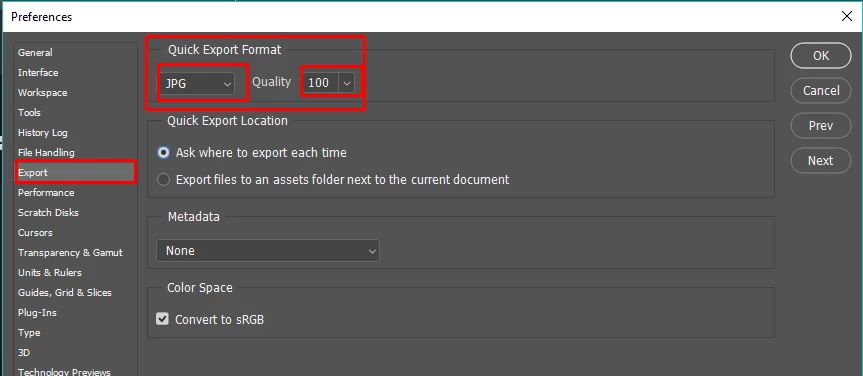
    Go to Preferences> Export >

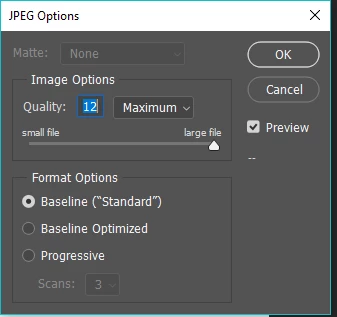
    Or when you press Ctrl+shift+S to save as then select the Quality of your image.

    1 reply

    Muqqarib Hassan
    Muqqarib HassanCorrect answer
    Inspiring
    October 23, 2018

    Hi, You can try this method.

    Go to Preferences> Export >

    Or when you press Ctrl+shift+S to save as then select the Quality of your image.