
bartekl61940733
Known Participant
December 22, 2018
Answered

Save layer masks to TIFF files

  • December 22, 2018
  • 1 reply
  • 2746 views

Hello! I am using Export Layers To Files.jsx from here: https://gist.github.com/davestewart/4529727  

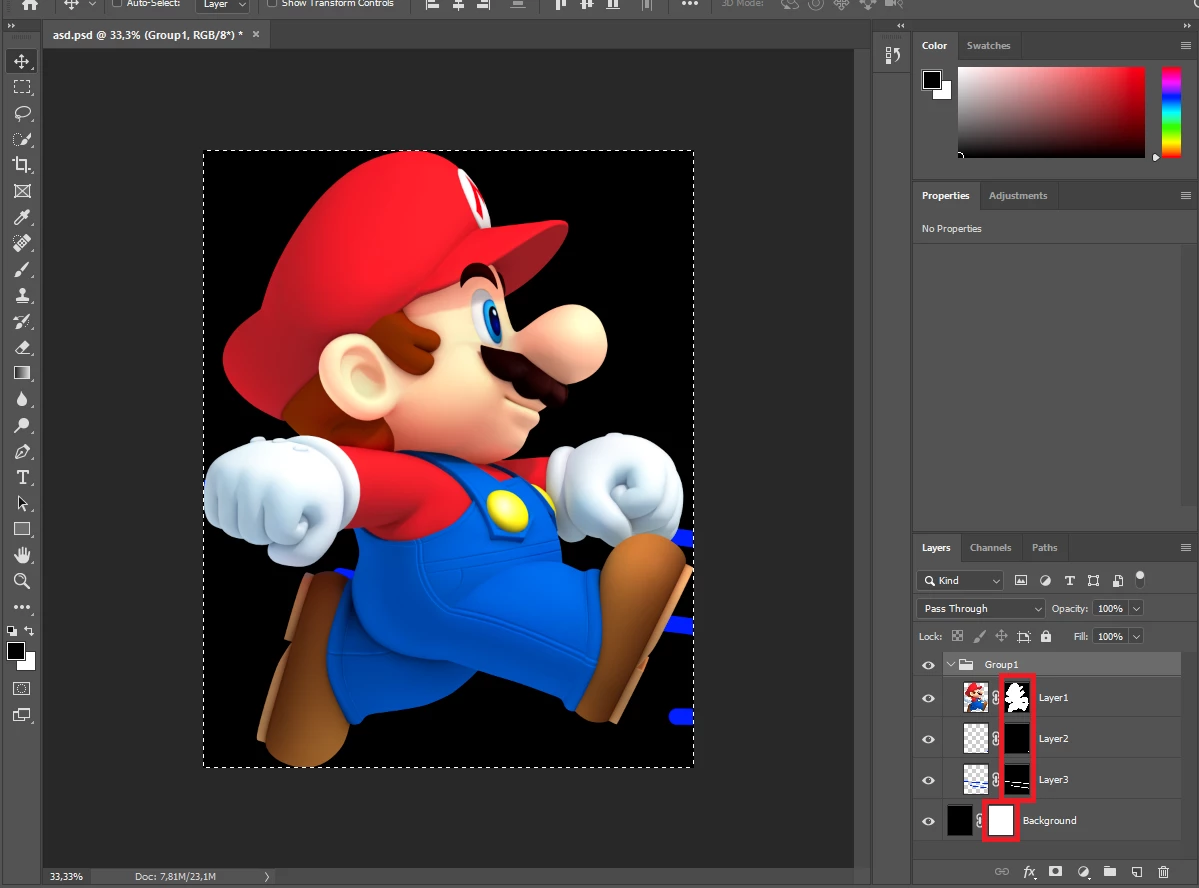
But now i want to export layer masks to files. As in the image, I want to save masks marked with a red edge to the files
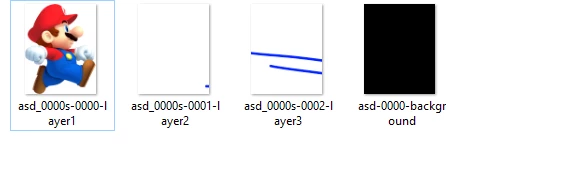
using Export Layers To Files.jsx code I receive files saved in this way :
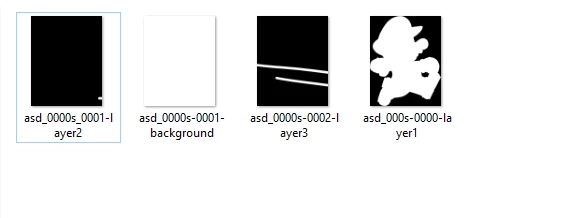
But i need to save masks like that:
Is that possible to modify Export Layers To Files.jsx to do it?

[ by moderator: please link to your similar questions with the same topic!

Give a feedback and mark them as helpful or correct - do not open multiple threads ]

Create mask for each layer

How to save mask to file

Save layer mask as file

Make layer from layer mask Script

This topic has been closed for replies.
Correct answer r-bin

when I'm not using it LayerSets there is the same problem - I do not receive any saved files, nevertheless, no error is displayed


I checked your script with these changes and chose to save in PSD. Everything worked.

Show your script and give a sample file.

P.S. It is easier to write a new script than correct this one, but it’s too long for me ).

1 reply

Legend
December 22, 2018

In function exportChildren(dupObj, orgObj, exportInfo, dupDocRef, fileNamePrefix)

instead of this two lines

saveFile(duppedDocumentTmp, fileNameBody, exportInfo);

duppedDocumentTmp.close(SaveOptions.DONOTSAVECHANGES);

use this code

function dup_mask()

    {

    try {

        var d = new ActionDescriptor();

        var r = new ActionReference();

        r.putEnumerated(stringIDToTypeID("channel"), stringIDToTypeID("channel"), stringIDToTypeID("mask"));

        d.putReference(stringIDToTypeID("null"), r);

        d.putBoolean(stringIDToTypeID("makeVisible"), false);

        executeAction(stringIDToTypeID("select"), d, DialogModes.NO);

        }

    catch (e) { return false; }

    try {

        var d = new ActionDescriptor();

        d.putClass(stringIDToTypeID("new"), stringIDToTypeID("document"));

        var r = new ActionReference();

        r.putEnumerated(stringIDToTypeID("channel"), stringIDToTypeID("channel"), stringIDToTypeID("mask"));

        d.putReference(stringIDToTypeID("using"), r);

        executeAction(stringIDToTypeID("make"), d, DialogModes.NO);

        return true;

        }

    catch (e) { throw(e); }

    }

if (dup_mask())

    {

    var tmp = activeDocument;

    duppedDocumentTmp.close(SaveOptions.DONOTSAVECHANGES);

    duppedDocumentTmp = tmp;

    duppedDocumentTmp.changeMode(ChangeMode.GRAYSCALE);

    duppedDocumentTmp.changeMode(ChangeMode.RGB);

    saveFile(duppedDocumentTmp, fileNameBody, exportInfo);

    }

duppedDocumentTmp.close(SaveOptions.DONOTSAVECHANGES);

bartekl61940733
Known Participant
December 22, 2018

hmm, it doesn't work, I do not receive any saved files, nevertheless, no error is displayed

Legend
December 22, 2018

Do not use LayerSets.
If they are, then more changes are needed.