Save PSD as JPG in multiple resolutions into predefined folders
I can't believe that this still hasn't been addressed/fixed:
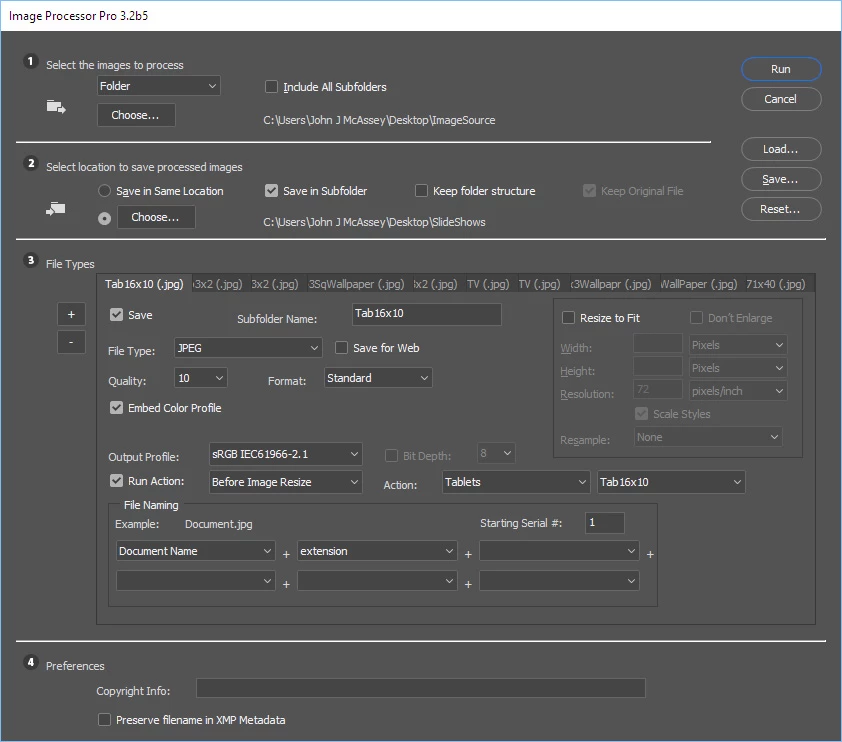
After I'm done retouching a photo in PS CC I want to quickly press a shortcut (F8) and then get all the different sizes (800px, 1024px, 2048px and original size) I require into predefined folders. I require them as almost every device has a different optimum display resolution.
In PS CS6 I had one action (my shortcut was F7) that would duplicate a flattened version. Then I would press my shortcut F8 which would sharpen, then resize, then sharpen again, then save a JPG (Save for Web) in the required size, go back in the protocol and do the same for the next required resolution.
Now the Save for Web is announced to get retired at some point (indicated by the LEGACY tag in the menu entry) which is terrible as the Export function can't even be recorded within an Action !!! WHY would Adobe remove a function that is not replaced properly?
Also when using the SAVE AS with the option COPY... why does it add the "COPY" suffix to the filename? It's completely unnessecary and annoying, because I have to manually change back the name every time!
It's 2017 and I can't believe that Adobe is letting their millions of users down on something super-trivial like that. SAVING A RESIZED FILE must be one of the most often performed tasks in Photoshop.
C'mon! It could be so supersimple:
Create preferencies for Quick-Export:
Resize (Fit to 800x800), apply sharpening, save JPEG to predefined location C:/800/
Resize (Fit to 1024x1024), apply sharpening, save JPEG to predefined location C:/1024/
Resize (Fit to 2048x2048), apply sharpening, save JPEG to predefined location C:/2048/
What are the resizing fractions good for? Who is going to save a file to 0,5x regardless if the picture has 2 Megapixels or 50 MP? What is the Assets folder good for besides spreading files all over the harddrives?
As I'm often creating multiple versions from every photo (for example B/W) it would be so great if rightclicking the layer to do the quick-export would create all predefined resolutions with optimized sharpening and append the layer name to the filename (example: Filename_Version1.jpg if the layername was "Version1"). The rightclick layer quick export should also factor in layers below the selected layer (maybe as an option) as sometimes semi-transparent layers only work on top of the layers below it.
Did anybody manage to create an action in PS CC like I had in CS6?
 AdChoices