
Inspiring
July 1, 2018
Answered

Saved gif file is larger than 'Save for Web & Devices' indicates

  • July 1, 2018
  • 3 replies
  • 1940 views

I need to do a series of gifs for tumblr. They have to be 3MB or smaller. Ok, no problem because Photoshop tells me how large the final gif will be when I save it.

Or not.

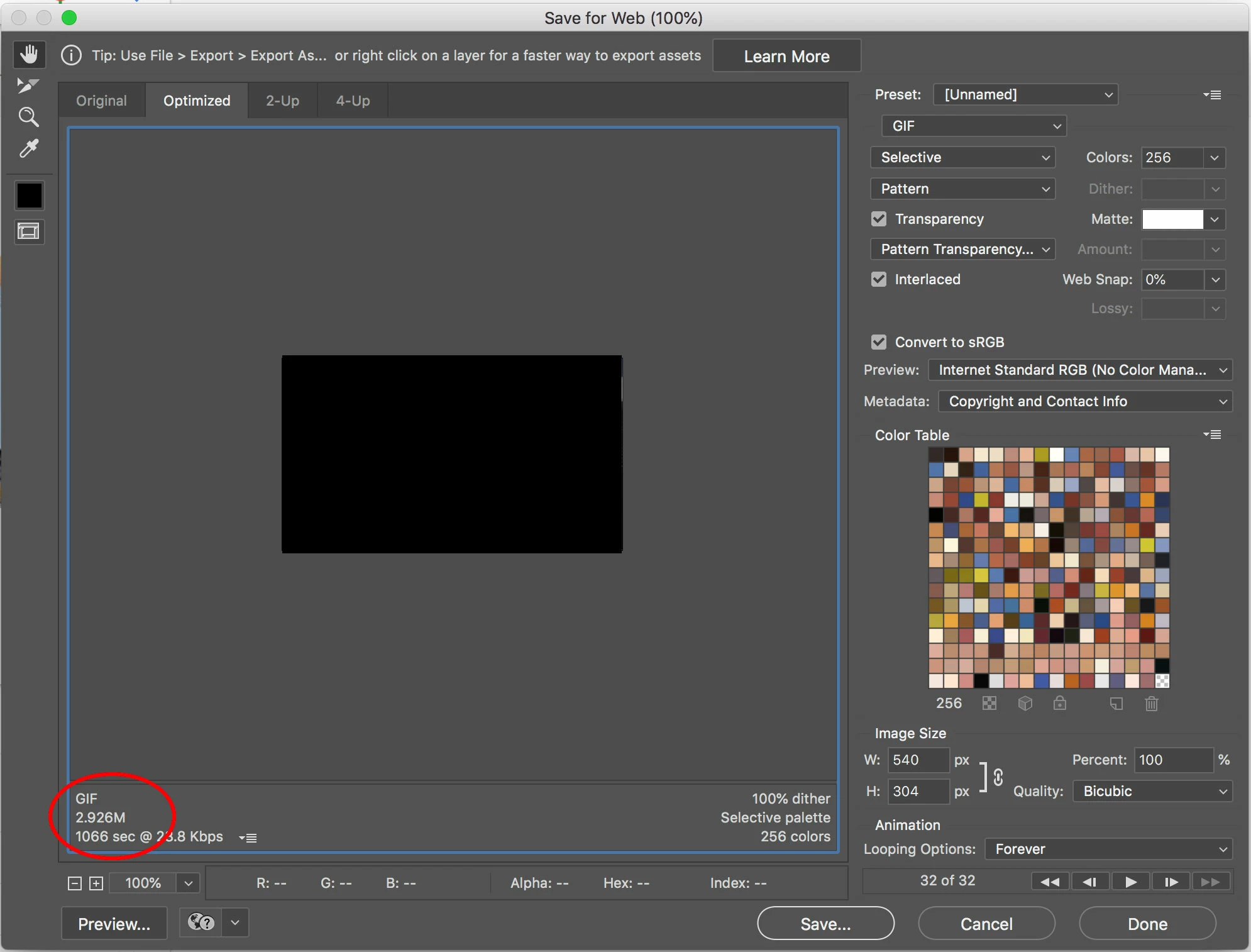
Here, photoshop tells me I'm good to go. My gif is 2.926MB. Awesome.
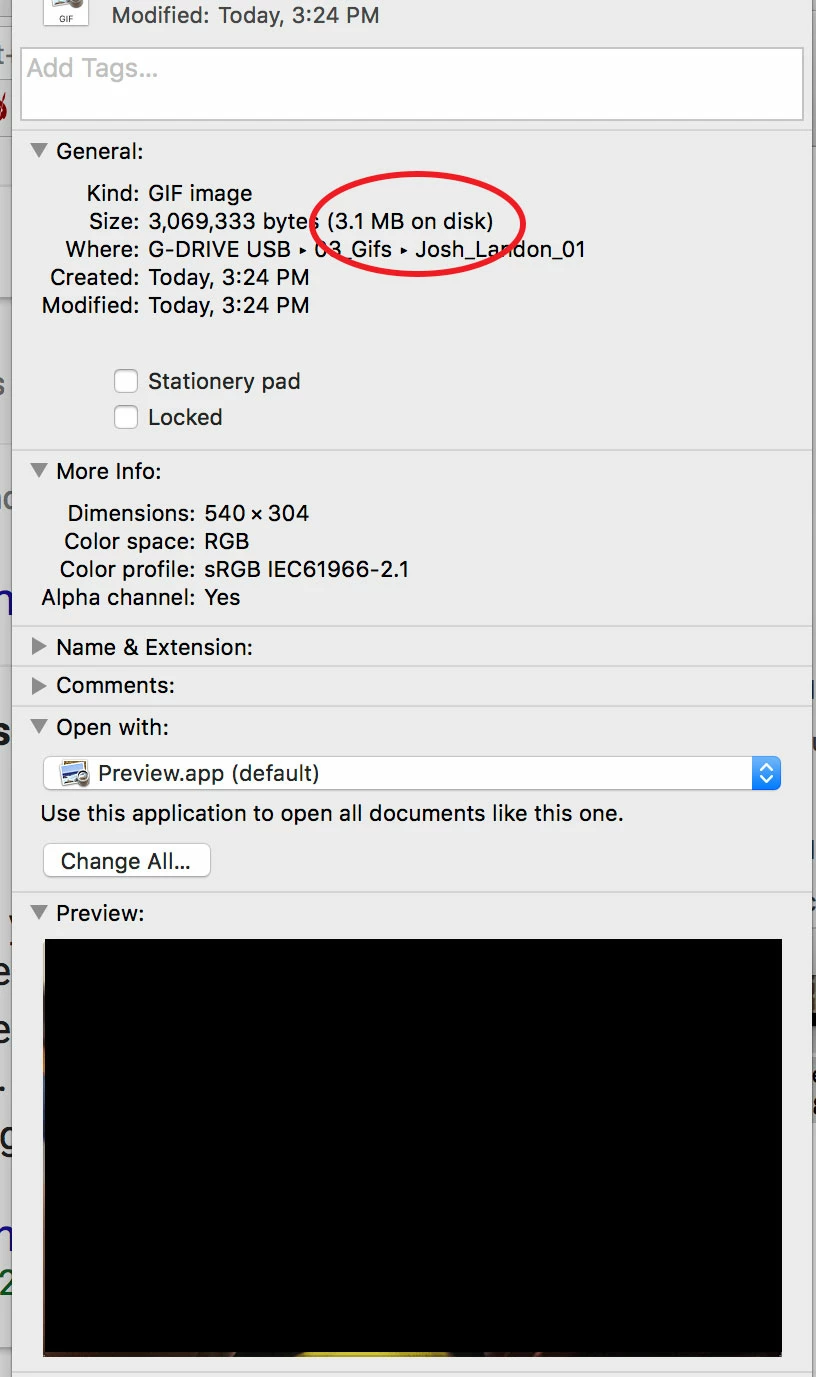
But when rechecking it on my system, suddenly the file size is too large for what I need.
What gives? Thanks in advance!

    This topic has been closed for replies.
    Correct answer DeanUtian

    Photoshop's estimate of output file size is generally different to the actual size.

    From what I understand, this is due to a couple of things:

    Photoshop is reporting values on base-2 calculations. i.e 1KB = 2^10 (1024) bytes.
    Your Mac OS is using base-10 calculations. i.e 1KB = 1000 bytes

    So in your case, you have 3,069,333 byes. Divide that by 1024 to get to KB and then again by 1024 again to get to MB = 2.927MB. This is close to what PS is predicting (2.926MB).

    There is a small differences because of extra metadata that PS adds when saving.

    3,069,333 byes / 1000 / 1000 = 3.069 MB = 3.1MB rounded up - is what Finder is showing.

    3 replies

    Trevor.Dennis
    Community Expert
    Community Expert
    July 2, 2018

    Looking at your colour table, I'm thinking you could half that to 128 with not too much impact on quality, so you can get the file size down OK. 

    Legend
    July 2, 2018

    To expand a little: your file is FINE and is the exact size Photoshop predicts and is suitable for your needs. Finder says

    3,069,333 (3.1MB on disk)

    3,069,333 /1024/1024 = 2.927..MB, pretty much what Photoshop says.

    But what is this 3.1MB? This is an ENTIRELY DIFFERENT thing, it's how much of YOUR disk is used to store this file. Your disk is divided into chunks, and the disk used is almost always bigger, sometimes actually smaller. Copy the file to your hard drive and it will be different again! So ignore that second figure and trust Photoshop, or learn to work out megabytes by dividing by 1024 twice.

    Mylenium
    Legend
    July 2, 2018

    Nothing wrong. As Dean already explained it all comes down to how operating systems calculate disk space vs. actual binary file size vs. the PS data being a guesstimate which inevitably is never 100% exact.

    Mylenium

    DeanUtianCommunity ExpertCorrect answer
    Community Expert
    July 1, 2018

    Photoshop's estimate of output file size is generally different to the actual size.

    From what I understand, this is due to a couple of things:

    Photoshop is reporting values on base-2 calculations. i.e 1KB = 2^10 (1024) bytes.
    Your Mac OS is using base-10 calculations. i.e 1KB = 1000 bytes

    So in your case, you have 3,069,333 byes. Divide that by 1024 to get to KB and then again by 1024 again to get to MB = 2.927MB. This is close to what PS is predicting (2.926MB).

    There is a small differences because of extra metadata that PS adds when saving.

    3,069,333 byes / 1000 / 1000 = 3.069 MB = 3.1MB rounded up - is what Finder is showing.

    Inspiring
    July 2, 2018

    Thanks Dean, and everyone else who took the time to respond. I appreciate the help.