Participant
February 24, 2020
Answered

Saving as JPG from PSD doesn't work on my PS even the JPG option was selected - macOS

  • February 24, 2020
  • 1 reply
  • 374 views

Saving as JPG from PSD doesn't work on my PS even the JPG option was selected. I can normally "save as JPG" from PSDs without flattening the image before but now it still saves as PSD. Unless you rename the filename or add atleast one character then selecting the JPG option again from the dropdown, or I manually rename the extension from the saved file. Can someone help? Thanks
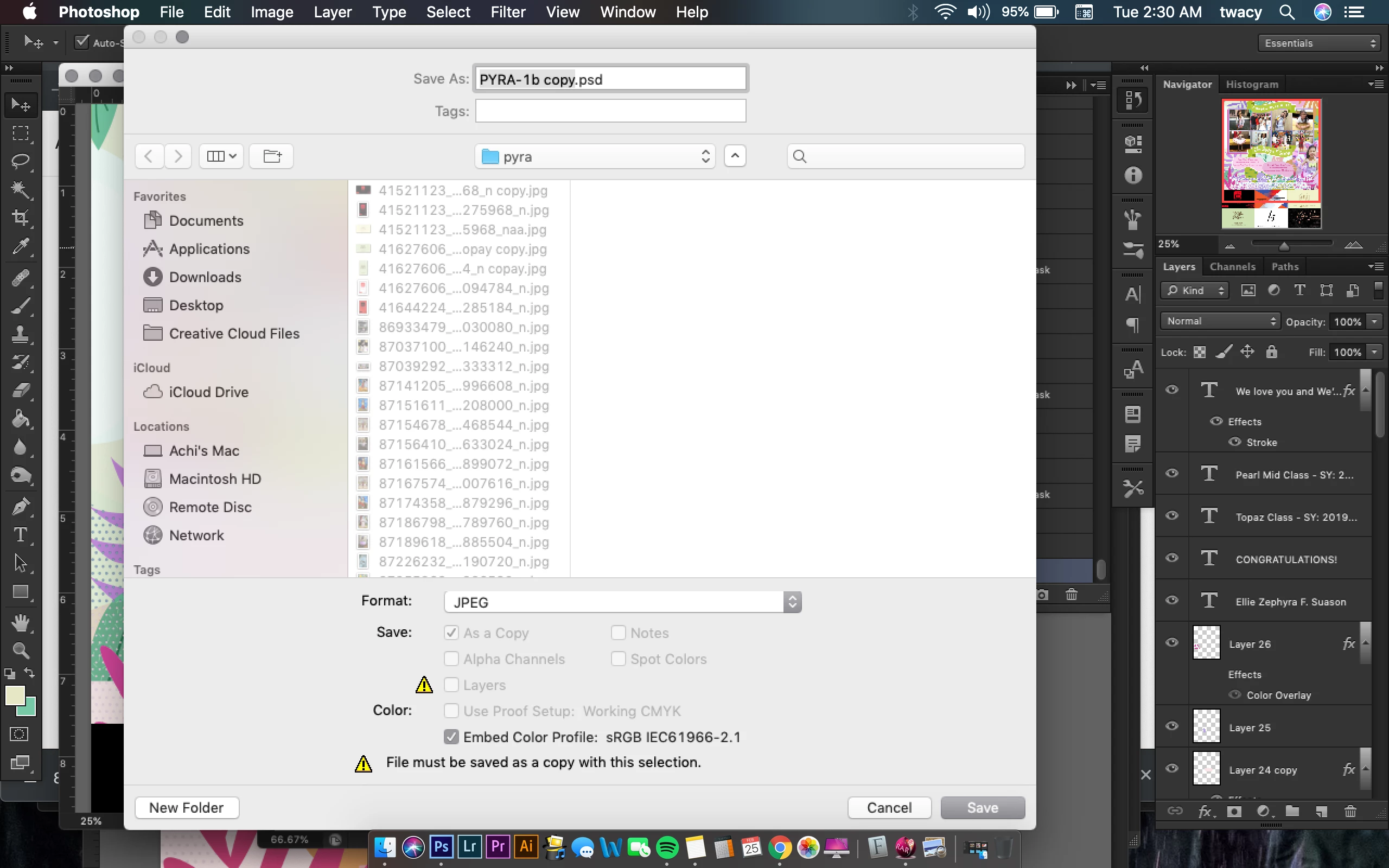


{Thread renamed by moderator}

This topic has been closed for replies.
Correct answer Sahil.Chawla

Hi Tracy,

It is a known issue and our engineers are working towards a fix for the same, please add your vote to this issue and follow this thread more any updates on this: https://feedback.photoshop.com/photoshop_family/topics/photoshop-saving-copy-not-saving-over-jpg-file?topic-reply-list[settings][page]=4#topic-reply-list

Regards,
Sahil


1 reply

Sahil.Chawla
Adobe Employee
Sahil.ChawlaCorrect answer
Adobe Employee
February 24, 2020

Hi Tracy,

It is a known issue and our engineers are working towards a fix for the same, please add your vote to this issue and follow this thread more any updates on this: https://feedback.photoshop.com/photoshop_family/topics/photoshop-saving-copy-not-saving-over-jpg-file?topic-reply-list[settings][page]=4#topic-reply-list

Regards,
Sahil