Saving Image to library not working.
Hi There,
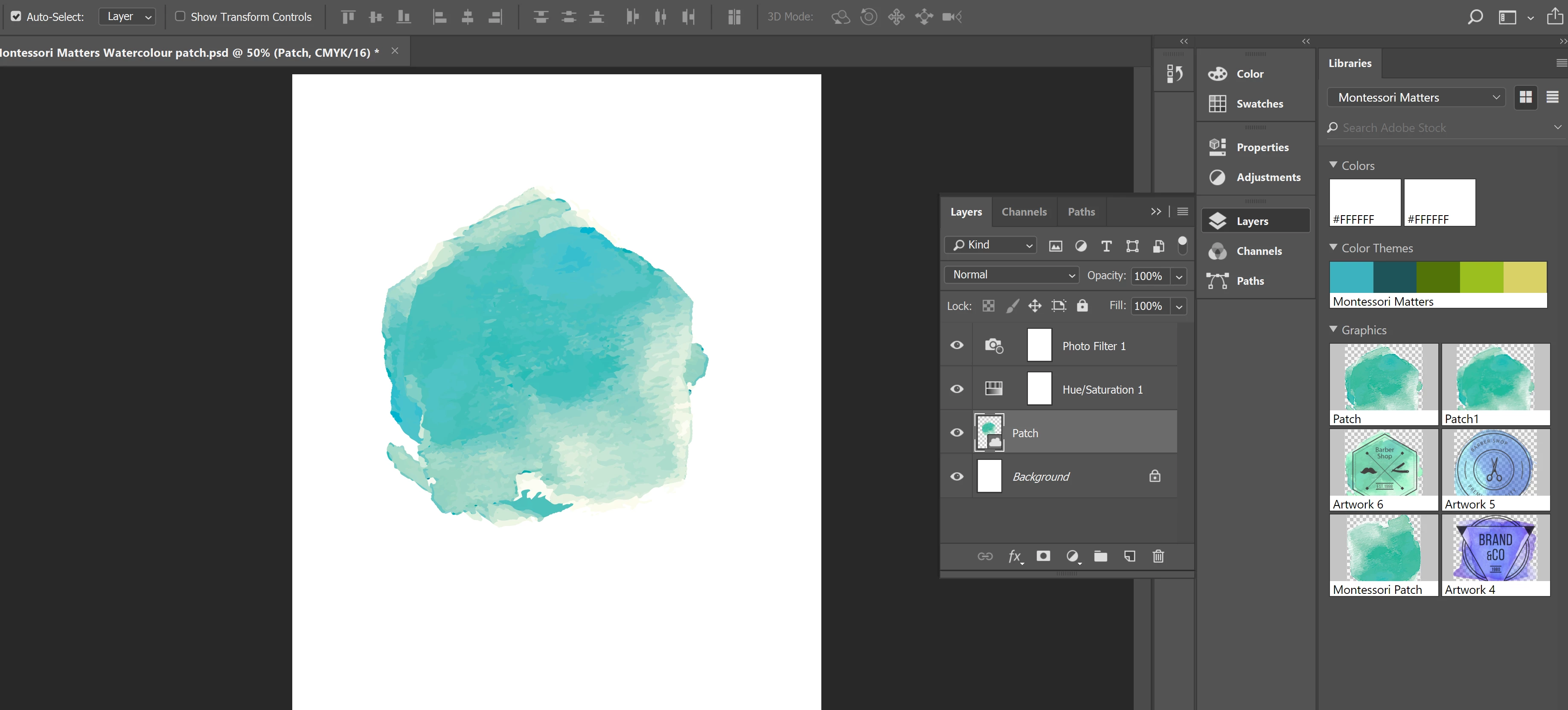
I am new to photoshop and have been struggling with this particular problem for 2 days now and I am ready to throw the laptop out the window. My lack of understanding of how things work and how they act, as well as properties of certain things, has a lot to do with it. But here it goes. I have an image that I downloaded off of PNG Tree. I took that image into Illustrator where I removed parts of it I didn't like, so I was basically left with a watercolour splodge. I then dragged that splodge into the library panel and labelled it Patch. I then decided it needed a few colour adjustments, so I opened Photoshop where I then clicked and dragged my image onto my page. I added a Hue/Saturation layer as well as a photo filter layer to change up the colour. For some reason when I click and drag that altered image into the library panel it says "this layer is already linked to content in a library". The image updates itself in photoshop in the library but if I attempt to use that image in Illustrator via the library panel it doesn't carry over the changes. I am not sure how to save the altered image to the library, so as to continue to add other things to the image in Illustrator
 AdChoices