Barnabylad
Participant
May 4, 2017
Answered

Saving Tiff files after changes made.

  • May 4, 2017
  • 1 reply
  • 819 views

After in CS6 I have made changes to a Tiff photo and answered 'yes' to 'save changes', the default file choice is PDF, I then have to change it to Tiff.

How can I make it Tiff as the default file type and cut out this step each time?

This topic has been closed for replies.
Correct answer JJMack

Doing that I get a list of programmes as a plug ins, but no 'preferences'.

What I am looking for, if it exists, is the preferences where I can change the default file type highlighted after I have altered a Tiff file in PS.


What I am looking for, if it exists, is the preferences where I can change the default file type highlighted after I have altered a Tiff file in PS.

There is no preference setting for a default file type.  And some settings mo have not default and some may have a default me may show up with some other setting that saved the lays time a dialog was used.  Some dialogs remember the setting you last used.

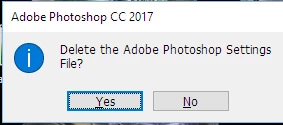
The Crtl+Shift+ALT the keys must be press quickly to catch a startup window if done in the time you should get this yes no dialog pop-up before the Photoshop flash displays before Photoshop starts.

1 reply

JJMack
Community Expert
Community Expert
May 4, 2017

Are all the CS6 Updates Installed? Did you try resetting you preferences.  I do not see that with my CS6 version 13.1.2 the subscription version of Photoshop on a Windows system It defaults to tif and warns me the saving layers will increase file size.

JJMack
Barnabylad
Participant
May 5, 2017

Thanks for your answer. I have the bought CS6 Extended version operated on Windows 10 and have all the updates I think.

Are you talking about the preferences in 'edit', because I could not see it there, or another place?

JJMack
Community Expert
Community Expert
May 5, 2017

No there are three current version of Photoshop CS6.   They are updated versions of  Photoshop CS6 version 13.0.  The three CS6 versions are Perpetual Standard and Extended Mac version  version 13.0.6,  Perpetual  Standard and Extended Windows  Version 13.0.1.3 and The CS6 Extended Subscription version 13.1.2.  There as some differences between versions. 

Sound like you  have a Windows CS6 Prepetual Extended licences.  That version lacks an update installed in the subscription version. But with that version of CS6 you can install the CS5 optional Plug-in Web Photo Galery and Picture Package.  The other CS6 version can not use these plugins.   Adobe removed some plug-in support in Subscription  CS6 version.  While the optional CS5 plug-ins are available for both the 32bit and 64Bit windows the mac CS5 plug-ins are 32bit versions only. Mac CS6 does not have 32bit support it was removed.

JJMack