Answered
Scaling an image in video timeline?
Hi,
I'm trying to create a video slideshow and I want to scale some images. However I can only change the position of an image and not it's size. Any ideas how to overcome this?
Hi,
I'm trying to create a video slideshow and I want to scale some images. However I can only change the position of an image and not it's size. Any ideas how to overcome this?
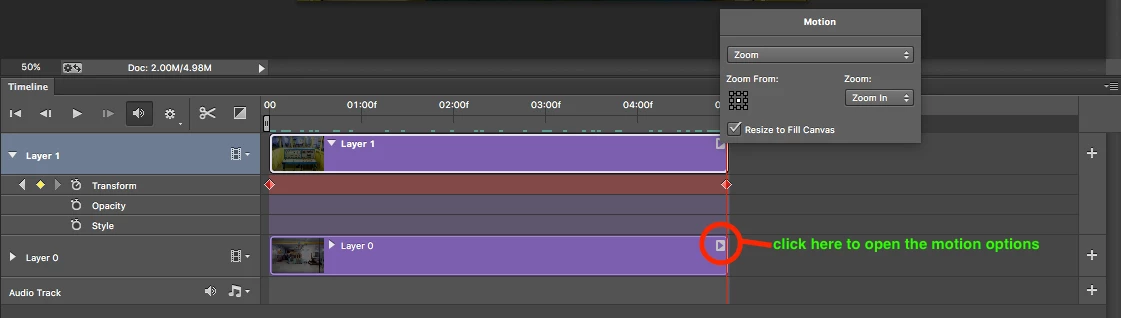
You can use the motion option (on right side end of each layer ) inside the Photoshop timeline. This option will also convert the layer to Smart object automatically once you choose the ZOOM option or any one of them inside the motion options.
Screenshot and video for Reference.
Already have an account? Login
Enter your E-mail address. We'll send you an e-mail with instructions to reset your password.
 AdChoices