Participant
December 3, 2022
Answered

Scratch Disk not working correctly with ExFAT formatted drive on macOS

  • December 3, 2022
  • 12 replies
  • 2962 views

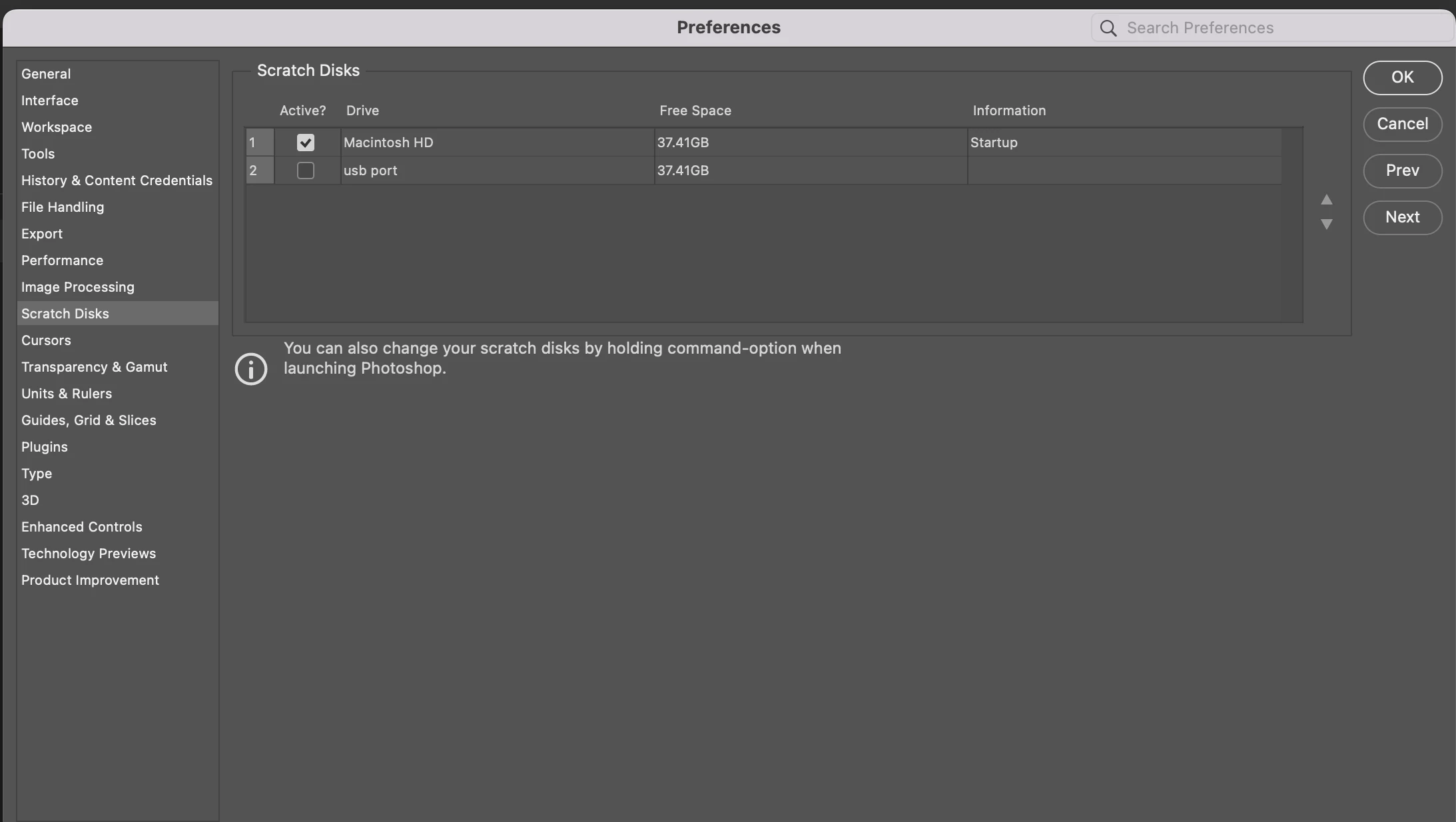
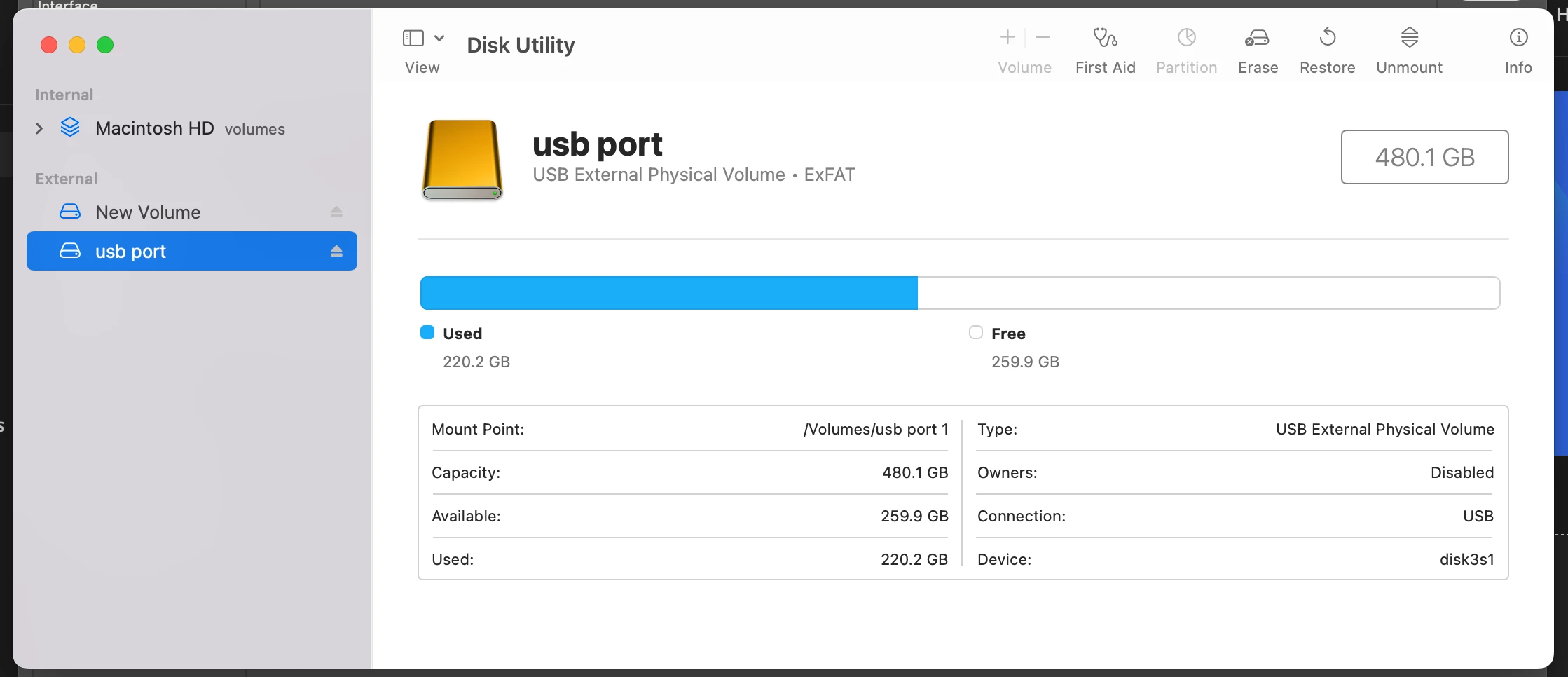
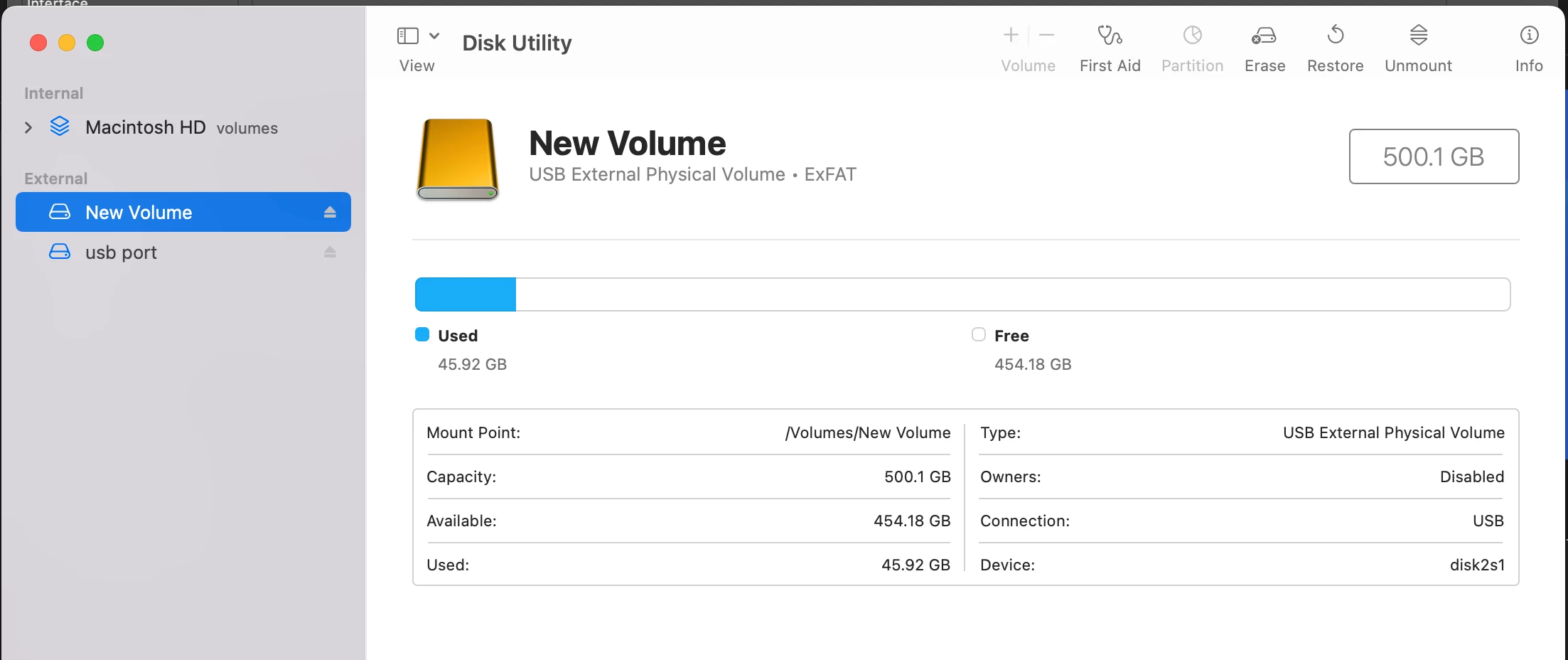
so ive been having a problem. my scratch disk is showing full & i have multiple 500gb  & 1 tb external harddrives but their space shows up same as my internal hardrive. i have a 2020 macbook pro.  cant even have after effects and photoshop installed at the same time not enough space.
This topic has been closed for replies.
Correct answer terrence5E30
Ahhh it worked, it’s the exfat but what’s weird is I put it in apfs format
the other day when I saw his comment & it didn’t work. I just read your
comment and tried again that option was no longer there so I clicked Mac OS
extended journal and it worked 😂 technology is insane

12 replies

melissapiccone
Community Expert
Community Expert
December 5, 2022

37GB of free hard drive space won't get you very far. That is weird that it doesn't see the actual free space. I suggest you move stuff off of your hard drive to your external and free up more space internally. 

Melissa Piccone | Adobe Trainer | Online Courses Author | Fine Artist
J E L
Community Expert
Community Expert
December 3, 2022

@terrence5E30 That's strange. Are you running Time Machine or any other synced backup like Dropbox? If so, turn it off and let it complete. Keep it off and see if it makes a difference. Otherwise, you'll probably need to head to Apple support for help.