Inspiring
March 10, 2017
Answered

Scratch disks are full

  • March 10, 2017
  • 2 replies
  • 3562 views

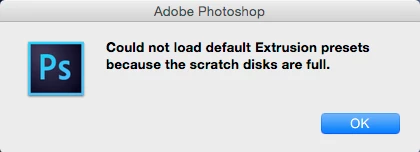
I attempted to launch Photoshop on my Mac, but was unsuccessful because the scratch disks are full.

Please see the following notifications:
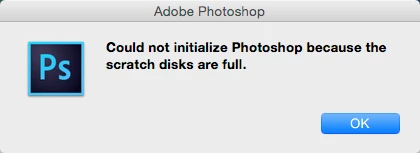
I've read some articles on how to erase the scratch disks while you are in Photoshop, but in my case I can't even launch Photoshop.

How is it possible for me to erase the scratch disks if I can't even launch Photoshop? 
    This topic has been closed for replies.
    Correct answer davescm

    Hi

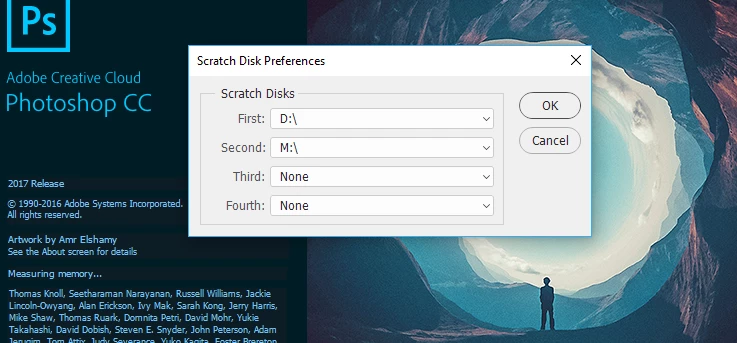
    If you are on Windows (not sure about Mac) hold down Ctrl and Alt  whilst clicking on the icon to launch Photoshop.

    You should get a scratch disk preference dialogue

    2 replies

    melissapiccone
    Community Expert
    Community Expert
    March 10, 2017

    Is your main hard drive full? By default PS uses your main internal hard drive as it's primary scratch disk. You need to clean out your hard drive. I had this issue the other day teaching in a lab - all the computers were full. I had to delete a bunch of junk on 13 machines so my students and I could get through the day.

    Melissa Piccone | Adobe Trainer | Online Courses Author | Fine Artist
    Inspiring
    April 7, 2017

    Hello Melissa.

    My apologies for the late reply. My main hard drive info is as follows:

    Capacity: 498.88 GB

    Available: 54.84 GB

    Used: 444, 039, 299, 072

    Bytes: 444.04 GB on disk

    Should I proceed to delete my hard drive?

    melissapiccone
    Community Expert
    Community Expert
    April 7, 2017

    You should definitely make room on your hard drive.

    Melissa Piccone | Adobe Trainer | Online Courses Author | Fine Artist
    davescm
    Community Expert
    davescmCommunity ExpertCorrect answer
    Community Expert
    March 10, 2017

    Hi

    If you are on Windows (not sure about Mac) hold down Ctrl and Alt  whilst clicking on the icon to launch Photoshop.

    You should get a scratch disk preference dialogue