Screen glitching in Adobe Photoshop 2019 on Macbook Pro
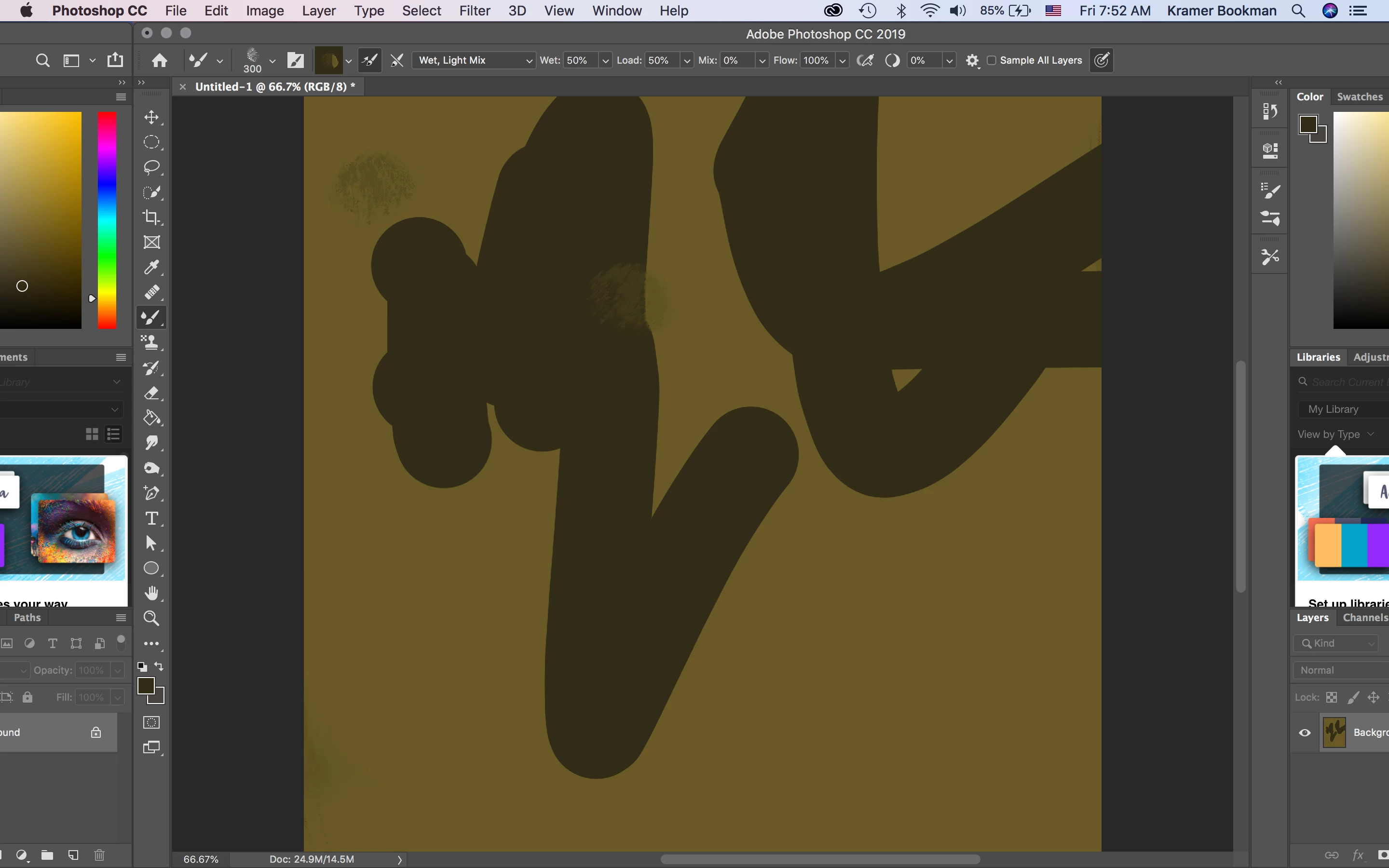
So, ever since I updated to CC 2019 I have had a terrible time with the screen on my MacBook pro either flashing black bars or with the whole Photoshop app moving over about an inch, with what was the right side of the program now overlapping to the left side (see picture). This is the only program I have this issue with and it seems to occur mostly when I am moving the cursor with the brush tool selected, especially if I move it at all quickly. When the screen shifts over, I have to click on the canvas and then it returns to normal. The black horizontal bars flashing is so bad though that it makes the program almost useless. If anyone has a fix it would definitely save my butt. And I have tried all the usual things like restarts, updates, etc...
 AdChoices