
Answered
screen presentation
.png)
After opening Photoshop i cant grap or touch the window and i cant close photoshop anymore. Is there a fixing shortcut or something similiar what i coincidentally did? Other Programs of adobe still work well.
After opening Photoshop i cant grap or touch the window and i cant close photoshop anymore. Is there a fixing shortcut or something similiar what i coincidentally did? Other Programs of adobe still work well.
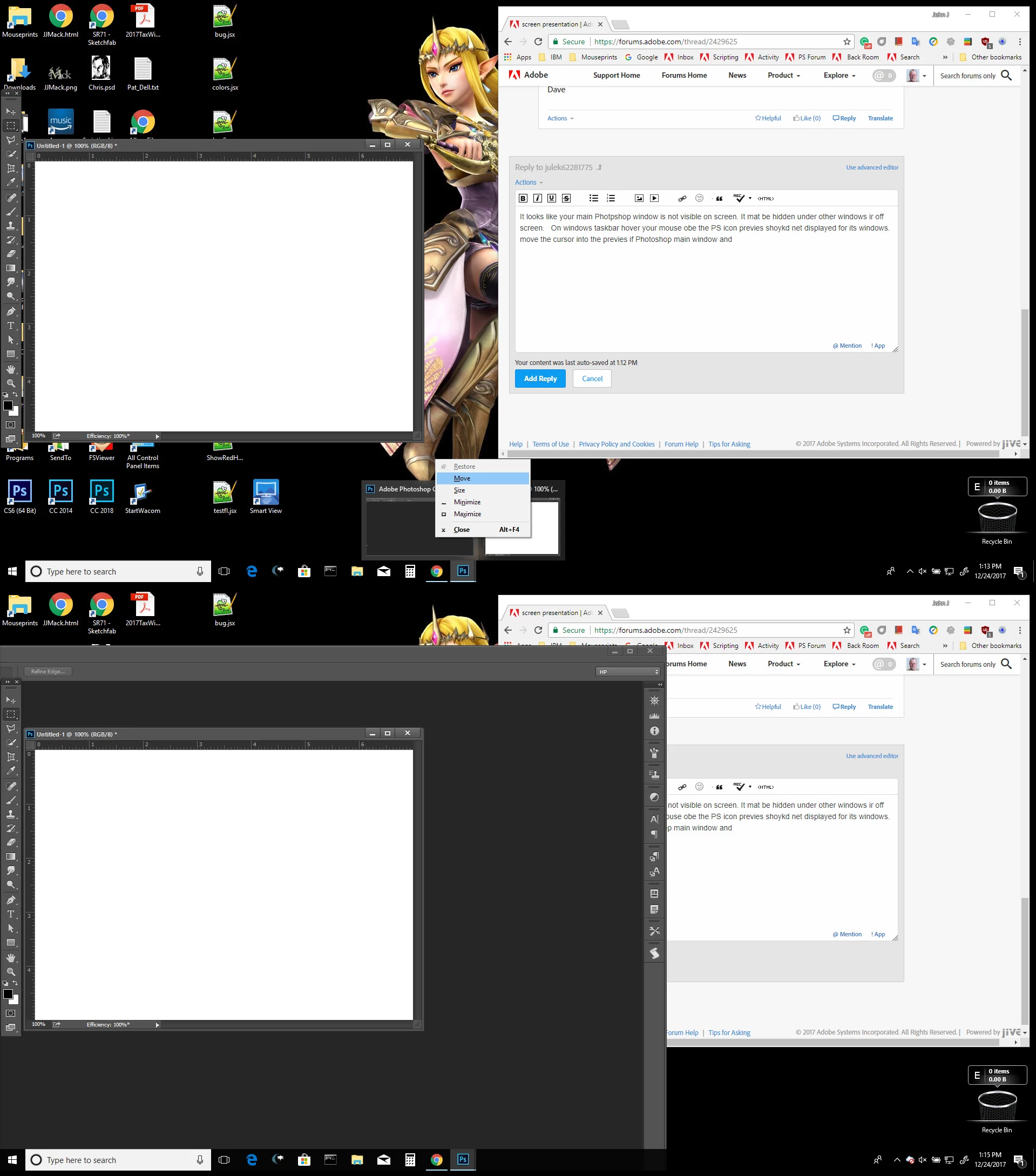
It looks like your main Photoshop window is not visible on screen. It may be hidden under other windows or off screen or mostly off screen the one under your Photoshop tool palette vertical bar. On windows task bar hover your mouse over the PS icon previews should be displayed for its windows. Move the cursor into the preview of Photoshop's main window right click and click on move. Then use the keyboard arrows keys see if you can move Photoshop main window into view. Once you use the arrows keys a few times you may be able to just move your mouse around to locate Photoshop's main window. Here I moved mine off screen capture the screen with the previews displayed with right click menu for the main Photoshop window preview.
Already have an account? Login
Enter your E-mail address. We'll send you an e-mail with instructions to reset your password.
 AdChoices