


screencapture/Colorspace over multiple monitors
Hi
I am on a PC using windows 11pro (but had the same issue on my preview pv on windows10).
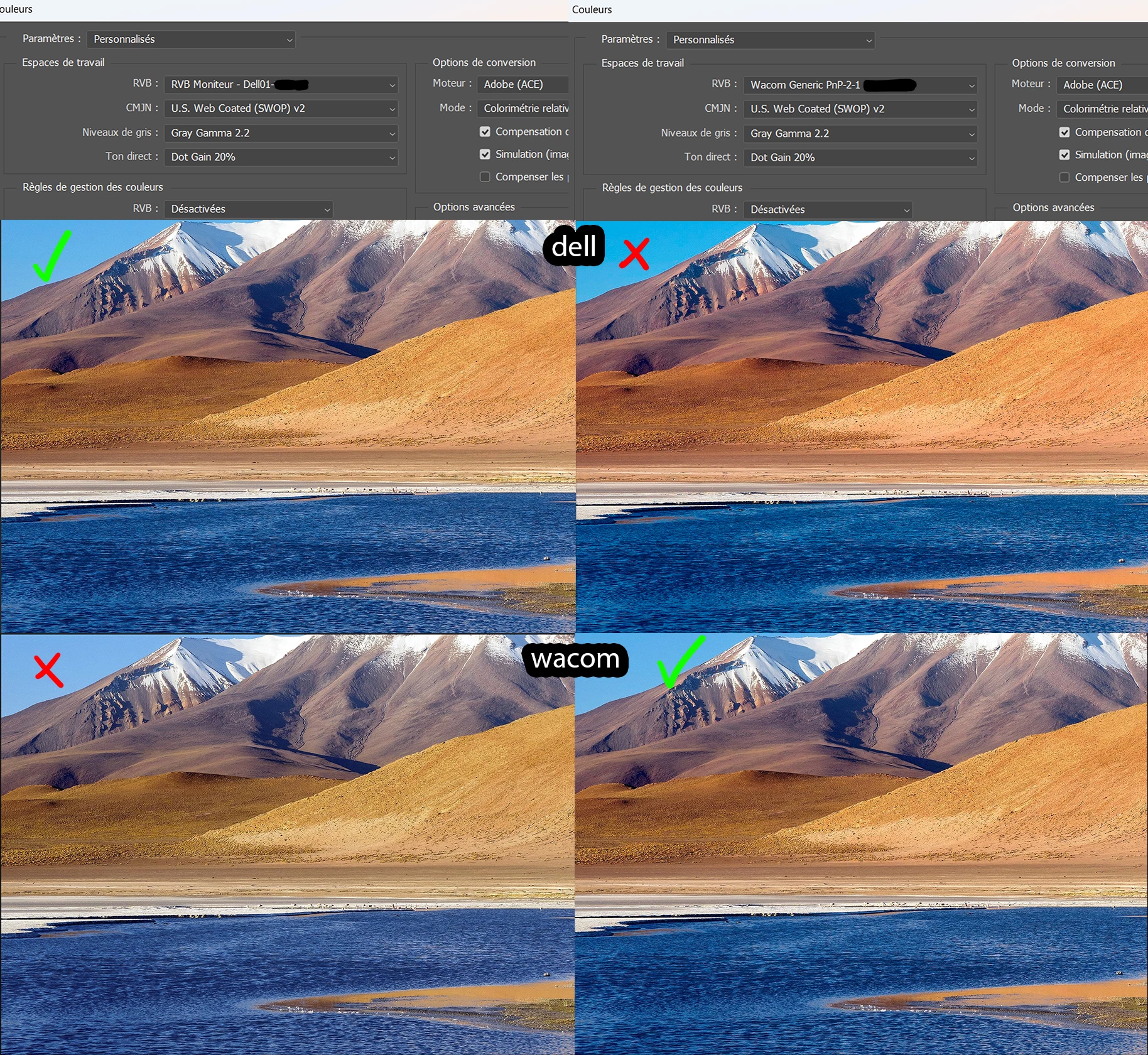
I have calibrated my 2 monitors with the SyderX Elite software and sensor and they each have their own colorprofile:
My dell: Dell01
my Wacom: Wacom Generic PnP-2-1
The problem is that photoshop can't seem to handle 2 different colorspaces at the same time.
I have duplicated my photoshop window so that it shows on both screen.
When I have selected the dell profile the colors are good on the dell but not on the wacom and the reverse is also true.
It is very problematic because I need my 2 screens to check the colors and I use screen capture very often. This means that if I screencapture an image in photoshop on the wacom while photoshop is configured with the dell colorspace, the colors are off when I paste it again, even if I paste it in the same file on the wacom. I don't have this problem if I screencapture the UI or anything else.
Is there a way to tell photoshop to use this colorspace on that monitor and that colorspace on the other monitor?
I know colorscpace issues have been discussed a lot but I haven't been able to find an answer on the internet for my problem.
I'd be really gratefull for any insight into this since it's been driving me crazy for a while now...

 AdChoices