Participant
October 2, 2020
Answered

Script that assigns a layer name identification label to each layer in an image?

  • October 2, 2020
  • 3 replies
  • 1007 views

Hi there, 


I'm looking for a solution that will save me a heap of time in a Photoshop process I'm responsible for at work. 


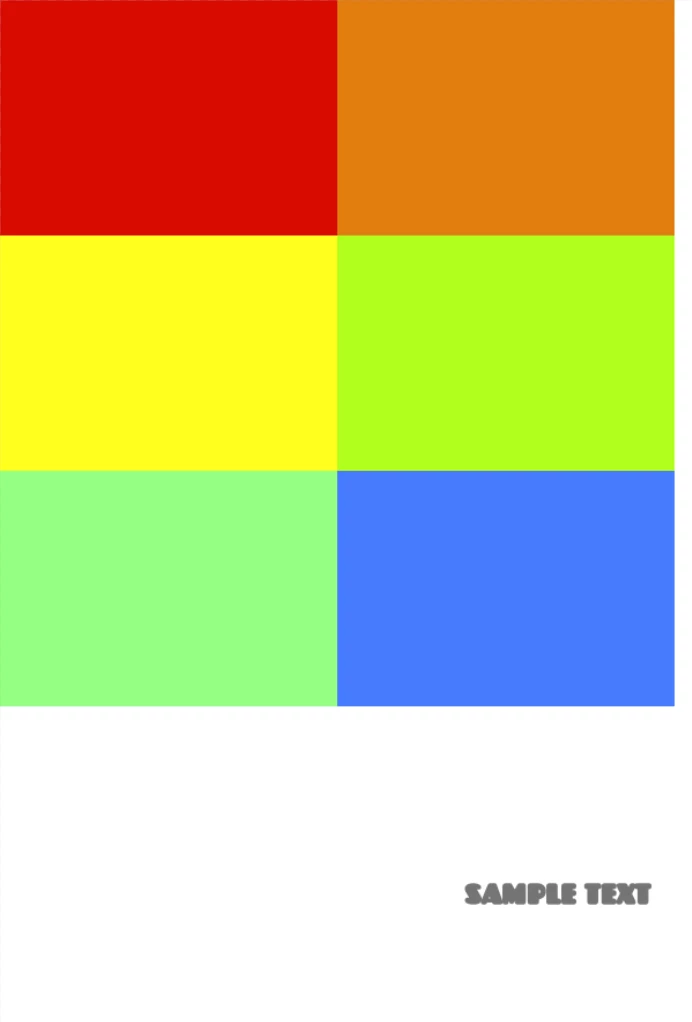
I have to create UV squares for use in Blender that contain on average 6 posters per 2k square. As we often deal with 100s of posters per project we assign each poster a code, and I manually type each poster's code over the top of the image to be used as a guide for the team doing the unwrapping in Blender. Example pictures attached.


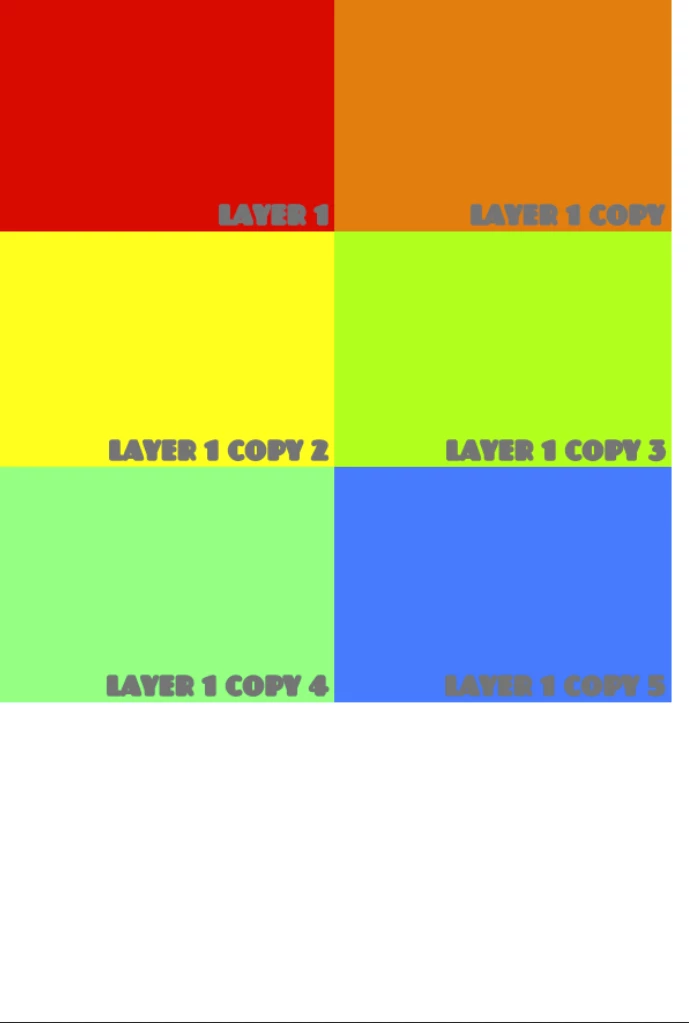
Since all the posters I import into Photoshop are already coded properly, both the file name and layer name represent the posters code. What I'm looking for is a script or process within Photoshop that would allow me to attach either the layer name or the file name to the corresponding image on the UV square, instead of me manually typing each of them out (long process and error prone), so the result would be something like the attached image with the red identification text next to each image. 


This would save me loads of time so I massively appreciate any help anyone could offer. 


Thanks,

Alex 

This topic has been closed for replies.
Correct answer jazz-y

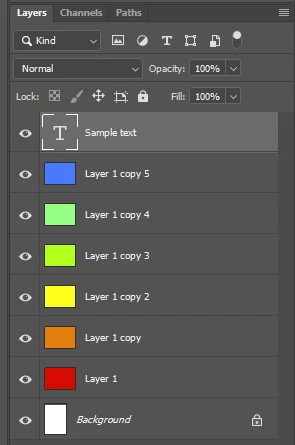
The script uses a sample text layer (you can create it manually or with an action for each file). The script remembers the formatting settings of this layer, makes it invisible, and then makes labels for all pixel layers of the document and smart objects (the settings for alignment, displacement, merging of layers can be set in the first variables of the script).
Before starting the script, the layer with the sample text must be selected.


#target photoshop

var align = ['right', 'bottom'], // [x, y] x - right or left, y - top or bottom
    offset = [-20, -20], // [x, y] pixels
    mergeLayers = true, // merge txt with layer or not
    lr = new AM('layer');

if (textKey = lr.getProperty('textKey')) {
    lr.hideLayerByID(lr.getProperty('layerID'))
    var doc = new AM('document'),
        len = doc.getProperty('numberOfLayers'),
        lrs = [];

    for (i = 1; i <= len; i++) {
        var lrKind = lr.getProperty('layerKind', i, true)
        if (lrKind == 1 || lrKind == 5) {
            lrs.push({
                name: lr.getProperty('name', i, true),
                id: lr.getProperty('layerID', i, true),
                bounds: lr.getProperty('bounds')
            })
        }
    }

    len = lrs.length
    var txt = new AM('textLayer')
    for (i = 0; i < len; i++) {
        lr.selectLayerByIDList([lrs[i].id]);
        var id = (lr.makeTextLayer(textKey)).getInteger(stringIDToTypeID('layerID'));
        (d = new ActionDescriptor).putString(stringIDToTypeID('textKey'), lrs[i].name);
        txt.setPropertyByDesc(d)
        txt.moveLayer(layerOffcet(lr.getProperty('bounds', lrs[i].id), lr.getProperty('bounds', id), align, offset))
        if (mergeLayers) { lr.selectLayerByIDList([lrs[i].id, id]); lr.mergeLayers() }
    }
}

function layerOffcet(src, tgt, align, offset) {
    return [src.getInteger(stringIDToTypeID(align[0])) - tgt.getInteger(stringIDToTypeID(align[0])) + offset[0],
    src.getInteger(stringIDToTypeID(align[1])) - tgt.getInteger(stringIDToTypeID(align[1])) + offset[1]]
}

function AM(target) {
    var s2t = stringIDToTypeID,
        t2s = typeIDToStringID;

    target = s2t(target)

    this.getProperty = function (property, id, idxMode) {
        property = s2t(property);
        (r = new ActionReference()).putProperty(s2t('property'), property);
        id ? (idxMode ? r.putIndex(target, id) : r.putIdentifier(target, id))
            : r.putEnumerated(target, s2t('ordinal'), s2t('targetEnum'));
        return executeActionGet(r).hasKey(property) ? getDescValue(executeActionGet(r), property) : null
    }

    this.setPropertyByDesc = function (desc, id, idxMode) {
        var r = new ActionReference();
        id ? (idxMode ? r.putIndex(target, id) : r.putIdentifier(target, id))
            : r.putEnumerated(target, s2t('ordinal'), s2t('targetEnum'));
        (d = new ActionDescriptor).putReference(s2t('null'), r);
        d.putObject(s2t('to'), target, desc);
        executeAction(s2t('set'), d, DialogModes.NO);
    }

    switch (t2s(target)) {
        case 'layer':
        case 'textLayer':
            this.hideLayerByID = function (id) {
                (r = new ActionReference()).putIdentifier(s2t('layer'), id);
                (l = new ActionList()).putReference(r);
                (d = new ActionDescriptor()).putList(s2t('null'), l);
                executeAction(s2t('hide'), d, DialogModes.NO);
            }

            this.selectLayerByIDList = function (IDList) {
                var ref = new ActionReference()
                for (var i = 0; i < IDList.length; i++) {
                    ref.putIdentifier(s2t("layer"), IDList[i])
                }
                var desc = new ActionDescriptor()
                desc.putReference(s2t("null"), ref)
                executeAction(s2t("select"), desc, DialogModes.NO)
            }

            this.makeTextLayer = function (textKey) {
                (r = new ActionReference()).putClass(s2t('textLayer'));
                (d = new ActionDescriptor()).putReference(s2t('null'), r);
                d.putObject(s2t('using'), s2t('textLayer'), textKey);
                return executeAction(s2t('make'), d, DialogModes.NO);
            }

            this.moveLayer = function (offset) {
                (r = new ActionReference()).putEnumerated(s2t('layer'), s2t('ordinal'), s2t('targetEnum'));
                (d = new ActionDescriptor()).putReference(s2t('null'), r);
                (d1 = new ActionDescriptor()).putUnitDouble(s2t('horizontal'), s2t('pixelsUnit'), offset[0]);
                d1.putUnitDouble(s2t('vertical'), s2t('pixelsUnit'), offset[1]);
                d.putObject(s2t('to'), s2t('offset'), d1);
                executeAction(s2t('move'), d, DialogModes.NO);
            }

            this.mergeLayers = function () {
                executeAction(s2t("mergeLayers"), new ActionDescriptor(), DialogModes.NO);
            }
            break;
    }

    function getDescValue(d, p) {
        switch (d.getType(p)) {
            case DescValueType.OBJECTTYPE: return (d.getObjectValue(p));
            case DescValueType.LISTTYPE: return d.getList(p);
            case DescValueType.REFERENCETYPE: return d.getReference(p);
            case DescValueType.BOOLEANTYPE: return d.getBoolean(p);
            case DescValueType.STRINGTYPE: return d.getString(p);
            case DescValueType.INTEGERTYPE: return d.getInteger(p);
            case DescValueType.LARGEINTEGERTYPE: return d.getLargeInteger(p);
            case DescValueType.DOUBLETYPE: return d.getDouble(p);
            case DescValueType.ALIASTYPE: return d.getPath(p);
            case DescValueType.CLASSTYPE: return d.getClass(p);
            case DescValueType.UNITDOUBLE: return (d.getUnitDoubleValue(p));
            case DescValueType.ENUMERATEDTYPE: return [t2s(d.getEnumerationType(p)), t2s(d.getEnumerationValue(p))];
            default: break;
        };
    }
}
3 replies

jazz-yCorrect answer
Legend
October 4, 2020

The script uses a sample text layer (you can create it manually or with an action for each file). The script remembers the formatting settings of this layer, makes it invisible, and then makes labels for all pixel layers of the document and smart objects (the settings for alignment, displacement, merging of layers can be set in the first variables of the script).
Before starting the script, the layer with the sample text must be selected.


#target photoshop

var align = ['right', 'bottom'], // [x, y] x - right or left, y - top or bottom
    offset = [-20, -20], // [x, y] pixels
    mergeLayers = true, // merge txt with layer or not
    lr = new AM('layer');

if (textKey = lr.getProperty('textKey')) {
    lr.hideLayerByID(lr.getProperty('layerID'))
    var doc = new AM('document'),
        len = doc.getProperty('numberOfLayers'),
        lrs = [];

    for (i = 1; i <= len; i++) {
        var lrKind = lr.getProperty('layerKind', i, true)
        if (lrKind == 1 || lrKind == 5) {
            lrs.push({
                name: lr.getProperty('name', i, true),
                id: lr.getProperty('layerID', i, true),
                bounds: lr.getProperty('bounds')
            })
        }
    }

    len = lrs.length
    var txt = new AM('textLayer')
    for (i = 0; i < len; i++) {
        lr.selectLayerByIDList([lrs[i].id]);
        var id = (lr.makeTextLayer(textKey)).getInteger(stringIDToTypeID('layerID'));
        (d = new ActionDescriptor).putString(stringIDToTypeID('textKey'), lrs[i].name);
        txt.setPropertyByDesc(d)
        txt.moveLayer(layerOffcet(lr.getProperty('bounds', lrs[i].id), lr.getProperty('bounds', id), align, offset))
        if (mergeLayers) { lr.selectLayerByIDList([lrs[i].id, id]); lr.mergeLayers() }
    }
}

function layerOffcet(src, tgt, align, offset) {
    return [src.getInteger(stringIDToTypeID(align[0])) - tgt.getInteger(stringIDToTypeID(align[0])) + offset[0],
    src.getInteger(stringIDToTypeID(align[1])) - tgt.getInteger(stringIDToTypeID(align[1])) + offset[1]]
}

function AM(target) {
    var s2t = stringIDToTypeID,
        t2s = typeIDToStringID;

    target = s2t(target)

    this.getProperty = function (property, id, idxMode) {
        property = s2t(property);
        (r = new ActionReference()).putProperty(s2t('property'), property);
        id ? (idxMode ? r.putIndex(target, id) : r.putIdentifier(target, id))
            : r.putEnumerated(target, s2t('ordinal'), s2t('targetEnum'));
        return executeActionGet(r).hasKey(property) ? getDescValue(executeActionGet(r), property) : null
    }

    this.setPropertyByDesc = function (desc, id, idxMode) {
        var r = new ActionReference();
        id ? (idxMode ? r.putIndex(target, id) : r.putIdentifier(target, id))
            : r.putEnumerated(target, s2t('ordinal'), s2t('targetEnum'));
        (d = new ActionDescriptor).putReference(s2t('null'), r);
        d.putObject(s2t('to'), target, desc);
        executeAction(s2t('set'), d, DialogModes.NO);
    }

    switch (t2s(target)) {
        case 'layer':
        case 'textLayer':
            this.hideLayerByID = function (id) {
                (r = new ActionReference()).putIdentifier(s2t('layer'), id);
                (l = new ActionList()).putReference(r);
                (d = new ActionDescriptor()).putList(s2t('null'), l);
                executeAction(s2t('hide'), d, DialogModes.NO);
            }

            this.selectLayerByIDList = function (IDList) {
                var ref = new ActionReference()
                for (var i = 0; i < IDList.length; i++) {
                    ref.putIdentifier(s2t("layer"), IDList[i])
                }
                var desc = new ActionDescriptor()
                desc.putReference(s2t("null"), ref)
                executeAction(s2t("select"), desc, DialogModes.NO)
            }

            this.makeTextLayer = function (textKey) {
                (r = new ActionReference()).putClass(s2t('textLayer'));
                (d = new ActionDescriptor()).putReference(s2t('null'), r);
                d.putObject(s2t('using'), s2t('textLayer'), textKey);
                return executeAction(s2t('make'), d, DialogModes.NO);
            }

            this.moveLayer = function (offset) {
                (r = new ActionReference()).putEnumerated(s2t('layer'), s2t('ordinal'), s2t('targetEnum'));
                (d = new ActionDescriptor()).putReference(s2t('null'), r);
                (d1 = new ActionDescriptor()).putUnitDouble(s2t('horizontal'), s2t('pixelsUnit'), offset[0]);
                d1.putUnitDouble(s2t('vertical'), s2t('pixelsUnit'), offset[1]);
                d.putObject(s2t('to'), s2t('offset'), d1);
                executeAction(s2t('move'), d, DialogModes.NO);
            }

            this.mergeLayers = function () {
                executeAction(s2t("mergeLayers"), new ActionDescriptor(), DialogModes.NO);
            }
            break;
    }

    function getDescValue(d, p) {
        switch (d.getType(p)) {
            case DescValueType.OBJECTTYPE: return (d.getObjectValue(p));
            case DescValueType.LISTTYPE: return d.getList(p);
            case DescValueType.REFERENCETYPE: return d.getReference(p);
            case DescValueType.BOOLEANTYPE: return d.getBoolean(p);
            case DescValueType.STRINGTYPE: return d.getString(p);
            case DescValueType.INTEGERTYPE: return d.getInteger(p);
            case DescValueType.LARGEINTEGERTYPE: return d.getLargeInteger(p);
            case DescValueType.DOUBLETYPE: return d.getDouble(p);
            case DescValueType.ALIASTYPE: return d.getPath(p);
            case DescValueType.CLASSTYPE: return d.getClass(p);
            case DescValueType.UNITDOUBLE: return (d.getUnitDoubleValue(p));
            case DescValueType.ENUMERATEDTYPE: return [t2s(d.getEnumerationType(p)), t2s(d.getEnumerationValue(p))];
            default: break;
        };
    }
}
AleLan19Author
Participant
October 5, 2020

I've just tested this and it works perfectly - thankyou so much! 

Stephen Marsh
Community Expert
Community Expert
October 4, 2020

From the sample image, I'm guessing that there may be six layers, one for each image.


What happens when you have added text layers? Are there 6 text layers in addition to the original 6 image layers, or are they combined into the underlying image?

JJMack
Community Expert
Community Expert
October 2, 2020

Do you know anything about scripting Photoshop?  Do you use menu File>Scripts>Load files into a Stack to import all the poster?

JJMack