
Answered
script to save as JPEG in photoshop not working!
Hi guys,
I am new at scripting for Photoshop.
I am using this code for saving as a JPEG but it isn't working:
open(new File("C:\\Users\\USER\\Downloads\\Adobe Scripting\\photoshop file test for saveAs.psd"))
jpgFile = new File ("/Temp001.jpeg")
jpgSaveOptions = new JPEGSaveOptions ()
jpgSaveOptions.embedColorProfile = true
jpgSaveOptions.formatOptions = FormatOptions.STANDARDBASELINE
jpgSaveOptions.matte = MatteType.NONE
jpgSaveOptions.quality = 1
app.activeDocument.saveAs (jpgFile, jpgSaveOptions, true, Extension.LOWERCASE)
When I run it in VS Code, this is the error I get in Photoshop:
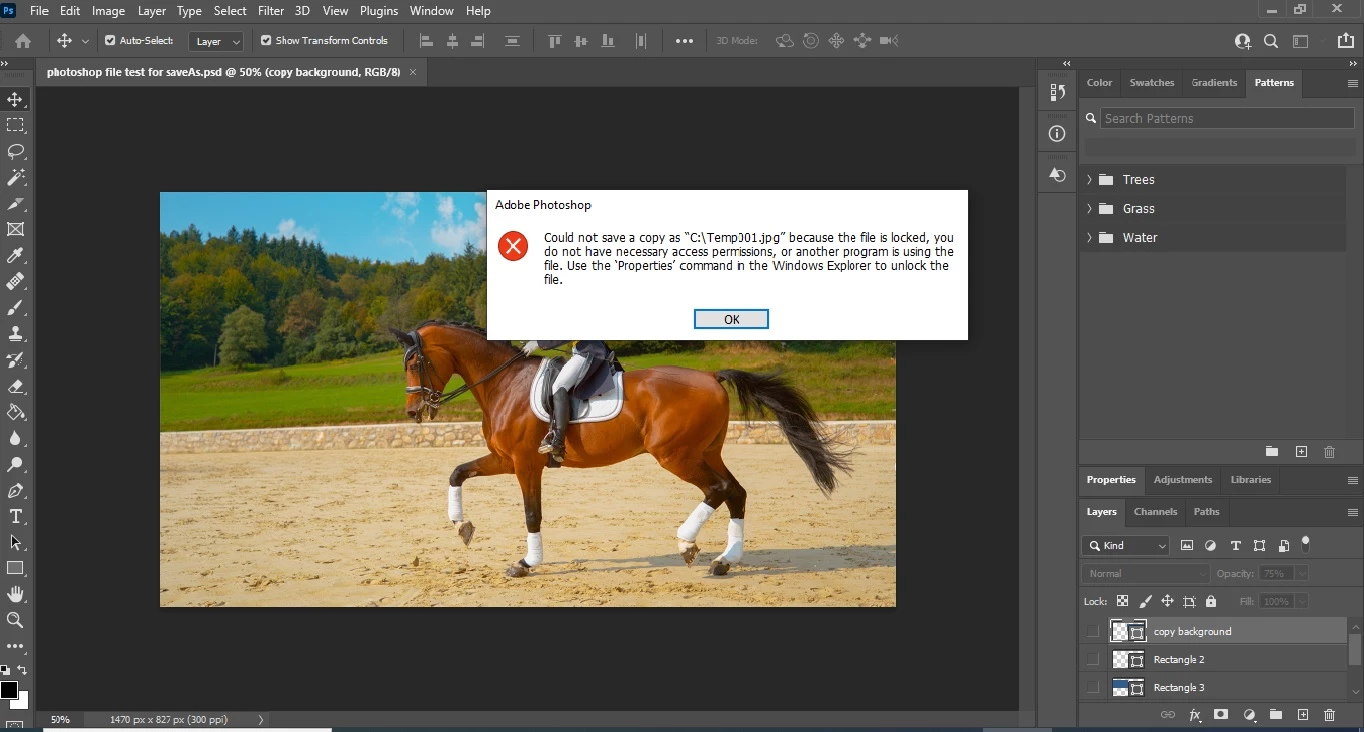
What is wrong with my code? Please help!
Best regards,
Joseph
 AdChoices