
Select and copy to new layer producing very block like results
I've started to get an issue with Photoshop on one of my laptops (Photoshop on the other one is behaving itself!).
When I select an area of an image and then use Ctrl+J to copy it to a new layer it copies the selection but with massive block like pieces of the original around the edges. Below is a hanging coat selected using the Elliptical Marquee Tool and the output in the new layer after using Ctrl+J.
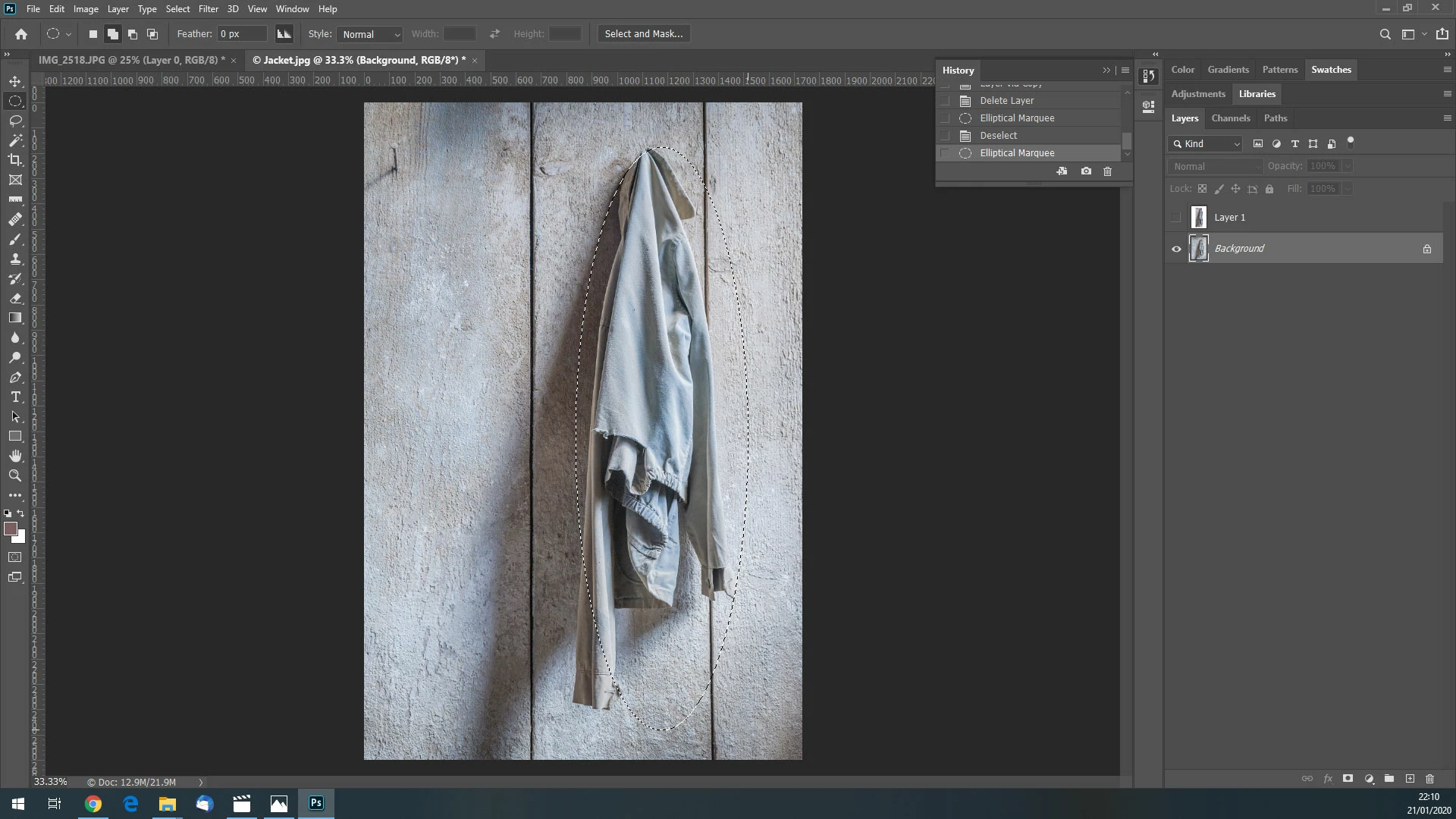
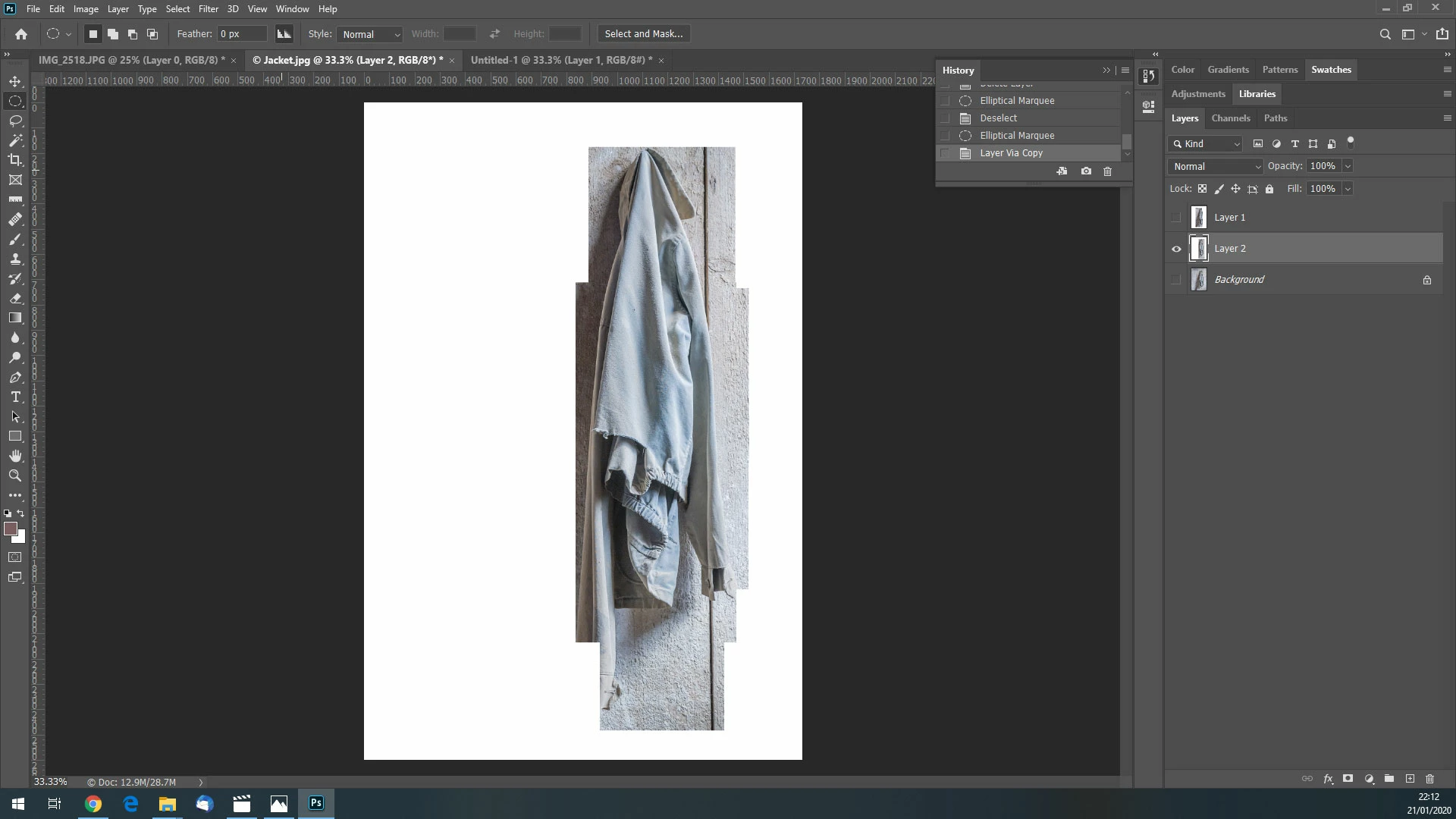
If I carefully select the coat with the quick select tool the result is pretty similar.
This is really odd because if I use the Select and Mask tool any layer masks are pixel perfect. However if I try to output to a new layer I get the same chunky results.
I've tried this on several images and its always the same. I've then tried those same images on Photoshop on my other laptop and the selections copy perfectly.
Is there some setting deep, deep down in Photoshop which I need to adjust ....?
Any ideas welcome!
 AdChoices